In iTunes (not on the iPod), click on File/New/Playlist...
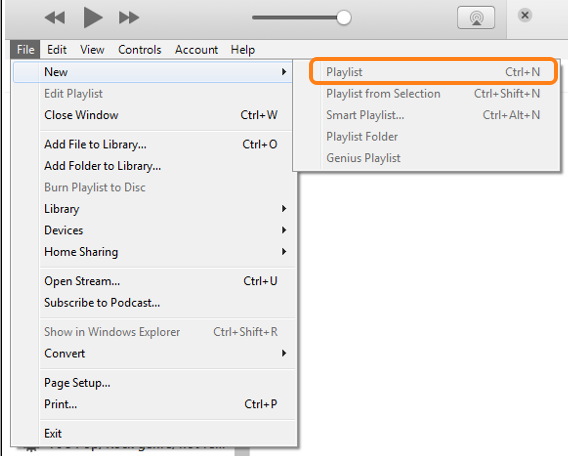
My screenshot shows iTunes for Windows, but the Mac one should be similar.
Then Sync your iPod with your iTunes Library to copy that Playlist onto your iPod.
You cannot create a new Playlist on the iPod by using iTunes, but you can create a new Playlist on the iPod itself by highlighting a song and press-and-hold the centre (Select) button until it flashes. This adds it to the On-The-Go Playlist (on the iPod) which you can add other songs to, then save it, create additional On-The-Go Playlists and then synchronise them with your iTunes Library.

