5s Camera & Flash Not Working 10.3.2 update

I just upgraded to 10.3.2 and now my rear camera and flash no longer are functioning. The front facing camera works fine. The rear camera just shows a black screen. When I attempt to turn on the flash using the flashlight button the light does not turn on. The button does change and respond by being pressed but immediately returns to a state of being off. The light never comes on. I have also seen an ! mark in the upper left corner that tells me my phone needs to cool off before the flash will function. This is an erroneous message, my phone is cold to the touch, fully charged and not plugged into AC. This is not a thermal issue.


As I stated in my title, the camera and flash were working properly until I updated to 10.3.2. I have tried a hard reset several times, I have tried turning off/on low power mode several times and then doing a hard reset (saw this suggestion on the internet), I have done a "Reset All Settings". In all these attempts nothing has worked. I understand that this is a two year old phone but an OS update should not cause the phone to loose functionality. I refuse to accept I should upgrade to a newer phone when this phone has been working properly and without issue for 2 years.

iPhone 5s, iOS 10.3.2

Posted on Jun 16, 2017 6:06 AM

Reply
3 replies

Jun 16, 2017 8:11 AM in response to jgruss02

Hello,

You see a closed lens or black screen

If you see a closed lens or black screen when you open the Camera app, try these steps:

  1. Make sure that there’s nothing blocking the camera lens. If you’re using a case, try removing it.
  2. Force the app to close, then open the Camera app again.
  3. Restart your device, then open the Camera app again.
  4. If your device has a front and rear camera, try both cameras by tapping User uploaded file. If you see the closed lens or black screen on only one camera, take your device to an Apple Retail Store or Authorized Service Provider for more help.


User uploaded file


User uploaded file

Your flash isn't working

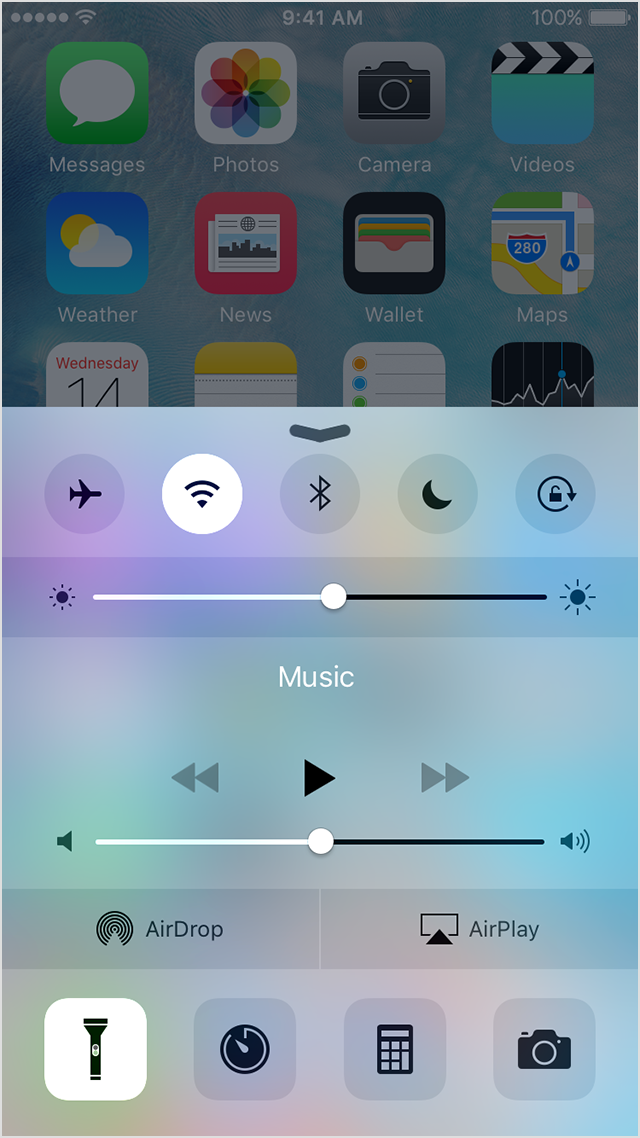
Use Control Center to test the LED flash. Turn the flashlight off and on. If the LED flash doesn't work as a flashlight, contact Apple Support.

If the flash isn’t working, or it goes off every time you take a photo, check your flash settings. Tap User uploaded file in the upper left of the screen to choose a different setting.

If you take extended video with the flash on, or you’re using the device in a very warm environment, you might see a message that says the flash is disabled. The message remains until your device cools down.

User uploaded file


From:

Get help with the camera on your iPhone, iPad, or iPod touch - Apple Support

Aug 30, 2017 11:13 AM in response to jburnley

You will not be able to downgrade to something earlier. Apple does not support downgrading, and they are no longer signing earlier versions of iOS, so even if you were able to find a way to download and install, you would not be able to activate the device. Use the troubleshooting steps in the article posted earlier, or make a Genius Bar appointment to have the device examined.

This thread has been closed by the system or the community team. You may vote for any posts you find helpful, or search the Community for additional answers.

5s Camera & Flash Not Working 10.3.2 update

Welcome to Apple Support Community
A forum where Apple customers help each other with their products. Get started with your Apple Account.