I cannot sign in to Apple services/apps on device (iTunes, Cloud account, etc.)

I can sign in to appleid.apple.com but not into any services on my Mac, as iTunes, Cloud etc.

After several trials I get a suggestion to press the "Forget Password?" button:


iCloud:

User uploaded file

iTunes:

User uploaded file

Appstore:

User uploaded file

I use my Apple ID on this computer for years, with no interruptions.
A few months ago I signed in also from my Mac laptop I got from work, and I can sign in from it.

I think the problem started after a recent OS update, though I'm not sure.

Though this post is under Mac OS X El Capitan, I use macOS Sierra, latest update.


I tried replacing Apple ID password.
I tried tried restart/shutdown.

Mac mini, macOS Sierra (10.12.5), null

Posted on Jun 17, 2017 8:56 AM

Reply
4 replies

Jun 17, 2017 9:25 AM in response to Talchu

This issue happens if date and time settings are changed : macOS Sierra: Set the date and time on your Mac

Keep the settings as automatically , also if read and write permissions are changed in download folder , public folder , air drop , shared folder , home folder as it should be custom access : Resolve issues caused by changing the permissions of items in your home folder - Apple Support

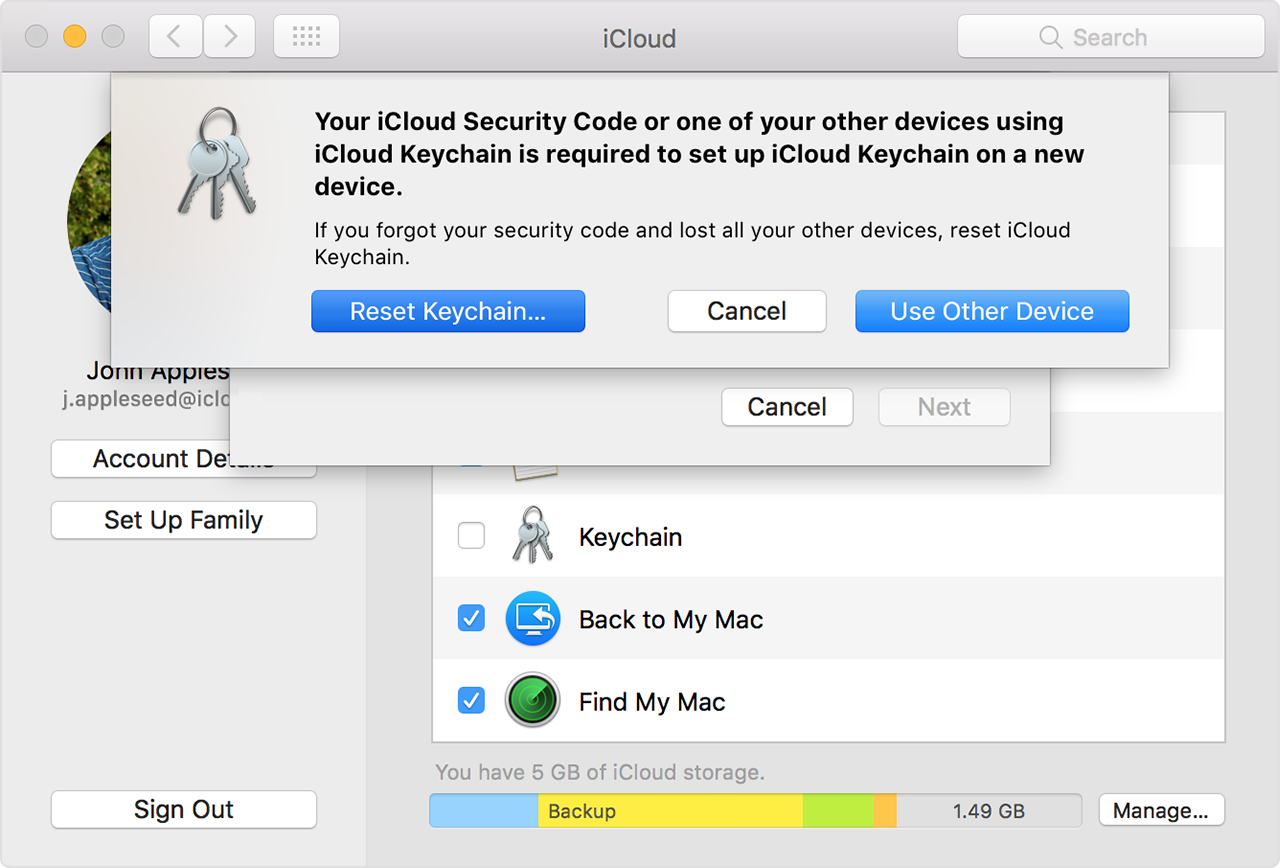
After performing the steps follow this article : If you enter your iCloud Security Code incorrectly too many times - Apple Support

On a Mac with OS X Yosemite or later:

  1. Choose Apple User uploaded file menu > System Preferences.
  2. Click iCloud, then select Keychain. You might be asked to enter your Apple ID password.
  3. Click Use Code, then choose Forgot Code when you're asked to enter your iCloud Security Code.
  4. Click Reset Keychain to replace your keychain in iCloud with the iCloud Keychain from your device.
    User uploaded file
  5. Click Reset iCloud Keychain to confirm.
  6. Follow the onscreen steps to create a new iCloud Security Code.

Jul 12, 2017 7:06 AM in response to Talchu

Read this article : If you can't connect to the iTunes Store, iBooks Store, or App Store - Apple Support

Get more help

Jul 12, 2017 2:02 AM in response to tygb

Thanks tygb, for your detailed answer. My date & time are already automatic, so it is not related to date & time, I guess. I reset file permissions using the guide you sent, but I didn't manage to follow If you enter your iCloud Security Code incorrectly too many times - Apple Support, as there is not reset keychain button in the iCloud settings, only an invitation to sign in. Also, my password has not expired, my account is not blocked. I wrote that I can login using my Apple ID to the website (and to this discussion), and from another laptop, but not from my Mac Mini, on Sierra latest update.


After I rest file permissions, I get the following message when I try to sign into the iCloud settings:

User uploaded file
Same message for iTunes account sign in as image on 1st post:

This action could not be completed. Please try again.

Jul 12, 2017 12:33 PM in response to Talchu

Try signing in in another admin account and/or the Safe Mode.


Safe Mode - About El Capitan also Sierra


Safe Mode Startup – El Capitan. also Sierra


If it works in the Safe Mode, try running this program when booted normally and then copy and paste the output in a reply. The program was created by Etresoft, a frequent contributor. Please use copy and paste as screen shots can be hard to read. On the screen with Options, please open Options and check the bottom 2 boxes before running. Click “Share Report” button in the toolbar, select “Copy to Clipboard” and then paste into a reply. This will show what is running on your computer. No personal information is shown.

Etrecheck – System Information

This thread has been closed by the system or the community team. You may vote for any posts you find helpful, or search the Community for additional answers.

I cannot sign in to Apple services/apps on device (iTunes, Cloud account, etc.)

Welcome to Apple Support Community
A forum where Apple customers help each other with their products. Get started with your Apple Account.