Hi lgbo263,
the solution could be this:
Turn on Restrictions
- Tap Settings > General > Restrictions.

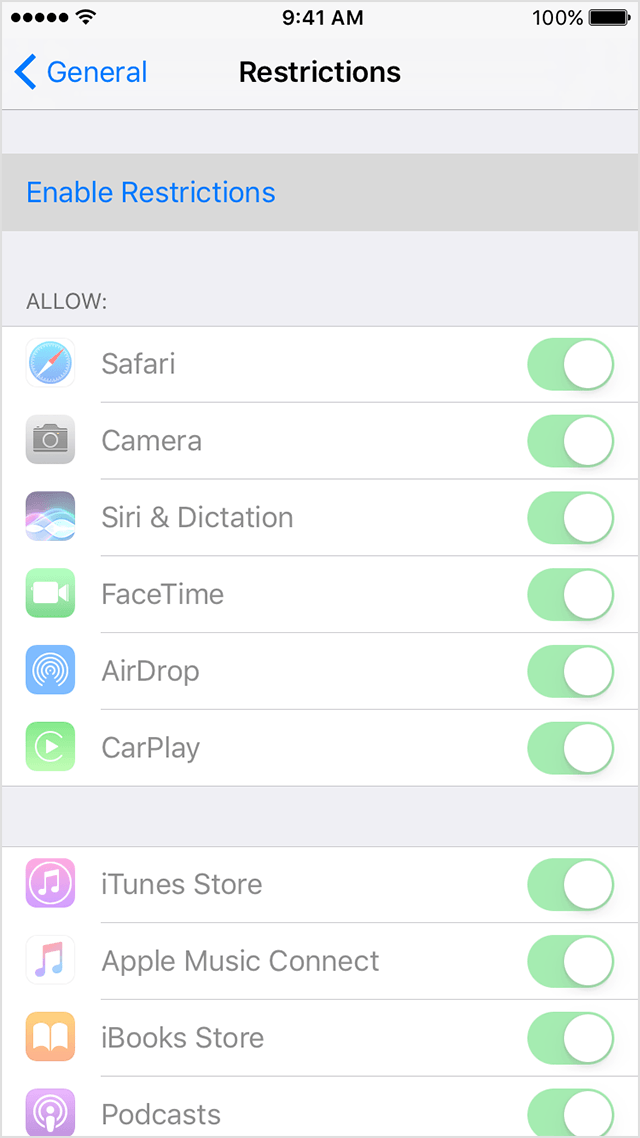
- Scroll down and tap Restrictions, then tap Enable Restrictions.
- Create a Restrictions passcode. You need your Restrictions passcode to change your settings or to turn off Restrictions.
If you forget your Restrictions passcode, you need to erase your device, then set it up as a new device to remove the Restrictions passcode. Restoring your device using a backup won't remove the Restrictions passcode.
To change your Restrictions passcode after you turn on Restrictions, follow these steps:
- Go to Settings > General > Restrictions.
- Enter your current Restrictions passcode.
- Tap Disable Restrictions, then enter your Restrictions passcode again.
- Tap Enable Restrictions, then enter a new Restrictions passcode.
 When you have Restrictions on, you might not see certain apps, features, or services. If you're missing an app or feature, or can't use a certain service, try turning Restrictions off. Also, make sure to check that you haven't removed certain built-in apps.https://support.apple.com/kb/HT204221
To see a list of apps and features that you can restrict, go to Settings > General > Restrictions. To turn restrictions on or off, tap the slider next to the app or feature.If an app or feature is on or if there's a checkmark next to it, anyone using your device can use that app or feature. Otherwise, no one can use that app or feature on your device.Businesses and schools often use profiles, which can turn on Restrictions. To find out if your device has a profile, go to Settings > General > Profiles. Contact your administrator or the person who set up the profile for more information.
- Safari
- Camera (also disables FaceTime)
- Siri & Dictation
- FaceTime*
- AirDrop
- CarPlay
- iTunes Store
- Apple Music Connect (replaces Connect tab with Playlists)
- iBooks Store
- Podcasts
- News
- Installing apps
- Deleting apps
- In-App Purchases
- Multiplayer Games
- Adding Friends
- Screen Recording
*FaceTime isn't available in all countries or regions.
- Ratings For (select the country or region in the ratings section to automatically apply the appropriate content ratings for that region)
- Music, Podcasts & News
- Movies
- TV shows
- Books
- Apps
- Siri
- Websites
- Password Settings
If you don’t use Touch ID for paid and in-app purchases, you can change how often you need to enter your password for these purchases.
- Location Services
- Contacts
- Calendars
- Reminders
- Photos
- Share My Location
- Bluetooth sharing
- Microphone
- Speech Recognition
- Twitter
- Facebook
- Sina Weibo
- Tencent Weibo
- Advertising
- Media Library
- Accounts (you can prevent changes to Mail, Contacts, Calendars)
- Cellular Data Use
- Background App Refresh
- Volume limit
When you have Restrictions on, you might not see certain apps, features, or services. If you're missing an app or feature, or can't use a certain service, try turning Restrictions off. If you have any of these issues, try turning off Restrictions:
- You don't see an app on the Home screen (like Safari, Camera, or FaceTime).
- You can't use a certain feature or service (like Siri or Location Services).
- You see that a setting is missing or dimmed (like Mail, iCloud, Twitter, and FaceTime).
If you lose or forget your Restrictions passcode, you need to erase your device, then set it up as a new device to remove the Restrictions passcode.



