How do I download apps from the Apple Store without a credit card
How do I download apps from the Apple Store without a credit card
iPhone SE, iOS 10.3.2
How do I download apps from the Apple Store without a credit card
iPhone SE, iOS 10.3.2
Use your iPhone, iPad, or iPod touch
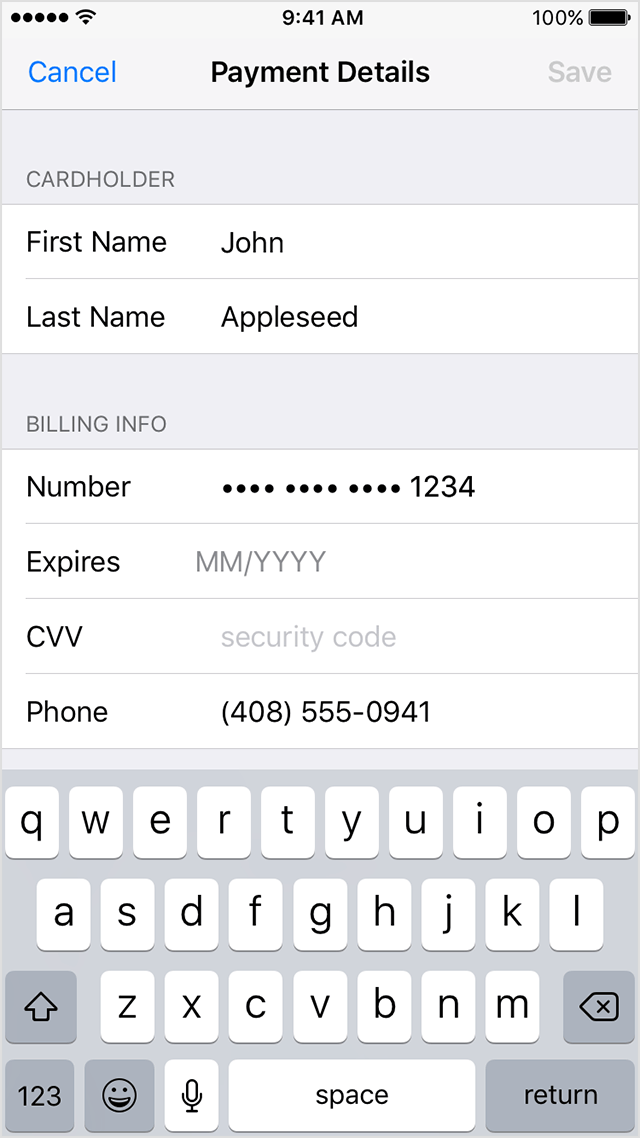
If you want to change your payment information and you're using iOS 10.3 or later:
- Tap Settings > [your name] > Payment & Shipping. You might need to enter your Apple ID password.
- Select your current payment method. If you're using Family Sharing, only your family organizer can update the payment information.
- Enter your new payment information.
- Tap Save.
If you want to remove your payment information, or if you're using iOS 10.2 or earlier:
- Tap Settings > iTunes & App Store.
- Tap your Apple ID, then tap View Apple ID. You might need to sign in.
- Tap Payment Information.
- Change or remove your information. To remove your payment method, select None. Get help if you don't see None or can't select it.
- Tap Done.
If you change your payment method to a credit card, the iTunes Store places a temporary authorization hold on your credit card to verify your updated account information.
How do I download apps from the Apple Store without a credit card