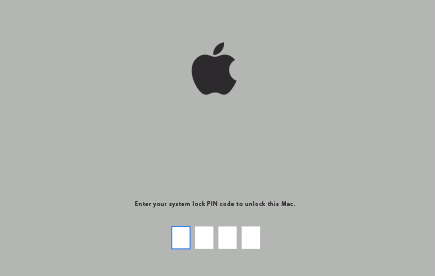
Hi I wanna ask if how to fix the iCloud lock on my MacBook Air
Hi I wanna ask if how to fix iCloud lock on my MacBook Air
MacBook Air, macOS Sierra (10.12.5)
Hi I wanna ask if how to fix iCloud lock on my MacBook Air
MacBook Air, macOS Sierra (10.12.5)
Find My Mac
When you use Find My Mac to lock your Mac, it also prevents your Mac from starting up by setting a firmware-based password. As soon as it receives the lock instruction from iCloud, your Mac displays a lock screen that has four to six blank fields.
To unlock your Mac, enter the code you created when you locked your Mac from the Find My Mac website.
If you forget your firmware password
If you can't remember the password you set using the Firmware Password Utility or Find My Mac, schedule a service appointment with an Apple Retail Store or Apple Authorized Service Provider. Bring your proof of purchase (original receipt or invoice) with you. If you plan to visit an Apple Retail Store, make a reservation (available only in some countries).
Hi I wanna ask if how to fix the iCloud lock on my MacBook Air