Enable Flash Player for all sites Safari

I was looking for a way to enable Flash Player for all websites using Safari, rather than being prompted for each website. Moreso, I wanted a way to do this using the defaults command. I found that something like the following seemed to work:


defaults write com.apple.Safari ManagedPlugInPolicies ' "com.macromedia.Flash Player.plugin" = {

PlugInDisallowPromptBeforeUseDialog = 1;

PlugInFirstVisitPolicy = PlugInPolicyAllowWithSecurityRestrictions;

PlugInHostnamePolicies = (

{

PlugInHostname = "www.adobe.com";

PlugInIsFreshlyExpired = 0;

PlugInPageURL = "http://www.adobe.com/uk/software/flash/about/";

PlugInPolicy = PlugInPolicyAllowWithSecurityRestrictions;

PlugInRunUnsandboxed = 1;

}

);

PlugInRunUnsandboxedOnFirstVisit = 1;

};

'


It looks like it removed the plug-in settings for the other plug-ins I had installed, though. Any ideas on how to tweak this so that it changes the settings for Flash but leaves the rest in tact?


--

Chad Michael Eyer

MacBook Air (11-inch Mid 2012), macOS Sierra (10.12.5)

Posted on Jul 17, 2017 10:47 AM

Reply
1 reply

Jul 18, 2017 10:44 AM in response to eyer

Hi Chad,

I understand that you want to be able to use Adobe Flash Player on all websites without being asked. I'm happy to provide some help with this.

Check out the steps below to change your settings so that this plugin is on when visiting other websites:

How to use Internet plug-ins in Safari for Mac - Apple Support


Allow or block websites from using plug-ins

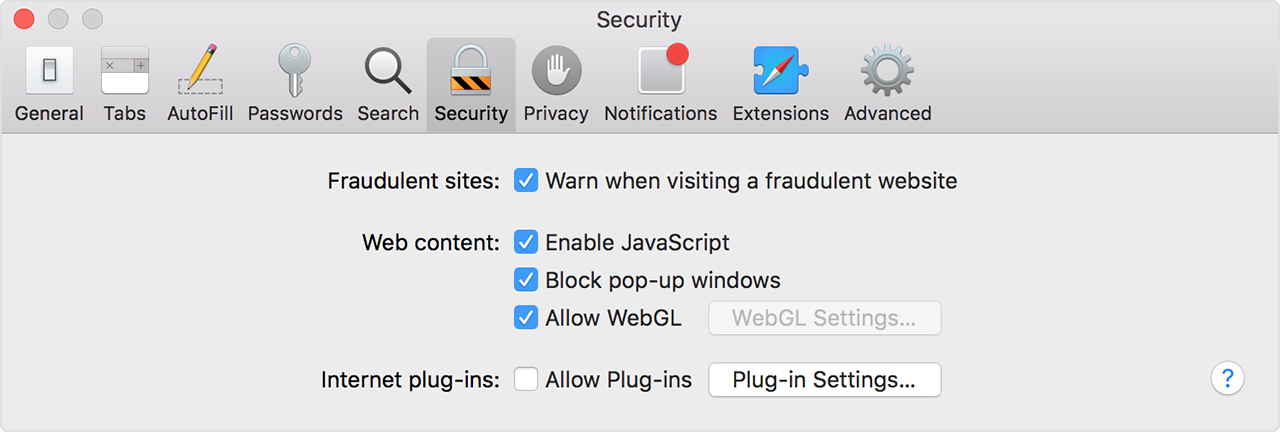
Choose Safari > Preferences, then click Security.

To turn off all plug-ins for all websites, deselect Allow Plug-ins. Websites that require a plug-in might not function correctly, might show a placeholder instead of the plug-in content, or might ask you to install the plug-in.

User uploaded file

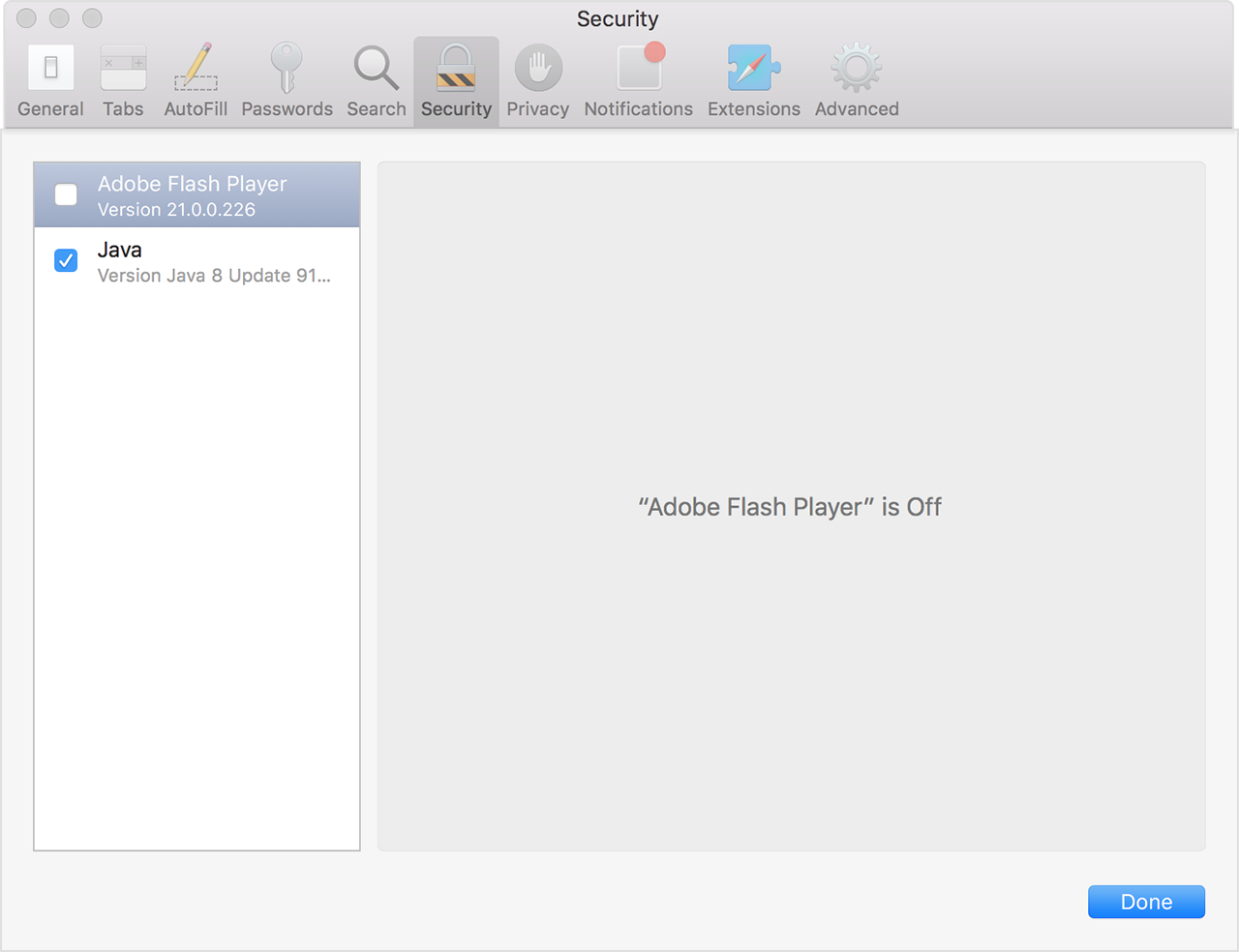
To view your installed plug-ins or turn off a specific plug-in for all websites, click the Plug-in Settings button, then deselect the checkbox for that plug-in:

User uploaded file

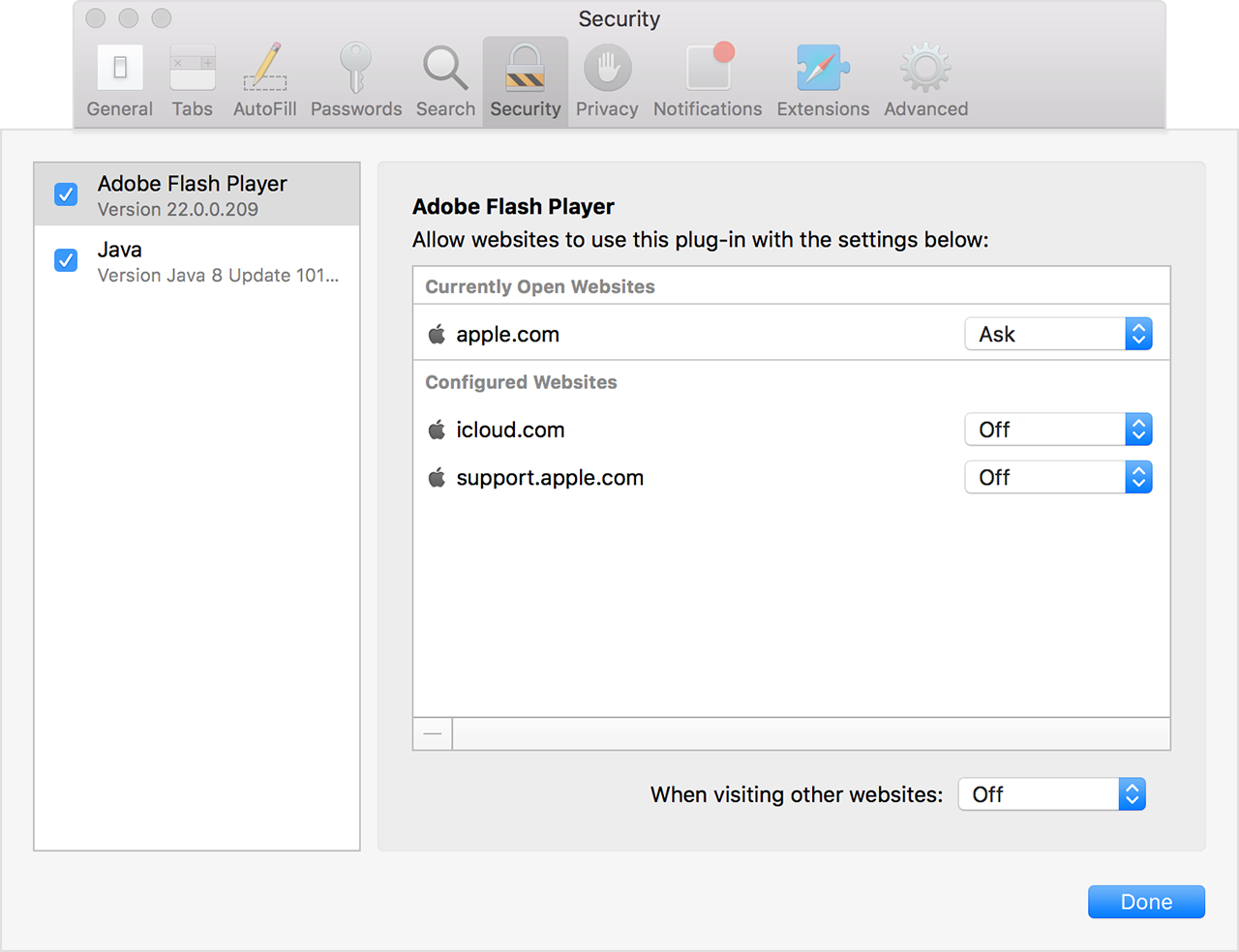
You can also configure a plug-in for specific websites, whether or not the website currently requires the plug-in:

User uploaded file

Here you see websites that are currently open or previously configured to use the plug-in. Use the pop-up menus to configure the blocking policy for each website:

  • Ask: Safari asks you before letting the website use the plug-in.
  • Off: Safari tries to load the content without using the plug-in. If the site requires the plug-in, Safari blocks the plug-in and might show a placeholder instead of the plug-in content.
  • On: Safari lets the website use the plug-in, unless Apple is using File Quarantine to block the plug-in for security reasons (example).


Thanks for using the Apple Support Communities. Cheers!

This thread has been closed by the system or the community team. You may vote for any posts you find helpful, or search the Community for additional answers.

Enable Flash Player for all sites Safari

Welcome to Apple Support Community
A forum where Apple customers help each other with their products. Get started with your Apple Account.