how to de-authorise a computer

I've reached my limit of 5 computers so will need to de authorise them, but I no longer have the others ... they were old and broken / one had hot chocolate spilled on it! I said I need to do it on the computer. How can I when I no longer have them??


Any idea how I can add my new one?

Posted on Jul 24, 2017 7:35 AM

Reply
1 reply

Jul 24, 2017 7:50 AM in response to emmabflea

Deauthorize all computers. See the following from https://support.apple.com/en-us/HT204385

If you need to deauthorize your computer but you can't access it, you need to deauthorize all computers. This option is available after you authorize 2 computers using your Apple ID. You can deauthorize all computers once per year.

You should deauthorize all computers if:

  • Your computer doesn't work anymore.
  • You sold or gave away a computer and didn't deauthorize it first.

To deauthorize all computers:To automatically open iTunes and sign in to your Account Information page from your computer, click this link: View My Account. Or follow these steps:

  1. Open iTunes.
  2. If you’re not signed in, sign in with your Apple ID.
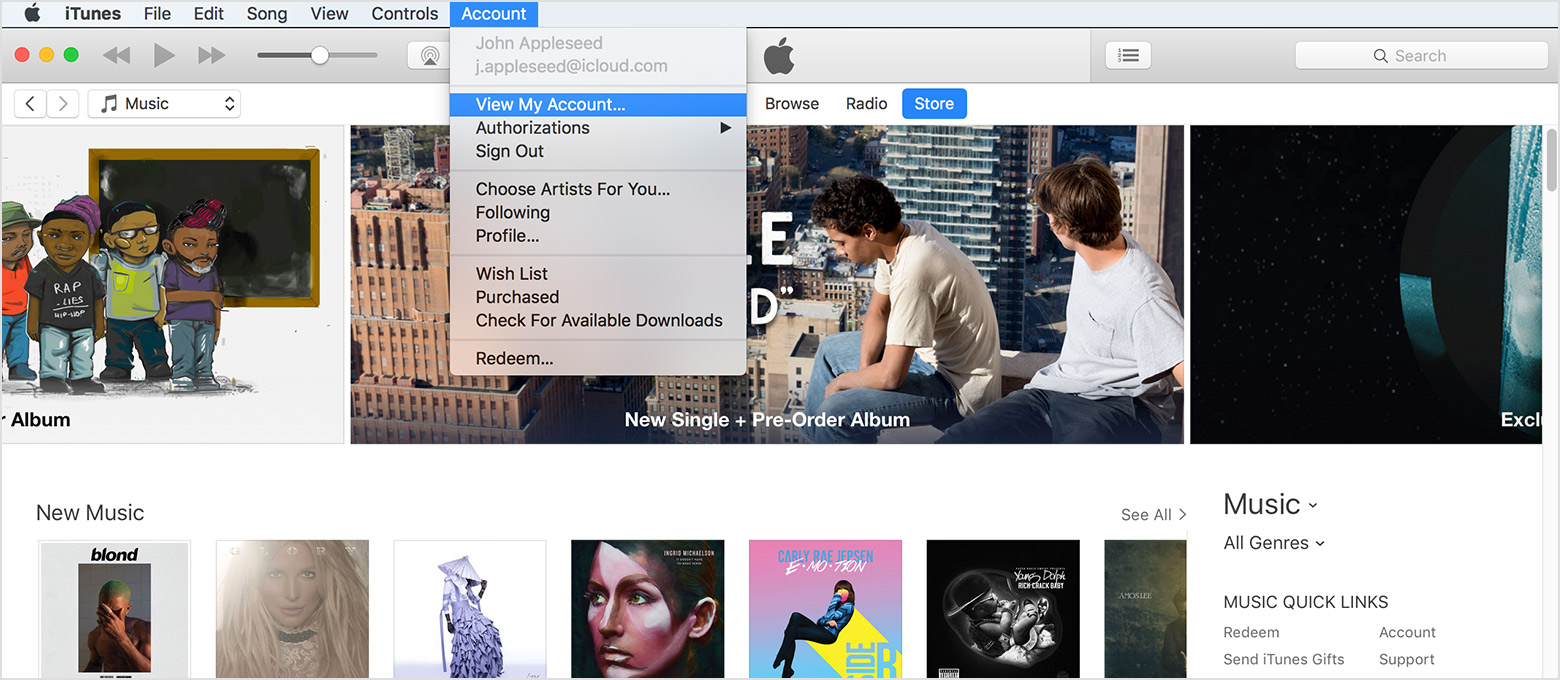
  3. From the menu bar at the top of your computer screen or at the top of the iTunes window, choose Account > View My Account.
    User uploaded file
  4. Enter your password, then press the Return or Enter key on your keyboard, or click View Account.

On the Account Information page:

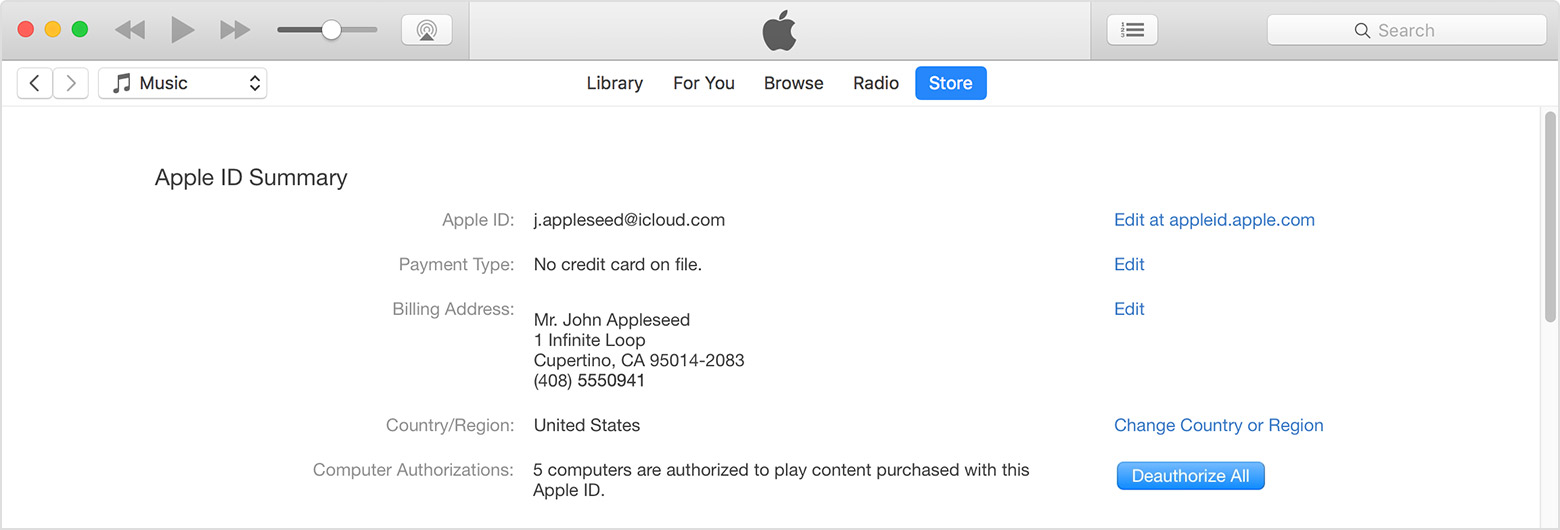
Scroll to the Apple ID Summary section. To the right of Computer Authorizations, click Deauthorize All.

User uploaded file

The Deauthorize All button appears only if you have more than 2 authorized computers. If you don't see the Deauthorize All button, that means that you only have one authorized computer.

When you deauthorize all, you don't lose content

When you deauthorize a single computer, you don't lose content. The same applies to if you choose to deauthorize all computers. You just won't be able to access the content that you bought from iTunes on those computers until you reauthorize them. You need to have the computer to reauthorize it.

This thread has been closed by the system or the community team. You may vote for any posts you find helpful, or search the Community for additional answers.

how to de-authorise a computer

Welcome to Apple Support Community
A forum where Apple customers help each other with their products. Get started with your Apple Account.