Alright, I hope the following instructions are helpful.
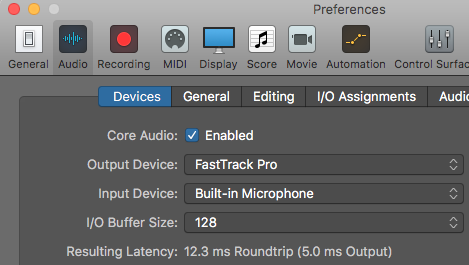
Before you begin, make sure to check input/output devices are set correctly. Here you need to make sure that your audio interface is connected and you are aware of the inputs where your microphone is connected.
Check - Logic Pro X >>Preferences >>Audio >>Devices
Part 1: Routing/Using the vocoder synth EVOC 20 PS
Step 1 : Create a software instrument track and add "EVOC 20 PS" synth as the instrument.
You'll see the EVOC 20 PS's interface open as given below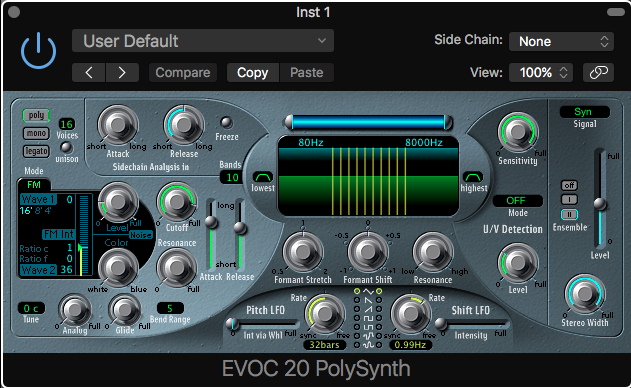
Step 2 : For time being, choose the preset "vocal heaven pad" [P.S. suggested it for simplicity of the task basically you have to be in "voc" mode which you can choose from signal]
Choose/set the "Side Chain" input to the exact input where your microphone is connected.
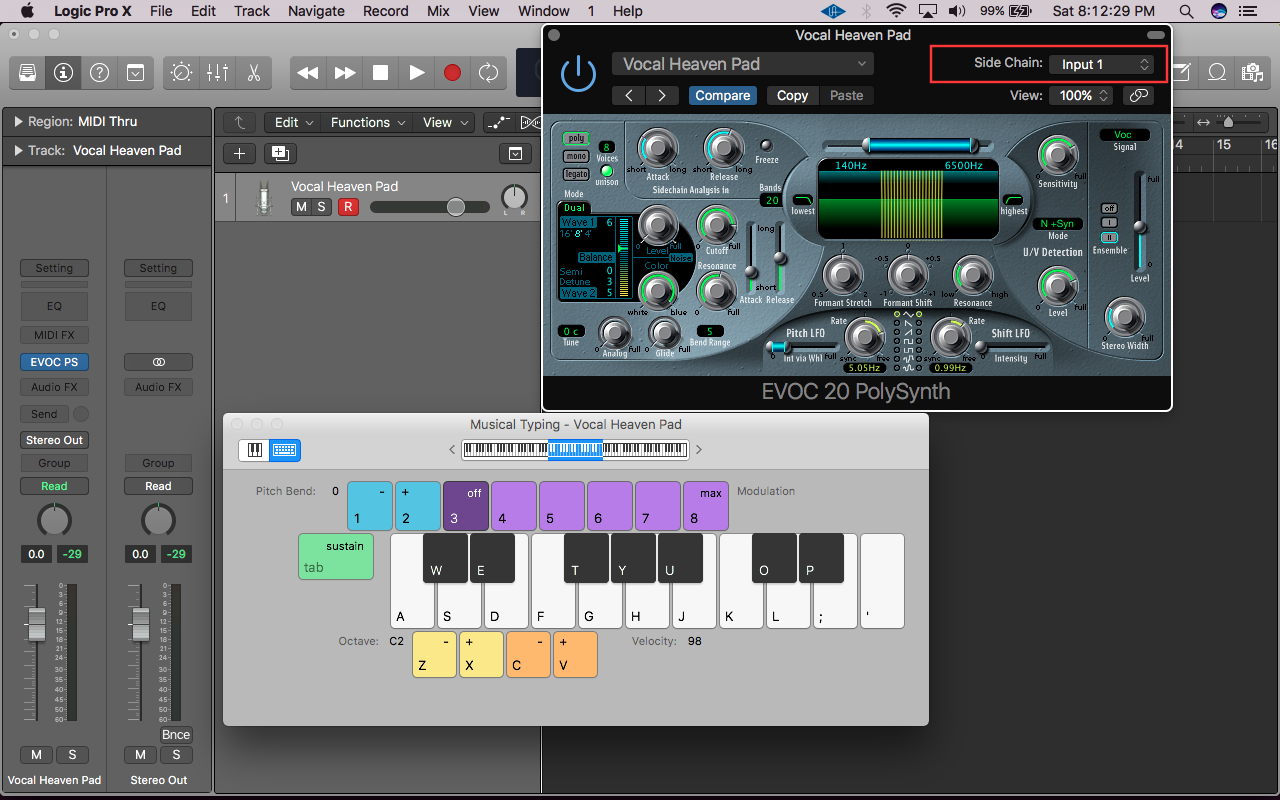
Now record enable your instrument track, sing into the microphone and play the MIDI at the same time.
You should hear the vocoded voice. [Until here you can sing and play along with the vocoder processing ]
Play it until you are sure of the chords and voicing for each of your vocal melodies.
Part 2 : Recording Vocals And MIDI simultaneously
Step 3 : Create an audio track with the input same as where your microphone is connected.
Note - Now, from here you could have 2 different approaches - both work fine however I'll tell you the method which is safe and efficient.
Record your vocals first on to this audio track (at this time you've figured out the vocal melodies etc and the chords you would play on vocoder track) , i.e. without playing the MIDI keyboard.
Step 4: Open the vocoder EVOC 20 PS, change the side-chain input to Audio track you've recorded your vocals on.

Step 5 : Record enable the Vocoder "EVOC 20 PS" instrument, record your MIDI chords.
Step 6 (Optional) : After the step 5, you'll hear both your vocals and the vocoder playing together - in fact chances are that you'll hear more of your dry vocals. so to avoid that you can adjust the audio track's volume (reduce it) or set the input of the audio track to "No Output"
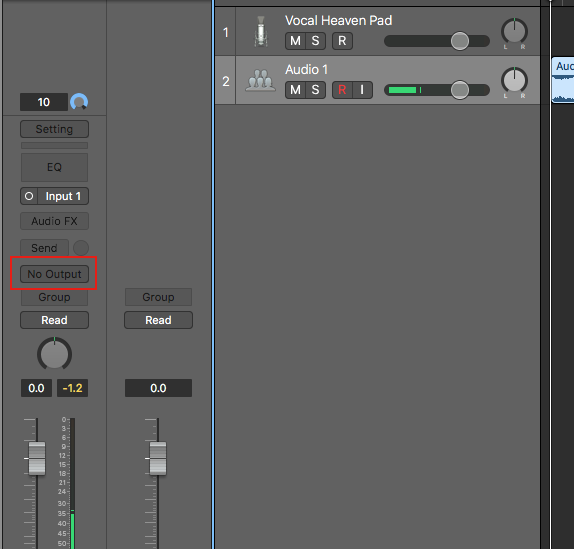
With this you should be good to go... try it and see, should work... Cheers 🙂
.... that was the quickest tutorial/hack I could come up with for such a specific task 😀 ... read more articles and go through logic instruments from the help section to understand more...

