Direction indicator navigation app

Hello


When using the Navigation app in the car I have a nice current-place locater

with an arrow indication the current direction I'm looking in.


That way I won't have to move my iPhone to know the direction

I need to go to. So that's okay.


But how do I get the same direction-indicator (or that responsive) when using that navigation

app when walking? Than I just have a blue doth with a shadow-like indicator

pointing in the totally wrong way.


tl;dr

How to get a good direction-indicator on the Navigation app when walking? The same you get when driving.


Thanks!

Posted on Sep 19, 2017 5:30 PM

Reply
1 reply

Sep 20, 2017 10:54 AM in response to ThatNiel

Hi, ThatNiel.

I see you'd like to see direction indicators when you're using Maps on your iPhone while walking. I'm happy to help.
iOS - Feature Availability -- This article provides which iOS features are available in your country.

Use Maps on your iPhone, iPad, or iPod touch

User uploaded file

Get directions

  1. Open Maps and enter your destination in the Search bar.
  2. Tap Directions.
  3. Choose Drive, Walk, Transit, or Ride.
  4. Select the route that you prefer. Maps shows the fastest route first based on traffic conditions.
  5. When you're ready, tap User uploaded file.
  6. To end navigation, tap User uploaded file, in the bottom-right corner. Then tap End Route.

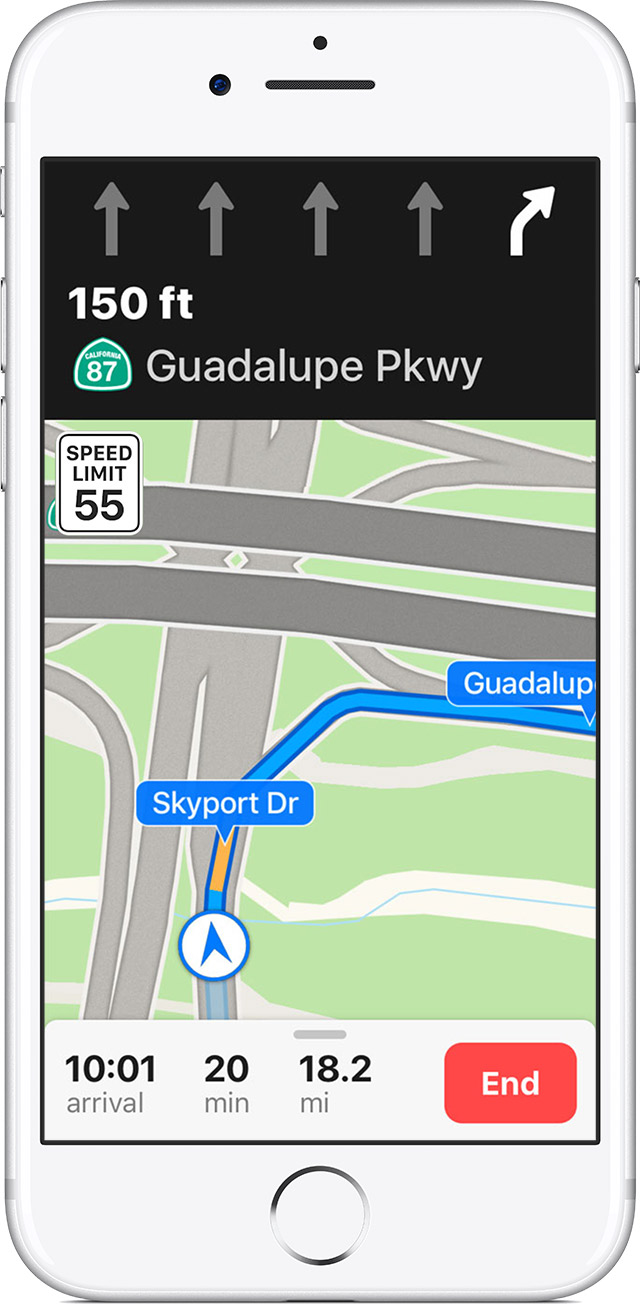
When you start moving, Maps updates its position to give you a better sense of direction. You can also use your finger to scroll ahead to see any obstructions on your route. And with iOS 11, Maps helps you avoid missing a turn or an exit by suggesting the lane you should be in while driving. You can also see the speed limit of the road you're currently on.


Cheers!

This thread has been closed by the system or the community team. You may vote for any posts you find helpful, or search the Community for additional answers.

Direction indicator navigation app

Welcome to Apple Support Community
A forum where Apple customers help each other with their products. Get started with your Apple Account.