my ios 11 was showing my carrier name in other language what happen to my devise.....

my iphone 7 was updated to ios11 to day it was showing my carrier name in some other language i am not understanding why it was happen to my device plese help me to solve the problem

iPhone 7, iOS 11

Posted on Sep 23, 2017 4:24 AM

Reply
3 replies

Sep 24, 2017 12:50 PM in response to mharishx86181

Hello mharishx86181,


Thanks for that info and choosing the Apple Support Communities. Based on what you stated, it seems you are experiencing issues with your carrier name not showing as expected on your iPhone. If you haven't already, please restart your device as iOS clears cached data and does other system optimizations when you turn your device off and on. Then check for updates for your carrier settings on your iPhone.


Restart your iPhone, iPad, or iPod touch
Update your carrier settings on your iPhone or iPad


Cheers!

Sep 25, 2017 7:40 AM in response to mharishx86181

Thanks for replying, mharishx86181! Here is how to restart your iPhone:

How to restart

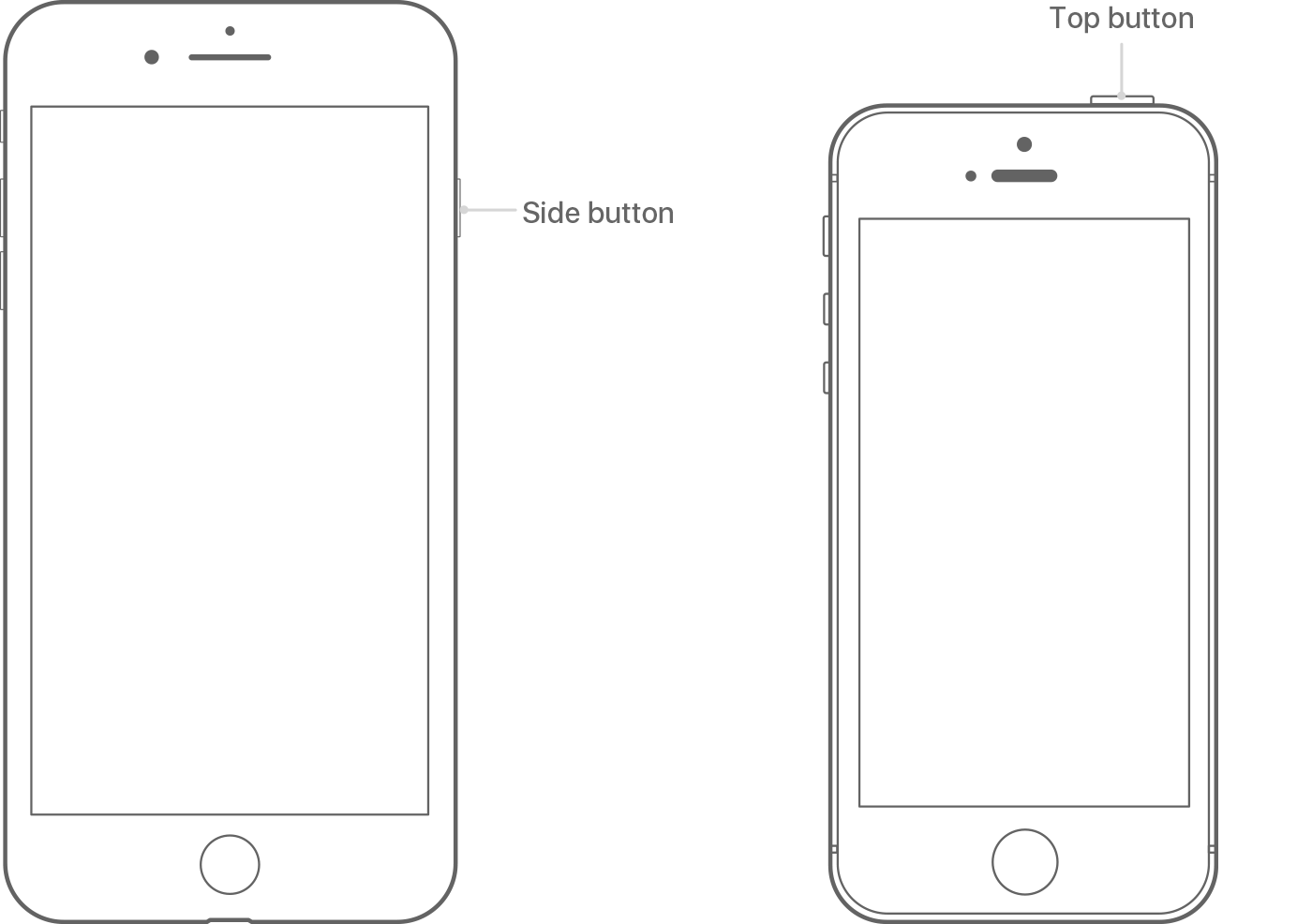
  1. Press and hold the Top (or Side) button until the slider appears.1
  2. Drag the slider to turn your device completely off.2
  3. After the device turns off, press and hold the Top (or Side) button again until you see the Apple logo.

User uploaded file

  1. Your iOS device has a Top button or a Side button. Either way, they do the same thing.
  2. With iOS 11 or later, you can turn off your device by going to Settings > General> Shut Down.


Have a great day and thanks for using the Apple Support Communities!

This thread has been closed by the system or the community team. You may vote for any posts you find helpful, or search the Community for additional answers.

my ios 11 was showing my carrier name in other language what happen to my devise.....

Welcome to Apple Support Community
A forum where Apple customers help each other with their products. Get started with your Apple Account.