touch screen unresponsive
My Iphone 6s is disabled and have to connect to iTunes, I was trying to connect to iTunes but touch screen has disease. it wont let me press or slide. What should I do?
iPhone 6s, iOS 11
My Iphone 6s is disabled and have to connect to iTunes, I was trying to connect to iTunes but touch screen has disease. it wont let me press or slide. What should I do?
iPhone 6s, iOS 11
Erase your device with recovery mode to remove your passcode
If you've never synced with iTunes or set up Find My iPhone in iCloud, you'll need to use recovery mode to restore your device. This will erase the device and its passcode.
- Connect your iOS device to your computer and open iTunes. If you don't have a computer, borrow one from a friend, or go to an Apple Retail Store or Apple Authorized Service Provider.
- While your device is connected, force restart it:
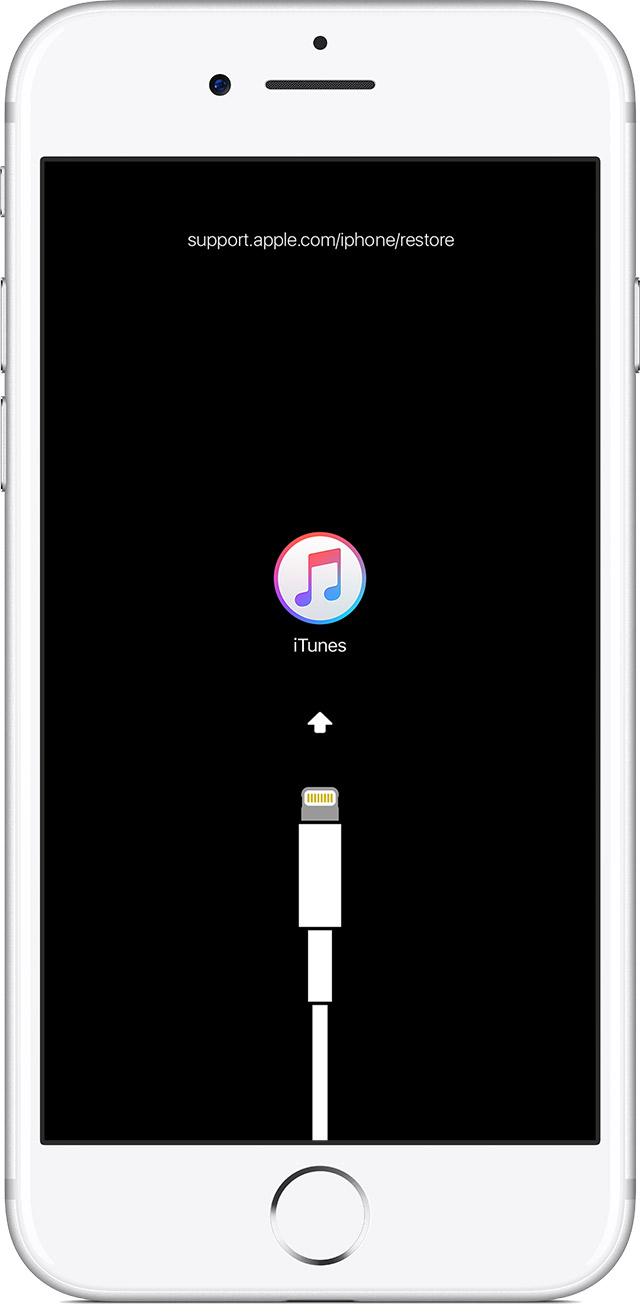
- On an iPhone 8 or iPhone 8 Plus: Press and quickly release the Volume Up button. Then press and quickly release the Volume Down button. Finally, press and hold the Side button until you see the recovery-mode screen.
- On an iPhone 7 or iPhone 7 Plus: Press and hold both the Side and Volume Down buttons at the same time. Keep holding them until you see the recovery-mode screen.
- On an iPhone 6s and earlier, iPad, or iPod touch: Press and hold both the Home and the Top (or Side) buttons at the same time. Keep holding them until you see the recovery-mode screen.
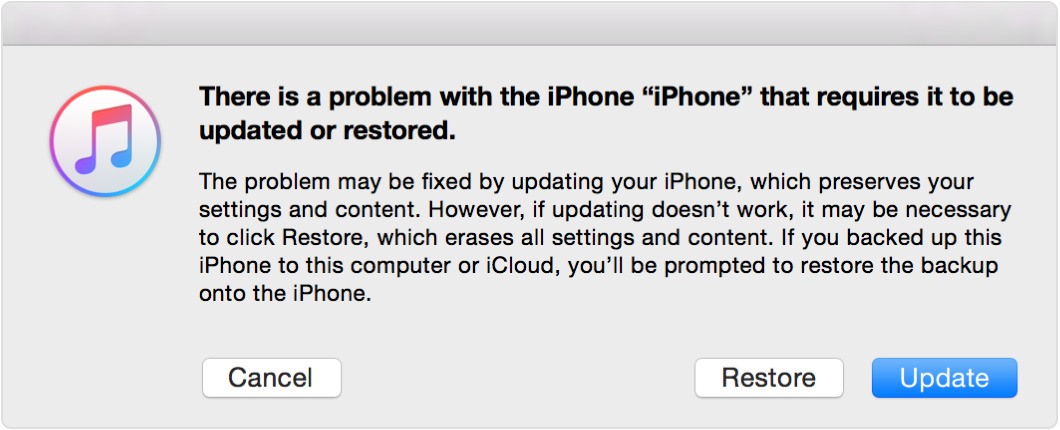
- When you see the option to Restore or Update, choose Restore.
iTunes will download software for your device. If it takes more than 15 minutes, your device will exit recovery mode and you'll need to repeat steps 2 and 3.
- Wait for the process to finish. Then you can set up and use your device.
If you forgot the passcode for your iPhone, iPad, or iPod touch, or your device is disabled - Apple Support
Once you're done restoring, please let me know if you continue to experience an issue with the touchscreen.
Take care.
Erase your device with recovery mode to remove your passcode
If you've never synced with iTunes or set up Find My iPhone in iCloud, you'll need to use recovery mode to restore your device. This will erase the device and its passcode.
- Connect your iOS device to your computer and open iTunes. If you don't have a computer, borrow one from a friend, or go to an Apple Retail Store or Apple Authorized Service Provider.
- While your device is connected, force restart it:
- On an iPhone 8 or iPhone 8 Plus: Press and quickly release the Volume Up button. Then press and quickly release the Volume Down button. Finally, press and hold the Side button until you see the recovery-mode screen.
- On an iPhone 7 or iPhone 7 Plus: Press and hold both the Side and Volume Down buttons at the same time. Keep holding them until you see the recovery-mode screen.
- On an iPhone 6s and earlier, iPad, or iPod touch: Press and hold both the Home and the Top (or Side) buttons at the same time. Keep holding them until you see the recovery-mode screen.
- When you see the option to Restore or Update, choose Restore.
iTunes will download software for your device. If it takes more than 15 minutes, your device will exit recovery mode and you'll need to repeat steps 2 and 3.
- Wait for the process to finish. Then you can set up and use your device.
If you forgot the passcode for your iPhone, iPad, or iPod touch, or your device is disabled - Apple Support
Once you're done restoring, please let me know if you continue to experience an issue with the touchscreen.
Take care.
touch screen unresponsive