How to leave a group text that I started

How to leave a group text that I started? Yes everyone has there Imessages on. It just shows leave conversation on the screen but will not allow me to actually leave the conversation. I can put it on do not disturb or cut alerts off but I want to leave the chat. Can you please helpppppppppppppppppppppp?

iPhone 6s Plus, iOS 11

Posted on Sep 25, 2017 1:18 PM

Reply
1 reply

Sep 26, 2017 12:40 PM in response to debo3275

Hello debo3275,

Thanks for using the Apple Support Communities.

I see that you would like to leave a group message that you started. It's important to make sure that you can leave a group message if you want, so I'll be happy to help assist you with this.

First, please close the Messages app and reopen: How to force an app to close on your iPhone, iPad, or iPod touch

Then, please try the steps in this support article: Send a group message on your iPhone, iPad, or iPod touch , specifically:

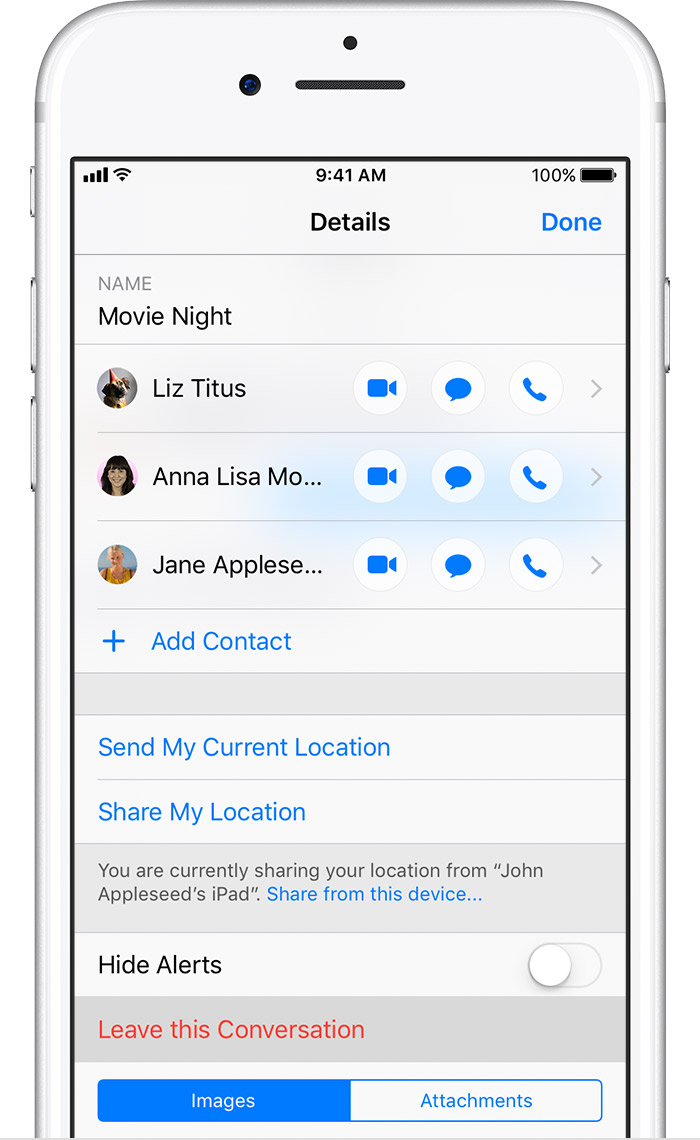
Leave a group conversation

To leave a conversation, tap Details, then tap Leave this Conversation. You can only leave group iMessages that have at least three other people.


User uploaded file


Let me know if you have any questions.
Cheers.

This thread has been closed by the system or the community team. You may vote for any posts you find helpful, or search the Community for additional answers.

How to leave a group text that I started

Welcome to Apple Support Community
A forum where Apple customers help each other with their products. Get started with your Apple Account.