Mouse disappears during Youtube

Just recently my mouse began disappearing while watching Youtube.

It also doesn't seem to work when filling in forms such as this one, the one from Apple forums in which a person writes his question.

What's up?

I don't know much about Flash. Perhaps this is the problem in some way. I use an ANKER wireless mouse and run Sierra on a Mac Mini. I've fiddle with mouse adjustments on system preferences to no avail.

Any help is great to have! 🙂

Mac mini, Mac OS X (10.4.11)

Posted on Sep 30, 2017 7:10 AM

Reply
3 replies

Oct 1, 2017 11:22 AM in response to RondelayAOK

Hi RondelayAOK,

Welcome to Apple Support Communities. I understand that you're experiencing some trouble with your mouse cursor disappearing when watching YouTube or while posting in the Apple Support Communities forums. I know it's important to depend on your accessories working properly and I'm happy to look into this with you. You didn’t mention if this was a USB or Bluetooth wireless mouse. If you’re using Bluetooth follow these steps to unpair and re-pair the mouse with your Mac:

Remove a Bluetooth device from your Mac

If you want to remove (unpair) a Bluetooth device from your Mac's device list, follow these steps:

  1. Choose Apple menu > System Preferences, then click Bluetooth.
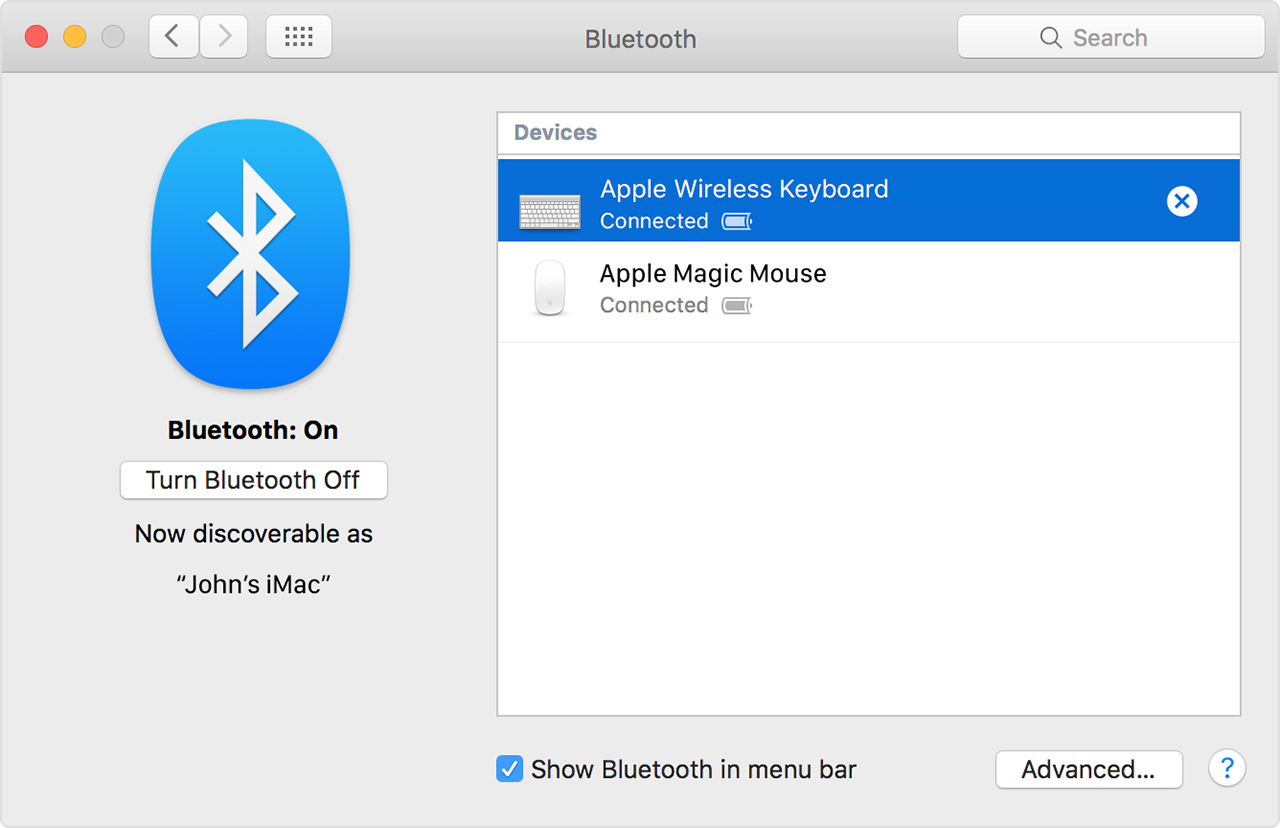
  2. Hover the pointer over the device you want to remove, then click the button User uploaded file that appears next to the device's name.

After you remove a Bluetooth device, you'll have to repeat the pairing process if you want to use it again.

Pair your Mac with a Bluetooth device

Bluetooth wireless devices are associated with your computer through a process called pairing. After you pair a device, your Mac automatically connects to it anytime it's in range.

If your Mac came with a wireless keyboard, mouse, or trackpad, they were pre-paired at the factory. Turn on the devices and your Mac should automatically connect to them when your computer starts up.

If you purchased your Apple wireless devices separately, learn how to pair them with your Mac.

After you pair a Bluetooth device with your Mac, you should see it listed in Bluetooth preferences:

User uploaded file

User uploaded file

Using a Bluetooth mouse, keyboard, or trackpad with your Mac

If you’re using a USB wireless mouse, try disconnecting from the USB port and connecting again, or trying a different USB port.

When you're seeing this behavior with your mouse, are you using Safari as your browser?


Best Regards.

This thread has been closed by the system or the community team. You may vote for any posts you find helpful, or search the Community for additional answers.

Mouse disappears during Youtube

Welcome to Apple Support Community
A forum where Apple customers help each other with their products. Get started with your Apple Account.