
Print to wireless print not airprint
I have my printer Canon LBP6030 installed via my Canon PRINT business app but no matter how I go about it, I cannot print a doc. It always searches for AirPrint and my printer is not one
Hey! Thanks for reaching out. The information below might be useful!
If your printer isn't AirPrint-enabled
If you're printing from your Mac to a printer that isn't AirPrint-enabled:
If your printer doesn't appear in the list of devices in Printers & Scanners preferences, click  at the bottom of the list, then choose the command to add a printer or scanner. The window that opens offers more ways to find and add a printer, such as by IP address:
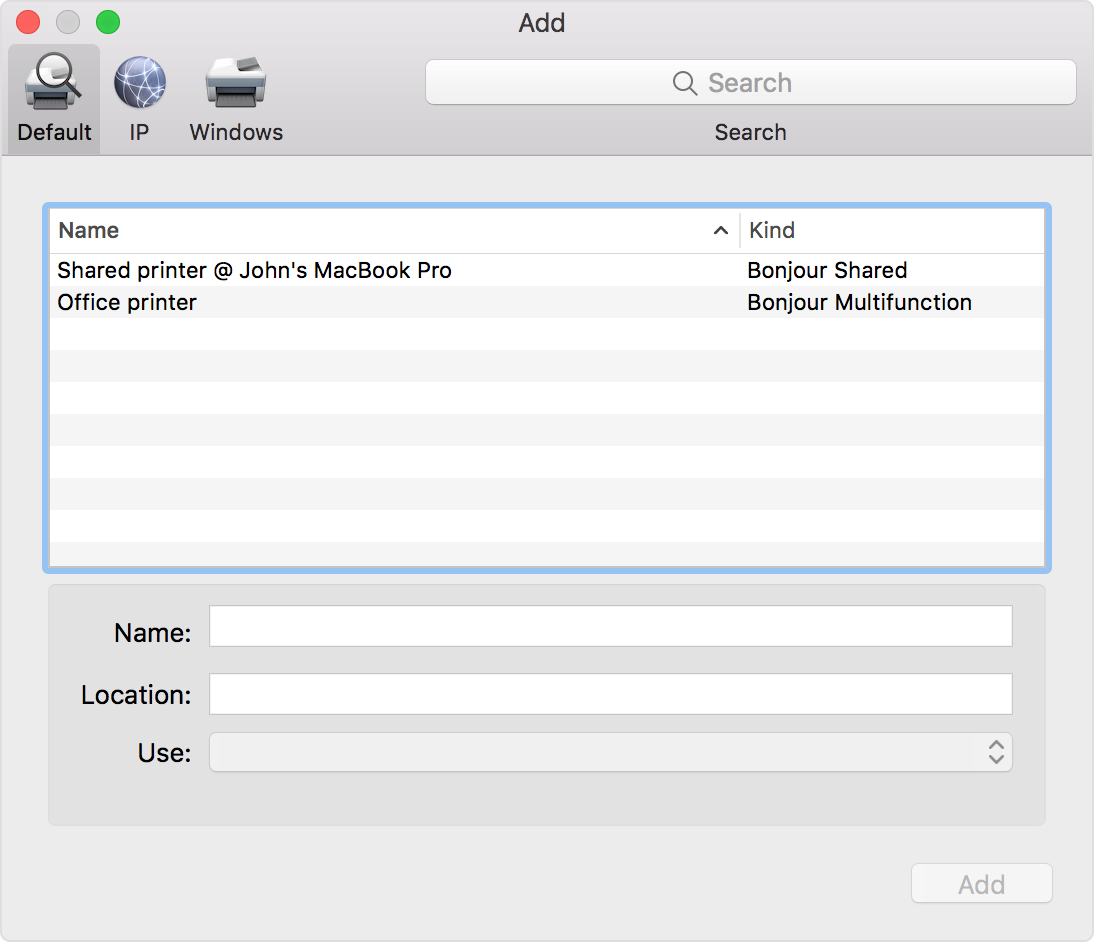 If you still can't print, and your printer is connected via Wi-Fi:
Reset the printing system
If the issue continues, reset the printing system on your Mac. This removes all printers and scanners—including their print jobs and settings—from Printers & Scanners preferences.
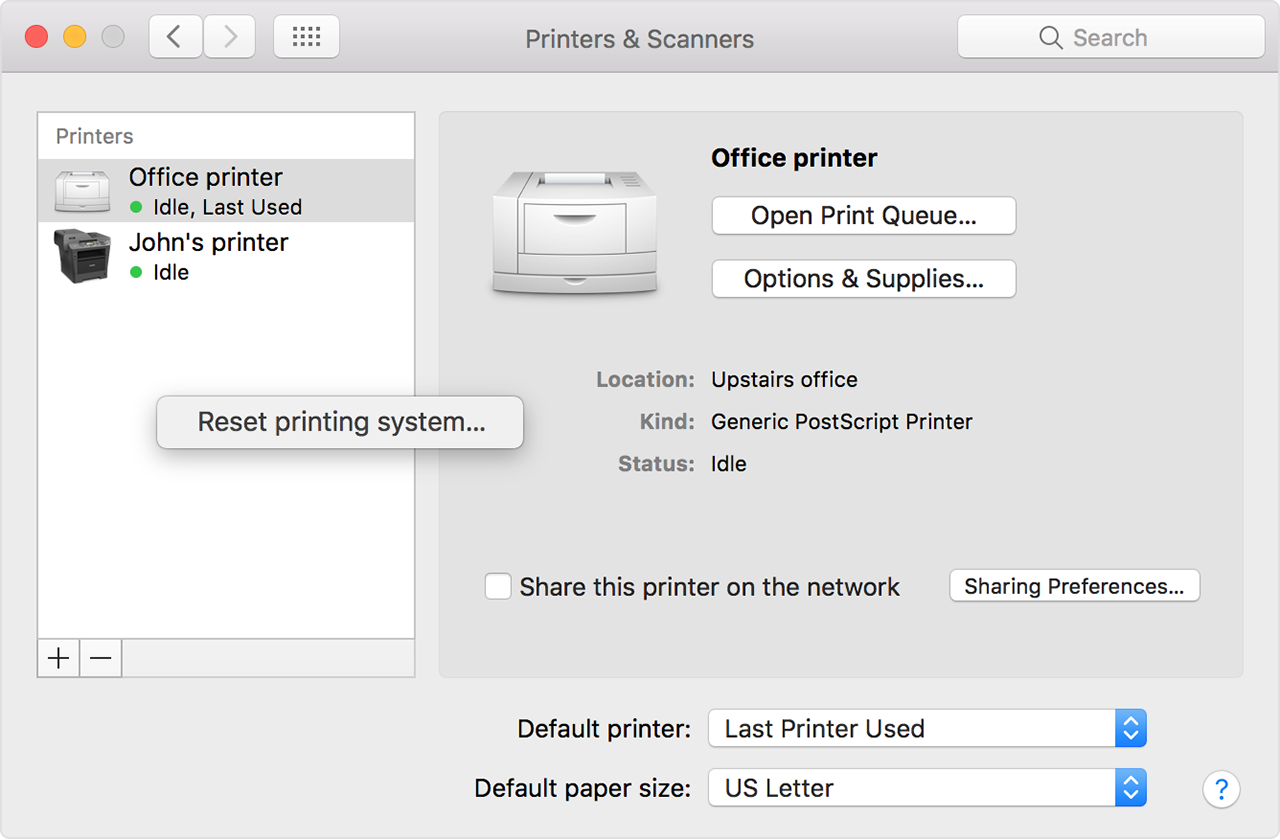
Remove printer drivers
If the issue continues on your Mac after resetting the printing system, take these final steps to remove any currently installed printer drivers. These steps don't apply to AirPrint printers.
/Library/Printers/If the issue continues, contact the printer manufacturer for support.
I went through Canon support already and installed the app and my printer is showing as a LAN connection and ready to print. However, when I go to Word and try to print I get “no AirPrint printer”. If I save the doc to the cloud or one drive, I cannot print it either as it defaults to the Word. If I try to print by searching files through the app (canonPrint business) I cannot search for a file at all in the local connections search.
Hi SwankySwig. Are you trying to print from your iPhone/iPad, or from your Mac computer? Because you posted in the iPad forum without identifying any device.
Sorry. IPad. It works fine on my Mac Pro but I don’t have access to my laptop at this time.
If you want to print on your iPad, you'll need the Canon app that works with your printer. You can find it in the App Store
Thank you for this tip. It worked with my word doc! 🙂
Hi. Try the technique below to create a pdf and share it to your printer app. This is what actually happens when you use an AirPrint printer. You just need to reroute the document to the printer app.
To share a document or webpage as PDF, use these steps:
1. Tap the Share icon and select print. This will show the print preview.
2. Pinch open (apart) on the first page of the preview. This will show the preview full screen.
3. Tap the Share icon in that window to select an app to receive the document in PDF format.
Print to wireless print not airprint

