
forgot password
I was setting up new macbook pro. now forgot password and can not get into it. can anyone help me?
I was setting up new macbook pro. now forgot password and can not get into it. can anyone help me?
Hey! The info below might help.
Reset your password
If you don't remember your password, or it isn't working, you might be able to reset it using one of the methods described below. But first try these simpler solutions:
 .
.Reset using your Apple ID
In some macOS versions, you can use your Apple ID to reset your login password. At the login screen, keep entering a password until you see a message saying that you can reset your password using Apple ID. If you don't see the message after three attempts, your account isn't set up to allow resetting with Apple ID.
 next to the Apple ID message, then follow the onscreen instructions to enter your Apple ID and create a new password. You'll be asked to restart when done.
Reset using another admin account
If you know the name and password of an admin account on your Mac, you can use that account to reset the password.
 , then enter the admin name and password again.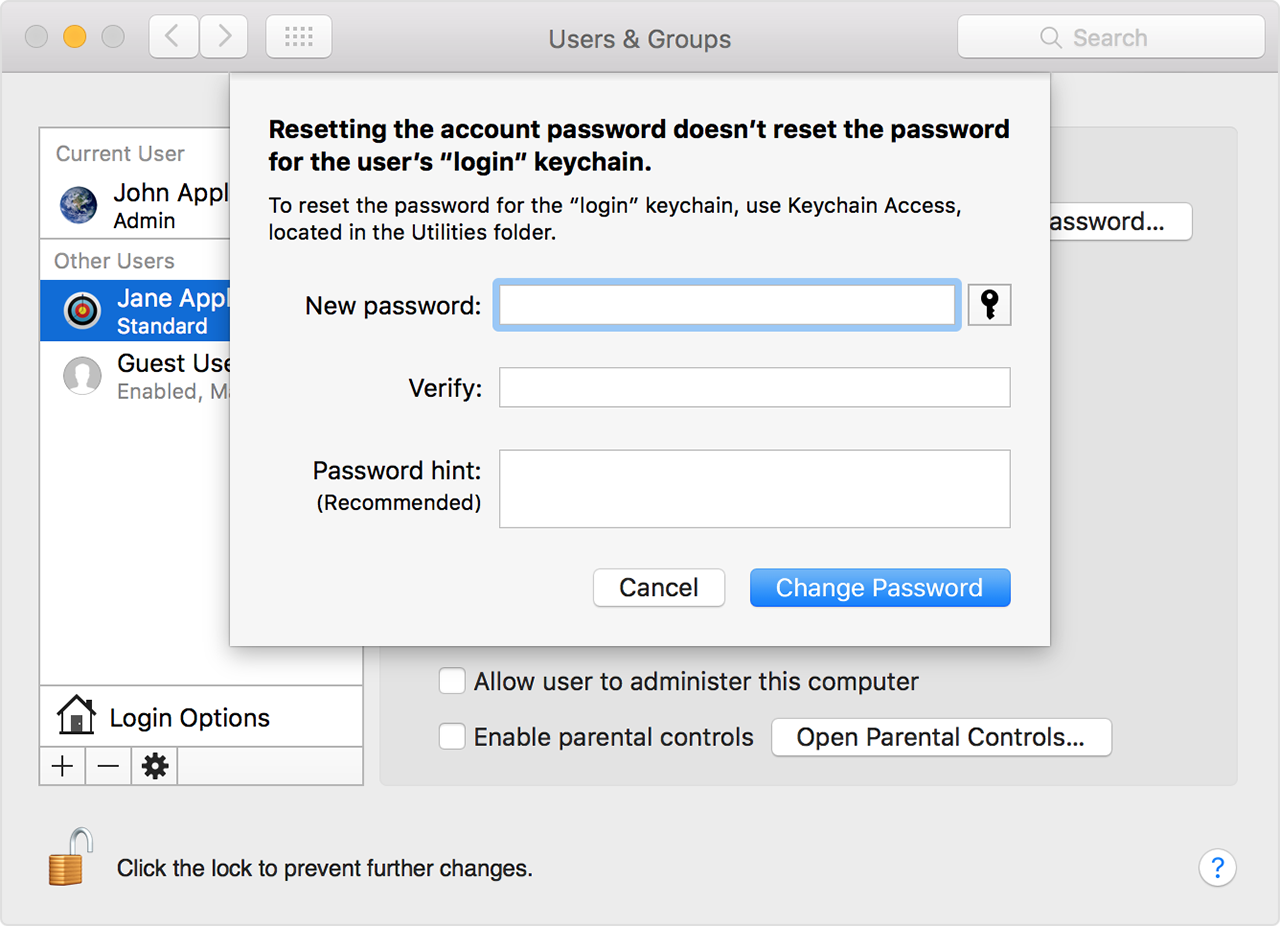
Reset using the Reset Password assistant (FileVault must be on)
If FileVault is turned on, you might be able to reset your password using the Reset Password assistant:
 to connect. To exit without resetting your password, choose Apple menu > Restart.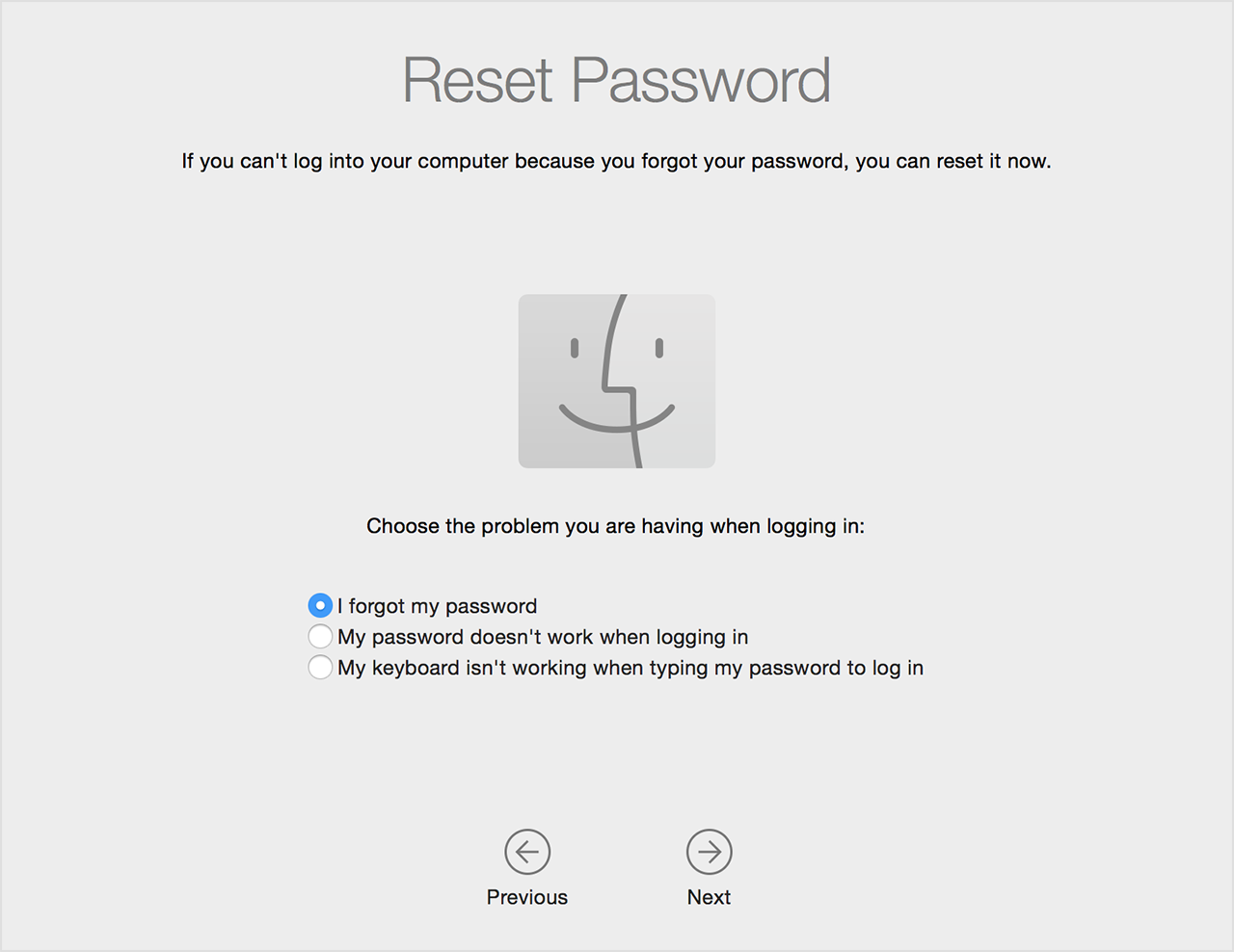
Reset using your Recovery Key (FileVault must be on)
If FileVault is turned on and you have a FileVault Recovery Key, you can use that key to reset your password.
next to the message. The password field changes to a Recovery Key field.If you can't log in with your new password after restarting your Mac, take these additional steps:
resetpassword
Create a new login keychain, if necessary
After resetting your password and logging back in to your account, you might see an alert that the system was unable to unlock your login keychain. This is expected, because the passwords for your user account and login keychain no longer match. Just click the Create New Keychain button in the alert.If you didn't see an alert about your login keychain, or you see other messages asking for your old password, reset your keychain manually:
If you still can't log in
If you still can't log in with your password, contact Apple Support for help.
Hey! The info below might help.
Reset your password
If you don't remember your password, or it isn't working, you might be able to reset it using one of the methods described below. But first try these simpler solutions:
.Reset using your Apple ID
In some macOS versions, you can use your Apple ID to reset your login password. At the login screen, keep entering a password until you see a message saying that you can reset your password using Apple ID. If you don't see the message after three attempts, your account isn't set up to allow resetting with Apple ID.
next to the Apple ID message, then follow the onscreen instructions to enter your Apple ID and create a new password. You'll be asked to restart when done.Reset using another admin account
If you know the name and password of an admin account on your Mac, you can use that account to reset the password.
, then enter the admin name and password again.Reset using the Reset Password assistant (FileVault must be on)
If FileVault is turned on, you might be able to reset your password using the Reset Password assistant:
to connect. To exit without resetting your password, choose Apple menu > Restart.Reset using your Recovery Key (FileVault must be on)
If FileVault is turned on and you have a FileVault Recovery Key, you can use that key to reset your password.
next to the message. The password field changes to a Recovery Key field.If you can't log in with your new password after restarting your Mac, take these additional steps:
resetpassword
Create a new login keychain, if necessary
After resetting your password and logging back in to your account, you might see an alert that the system was unable to unlock your login keychain. This is expected, because the passwords for your user account and login keychain no longer match. Just click the Create New Keychain button in the alert.If you didn't see an alert about your login keychain, or you see other messages asking for your old password, reset your keychain manually:
If you still can't log in
If you still can't log in with your password, contact Apple Support for help.
forgot password
