
Why is My rear camera and flash is not working?
I have restarted, updated, erased all content and tried everything!! Iphone7plus
Hello,
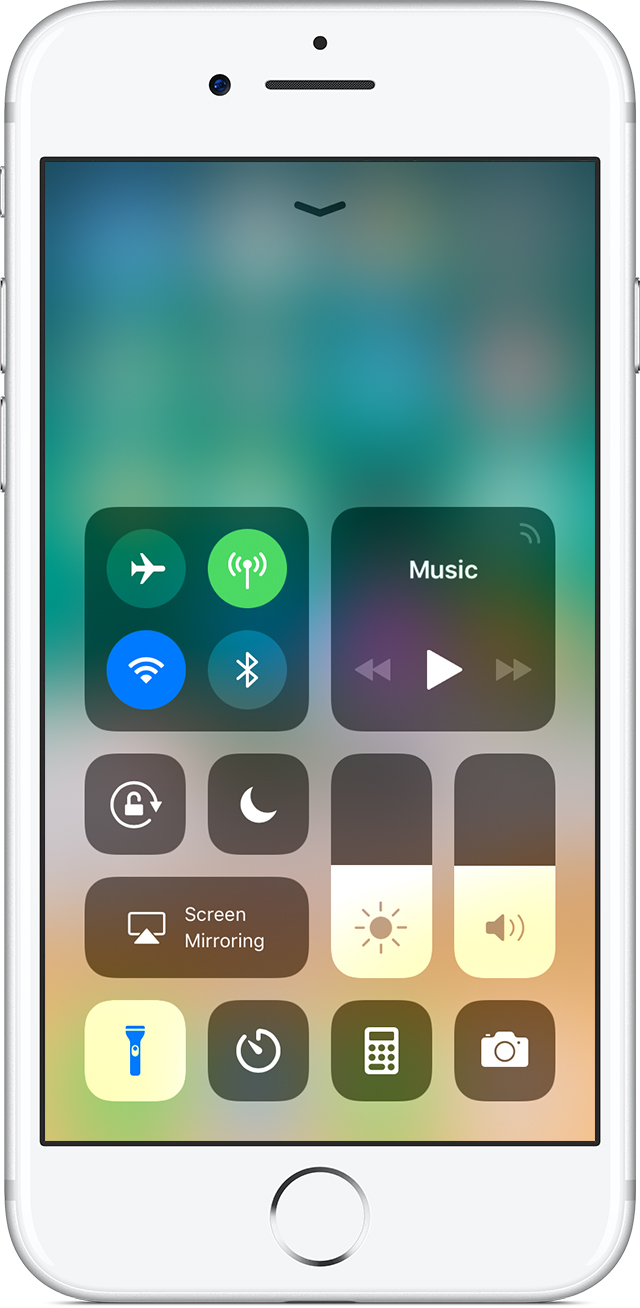
Your flash isn't working
Use Control Center to test the LED flash. Turn the flashlight off and on. If the LED flash doesn't work as a flashlight, contact Apple Support.
If the flash isn’t working, or it goes off every time you take a photo, check your flash settings. Tap  in the upper left of the screen to choose a different setting.
If you take extended video with the flash on, or you’re using the device in a very warm environment, you might see a message that says the flash is disabled. The message remains until your device cools down.
If you still need help
If you still can't take a photo, your photos don't look right, or you need help with something else, contact Apple Support.
From:
Get help with the camera on your iPhone, iPad, or iPod touch - Apple Support
This may be a hardware problem. I would suggest contacting Apple Support as they can look more into this and guide you in the right direction.
Thanks for your response.
I tried this also. When I click flash the button changes colour as it is pressed, yet the light doesn’t turn on.
Do you think it’s some hardware problem???
Why is My rear camera and flash is not working?
