Why do I now have to tap 'Call Voicemail'?

Hi all,


I have an iPhone 6 updated to iOS 11.0.3 and my carrier is Telstra (Australia).User uploaded file


Since updating to iOS 11, I noticed that the protocol I have to follow to call my Voicemail has changed from one-touch (i.e. just tapping the 'voicemail' logo in the Phone app) to two-touch (i.e. I now have to tap the voicemail logo and then tap 'Call Voicemail').


While not world-ending, this is pretty annoying and I was wondering whether it was a setting that I need to change or if there's something I can do to restore my easier voicemail access?


Any help would be much appreciated.


Thanks,


Nick

iPhone 6, iOS 11.0.3

Posted on Oct 26, 2017 5:30 PM

Reply
Question marked as Top-ranking reply

Posted on Oct 27, 2017 7:14 PM

Hi Nick!

It looks like Visual Voicemail isn't working properly on your iPhone, and I'm happy to help. You can try the troubleshooting steps below:

Get help with Visual Voicemail

If you can't set up Visual Voicemail, contact your carrier to make sure that your plan supports the feature.

If you need help, try these steps. Check your Visual Voicemail after each step:

  1. Try to call someone to check your cellular network connection.
  2. Make sure that you set up your voicemail. To check, dial your phone number from your iPhone.
  3. Call your iPhone from another phone and try to leave yourself a voicemail.
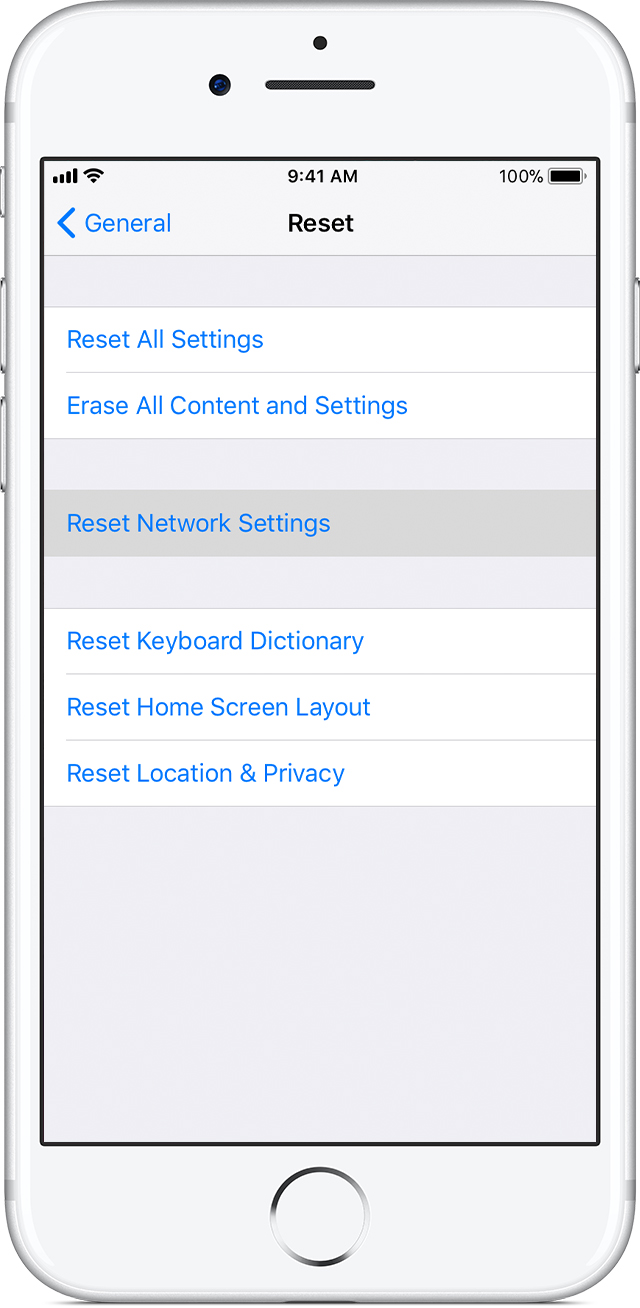
  4. Go to Settings > General > Reset and tap Reset Network Settings.
    User uploaded file

Set up Visual Voicemail on your iPhone

Thanks for using Apple Support Communities.


Cheers!
3 replies
Question marked as Top-ranking reply

Oct 27, 2017 7:14 PM in response to manangatang

Hi Nick!

It looks like Visual Voicemail isn't working properly on your iPhone, and I'm happy to help. You can try the troubleshooting steps below:

Get help with Visual Voicemail

If you can't set up Visual Voicemail, contact your carrier to make sure that your plan supports the feature.

If you need help, try these steps. Check your Visual Voicemail after each step:

  1. Try to call someone to check your cellular network connection.
  2. Make sure that you set up your voicemail. To check, dial your phone number from your iPhone.
  3. Call your iPhone from another phone and try to leave yourself a voicemail.
  4. Go to Settings > General > Reset and tap Reset Network Settings.
    User uploaded file

Set up Visual Voicemail on your iPhone

Thanks for using Apple Support Communities.


Cheers!

Oct 27, 2017 7:14 PM in response to Teddy_B

Thanks for taking the time to reply.


I have never had Visual Voicemail set up on my iPhone (either before the update to iOS 11 or since), and am not even sure if my carrier will allow me to implement it given I'm on a pre-paid arrangement. As such, I'm not convinced that setting up Visual Voicemail will resolve it.


I'm might try a backup and restore, as I've run out of other ideas!


Thanks again for your time and kind reply.

This thread has been closed by the system or the community team. You may vote for any posts you find helpful, or search the Community for additional answers.

Why do I now have to tap 'Call Voicemail'?

Welcome to Apple Support Community
A forum where Apple customers help each other with their products. Get started with your Apple Account.