ios 11 update lags iphone 5s
Hello Sir i have iphone 5s it lags after update to ios 11 now am verry disappointed with his performance why u should bring update if iphone 5s not capable to handle it properly plz fix it thanks
Restart your iPhone, iPad, or iPod touch - Apple Support
How to back up your iPhone, iPad, and iPod touch - Apple Support
If you can't update or restore your iPhone, iPad, or iPod touch - Apple Support
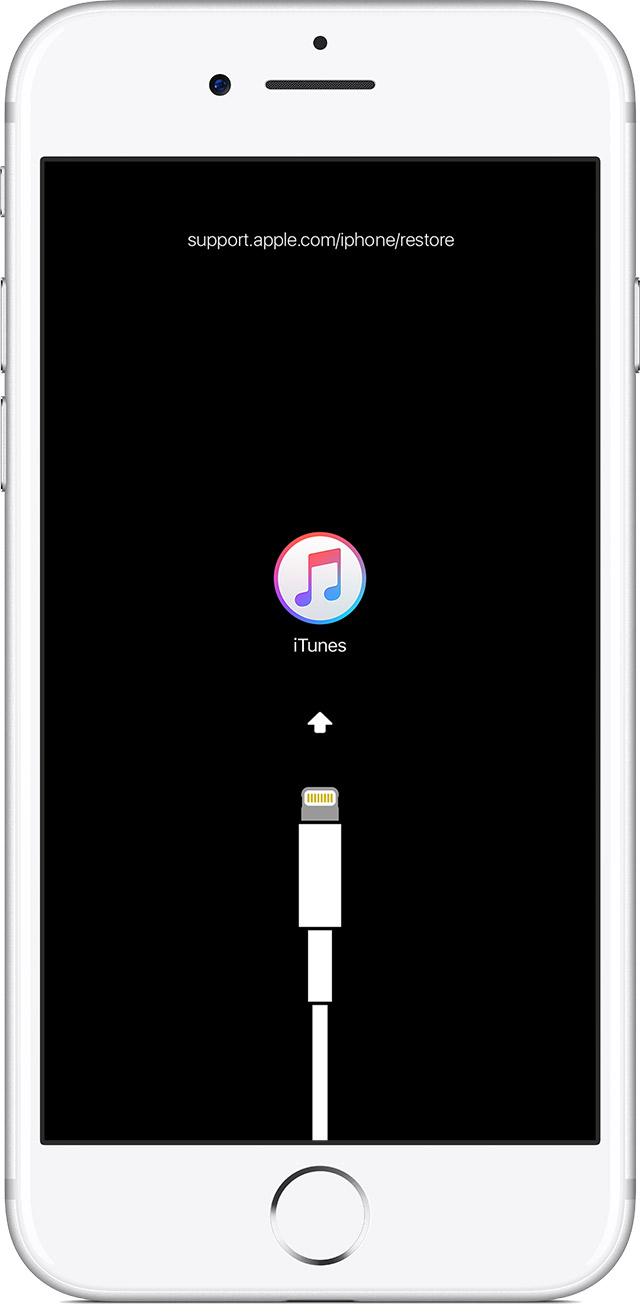
Put your device in recovery mode and set it up again
- Make sure that you're using the latest version of iTunes.
- If iTunes is already open, close it. Connect your device to your computer and open iTunes. If you don't have a computer, borrow one from a friend or go to an Apple Retail Store or Apple Authorized Service Provider for help.
- While your device is connected, force restart it with these steps:
- On an iPhone 8 or iPhone 8 Plus: Press and quickly release the Volume Up button. Then press and quickly release the Volume Down button. Finally, press and hold the Side button until you see the recovery-mode screen.
- On an iPhone 7 or iPhone 7 Plus: Press and hold the Side and Volume Down buttons at the same time. Keep holding them until you see the recovery-mode screen.
- On an iPhone 6s and earlier, iPad, or iPod touch: Press and hold both the Home and the Top (or Side) buttons at the same time. Keep holding them until you see the recovery-mode screen.
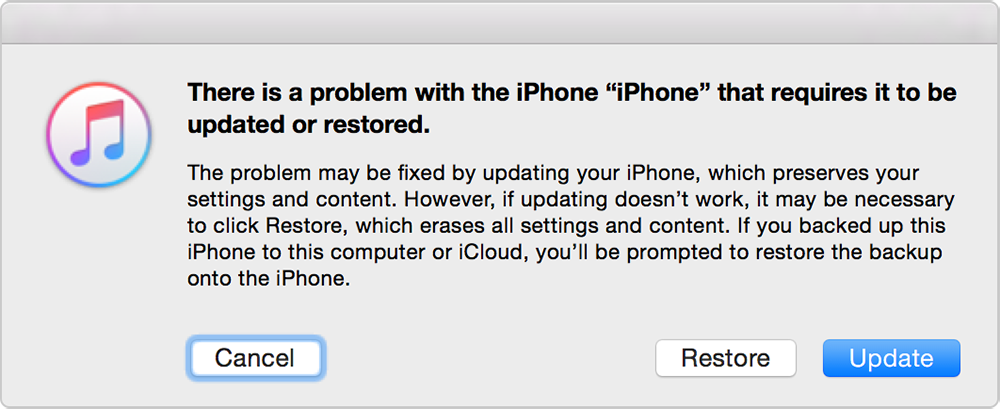
- When you see the option to Restore or Update, choose Update. iTunes will try to reinstall iOS without erasing your data. Wait while iTunes downloads the software for your device. If the download takes more than 15 minutes and your device exits recovery mode, let the download finish, then repeat these steps.
- After the Update or Restore completes, set up your device.
Get more help
If you can’t update or restore your device with recovery mode, or you can't use recovery mode because of broken buttons, contact Apple Support.
Sir i update with itunes but phone lags and service centre only again software update nd nothing else he doing plz give new update with fix these issues and restart iphone gives smooth performance for sometime only
I disappointed with apple support no one resolve issue performance of my iphone going slow after ios 11 now i regret why am buy apple bcoz you again agin give that information which steps i already try but nothing works plz fix ur ios slow down problem
ios 11 update lags iphone 5s