How to convert from keynote to pdf or pptx format while emailing
How to convert from keynote to pdf or pptx format while emailing Someone like we did on iOS 10?
iPhone 6s Plus, iOS 11.0.1
How to convert from keynote to pdf or pptx format while emailing Someone like we did on iOS 10?
iPhone 6s Plus, iOS 11.0.1
Import and export different file formats with Keynote - Apple Support
Keynote for iOS can export
- Microsoft PowerPoint (.pptx)
Export a file with Keynote for iOS
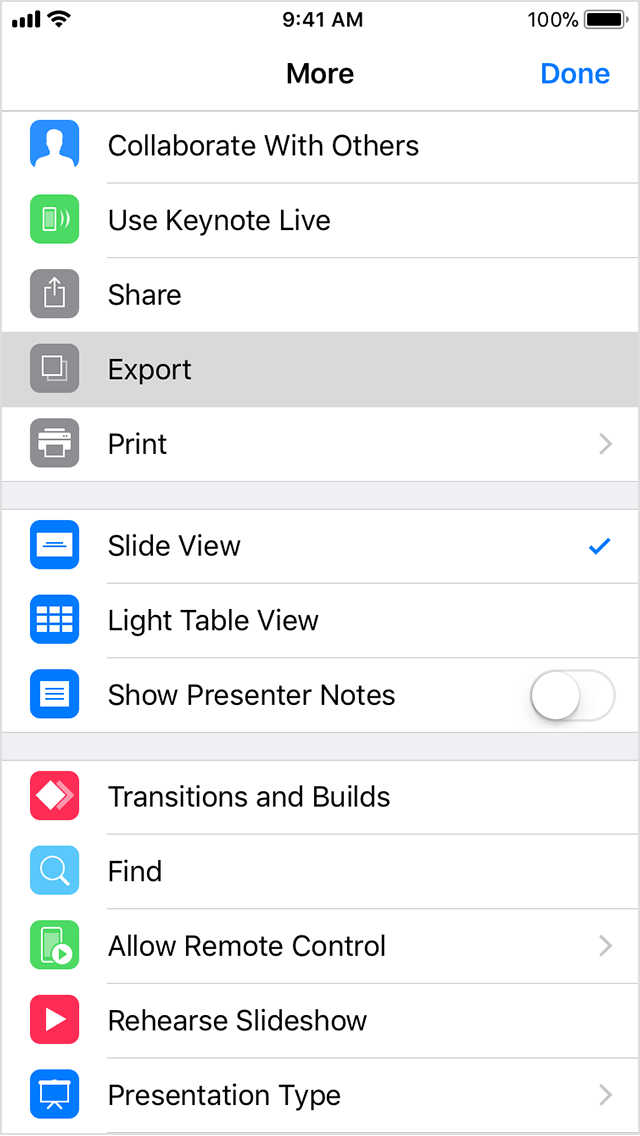
A document in Keynote for iOS always remains a .keynote file. You can make a copy of the file in another format when you want to send it. Follow these steps to send a document in a specific file format:
- Open the presentation, then tap
.
- Tap Export.
- Choose a format for your presentation.
- Choose how you want to send your presentation (for example, Mail or Messages).
- Complete the sending process you selected.
Import and export different file formats with Keynote - Apple Support
Keynote for iOS can export
- Microsoft PowerPoint (.pptx)
Export a file with Keynote for iOS
A document in Keynote for iOS always remains a .keynote file. You can make a copy of the file in another format when you want to send it. Follow these steps to send a document in a specific file format:
- Open the presentation, then tap
- Tap Export.
- Choose a format for your presentation.
- Choose how you want to send your presentation (for example, Mail or Messages).
- Complete the sending process you selected.
How to convert from keynote to pdf or pptx format while emailing