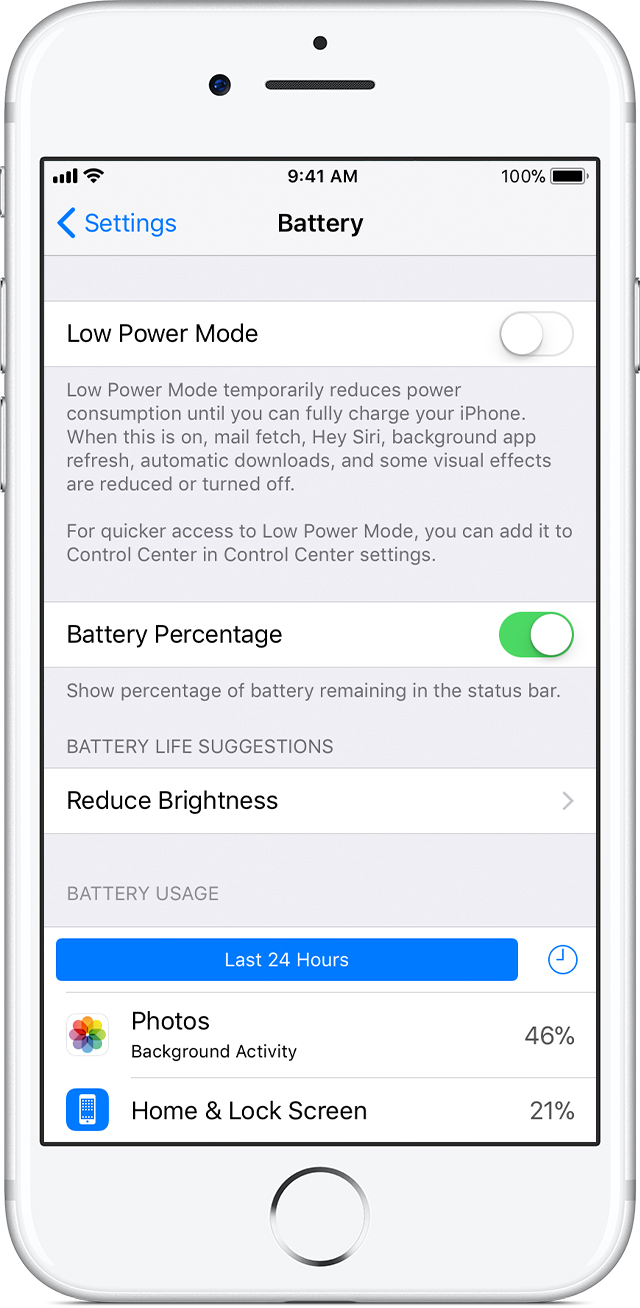
Background Activitiy of Settings in Battery Usage

Hi!

iPhone 6/ iOS 11.1

In the last few days I notice a huge amount of background activity of "settings" in "settings - battery - battery usage"; 8min. in foreground, 24min. in background.

Any ideas what's causing these activities; any ideas how to identify the process and avoid?

In the last few days I notice as well that it takes a moment (2-3sec.) opening setting hitting f.ex. general before the system reacts. Maybe a result of these background activities?

iPhone 6, null

Posted on Nov 7, 2017 9:34 AM

Reply
2 replies

Nov 7, 2017 9:42 AM in response to ervau

iOS 11 or later have been major updates.

The background activity is normal in the first days (it depends on how many apps and data you have in your iPhone) since the new iOS has many things to do (reindex, housekeeping, etc.), and should normalize soon.

I suggest that you try also a forced restart (power button and home button pressed, until you see the apple logo).

Regards

Giulio

Nov 7, 2017 9:40 AM in response to ervau

Yes, it could be.

Your usage for each process should show after the last setting you mentioned:


About the battery usage on your iPhone, iPad, and iPod touch

With iOS 9 and later, you can check the amount of battery used by each app on your iOS device.

User uploaded file

Check battery usage

Go to Settings > Battery.

To see how long each app has been open and running in the background, tap User uploaded file. Under each app, you might see these usage types:

  • Background Activity means that your battery is used while apps run in the background.
  • Audio means that apps play audio while running in the background.
  • No Cell Coverage and Low Signal means that your device is searching for a signal or being used with a low signal.
  • Backup & Restore indicates that your device has been backing up to iCloud or restoring from an iCloud backup.
  • Location and Background Location means that your battery was used when tracking your device.

User uploaded file

Adjust settings to improve battery life

While viewing your battery usage, you might get a suggestion like Enable Auto-Brightness or Adjust Display Brightness. This is because iOS determined that changing these settings could improve your battery life. You can also see the usage times since the last full charge.

Learn more about maximizing the battery performance and lifespan of your iOS device.

User uploaded file

Use Low Power Mode

If you want to extend your battery life, turn on Low Power Mode. This reduces power consumption until you turn it off or charge your iPhone to 80%. When Low Power Mode is on, certain settings and features like mail fetch, Hey Siri, Background App Refresh, and some visual effects are reduced or disabled.

Learn more about Low Power Mode.

This thread has been closed by the system or the community team. You may vote for any posts you find helpful, or search the Community for additional answers.

Background Activitiy of Settings in Battery Usage

Welcome to Apple Support Community
A forum where Apple customers help each other with their products. Get started with your Apple Account.