
where do you click change storage plan?

where do you click change storage plan?

null-OTHER, Windows 10

Posted on Nov 15, 2017 9:48 PM

Reply
Question marked as Top-ranking reply

Posted on Nov 16, 2017 2:35 AM

This is in your settings in iCloud, manage storage (see below for specific steps to help you out) 🙂


Upgrade your iCloud storage from any device

Whether you’re on an iPhone, iPad, iPod touch, Mac, or PC, upgrading your iCloud storage is simple. Choose your device below and upgrade in just a few quick steps.
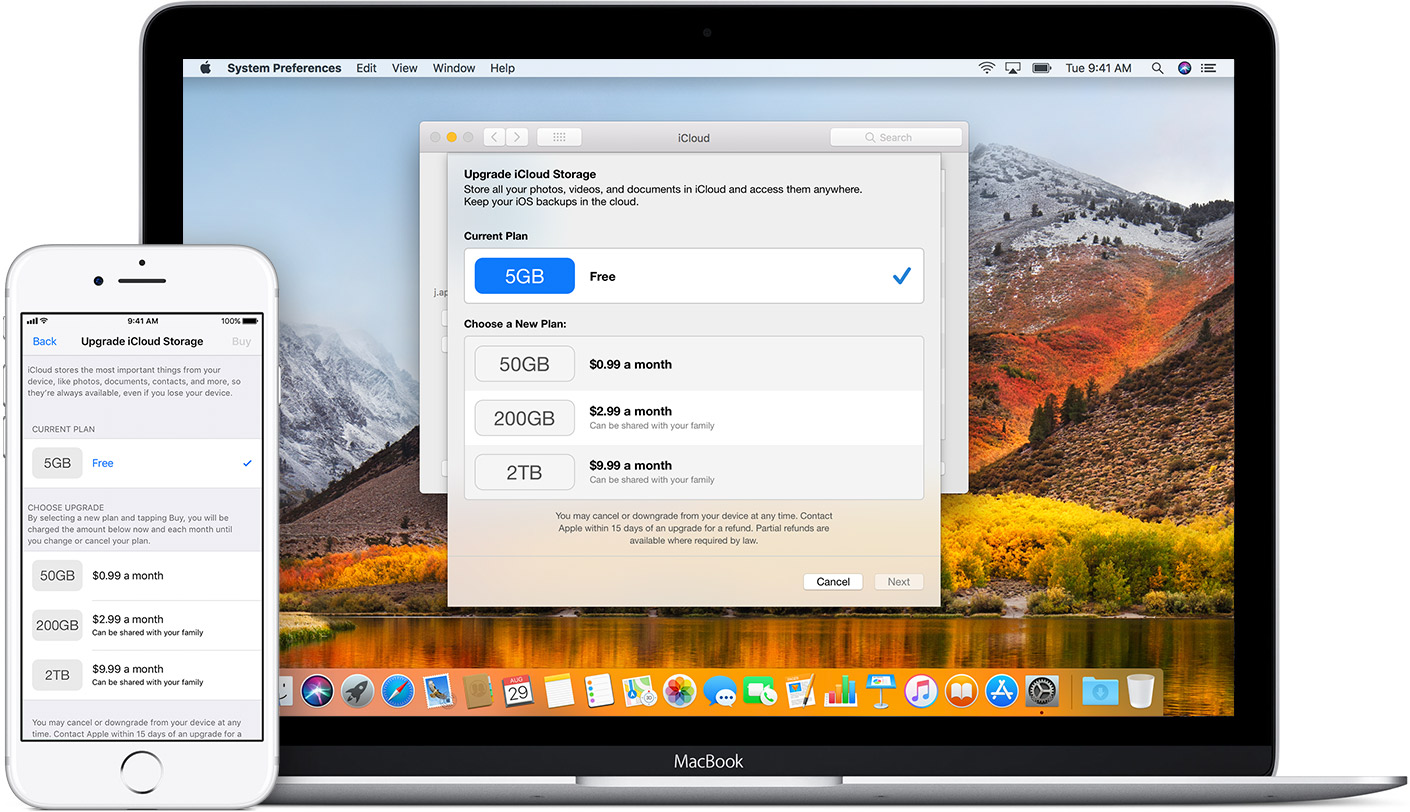
User uploaded file

On your iPhone, iPad, or iPod touch

  1. Go to Settings > [your name] > iCloud > Manage Storage or iCloud Storage. If you're using iOS 10.2 or earlier, go to Settings > iCloud > Storage.
  2. Tap Buy More Storage or Change Storage Plan.
  3. Choose a plan.
  4. Tap Buy and follow the onscreen instructions.

On your Mac

  1. Choose Apple User uploaded file menu > System Preferences, then click iCloud.
  2. Click Manage in the lower-right corner.
  3. Click Change Storage Plan or Buy More Storage.
  4. Choose a plan.
  5. Click Next and enter your Apple ID password.

On your Windows PC

  1. Open iCloud for Windows.
  2. Click Storage.
  3. Click Change Storage Plan.
  4. Choose a plan, then click Next.
  5. Enter your Apple ID password, then click Buy.
1 reply
Question marked as Top-ranking reply

Nov 16, 2017 2:35 AM in response to ken jr

This is in your settings in iCloud, manage storage (see below for specific steps to help you out) 🙂


Upgrade your iCloud storage from any device

Whether you’re on an iPhone, iPad, iPod touch, Mac, or PC, upgrading your iCloud storage is simple. Choose your device below and upgrade in just a few quick steps.

User uploaded file

On your iPhone, iPad, or iPod touch

  1. Go to Settings > [your name] > iCloud > Manage Storage or iCloud Storage. If you're using iOS 10.2 or earlier, go to Settings > iCloud > Storage.
  2. Tap Buy More Storage or Change Storage Plan.
  3. Choose a plan.
  4. Tap Buy and follow the onscreen instructions.

On your Mac

  1. Choose Apple User uploaded file menu > System Preferences, then click iCloud.
  2. Click Manage in the lower-right corner.
  3. Click Change Storage Plan or Buy More Storage.
  4. Choose a plan.
  5. Click Next and enter your Apple ID password.

On your Windows PC

  1. Open iCloud for Windows.
  2. Click Storage.
  3. Click Change Storage Plan.
  4. Choose a plan, then click Next.
  5. Enter your Apple ID password, then click Buy.

This thread has been closed by the system or the community team. You may vote for any posts you find helpful, or search the Community for additional answers.

where do you click change storage plan?

Welcome to Apple Support Community
A forum where Apple customers help each other with their products. Get started with your Apple Account.