
I am unable to quit GarageBand on iPhone X. The app switcher does not open when program opened.
Unable to quit GarageBand on iPhone X
Do not use the above instructions to close garageband -- they do not work. The reason is because garageband displays horizontally on the iphone x. So unlike other apps where you hold your phone vertically and swipe up, with garageband you need to hold the phone horizontally and swipe up. Very confusing for new iphone x users and it took me a while to figure out. Restarting the phone also works but this is quicker. Apple really should fix this to work like all of the other apps. Personally, I deleted garageband once I figured out how to close the darn thing.
Do not use the above instructions to close garageband -- they do not work. The reason is because garageband displays horizontally on the iphone x. So unlike other apps where you hold your phone vertically and swipe up, with garageband you need to hold the phone horizontally and swipe up. Very confusing for new iphone x users and it took me a while to figure out. Restarting the phone also works but this is quicker. Apple really should fix this to work like all of the other apps. Personally, I deleted garageband once I figured out how to close the darn thing.
I concur with lizg. Because it runs horizontally (landscape) you must swipe from the right middle (where the line is) to close the app. They should at least have a disclaimer run when 1st opening the app to explain how to close it.
While in garage band I used Siri to open another app like messanger. While messanger was open I used the clear app function that brings up all your recently used apps. And just cleared garage band from that screen.
as lizg says, you have to swipe from the white line to the centre of the screen.
Switch apps on your iPhone, iPad, or iPod touch - Apple Support
Switch apps on iPhone X
If you have an iPhone X:
- Swipe up from the bottom to the middle of your screen and hold until you see the App Switcher.
- Swipe left or right to find the app that you want to use.
- Tap the app.
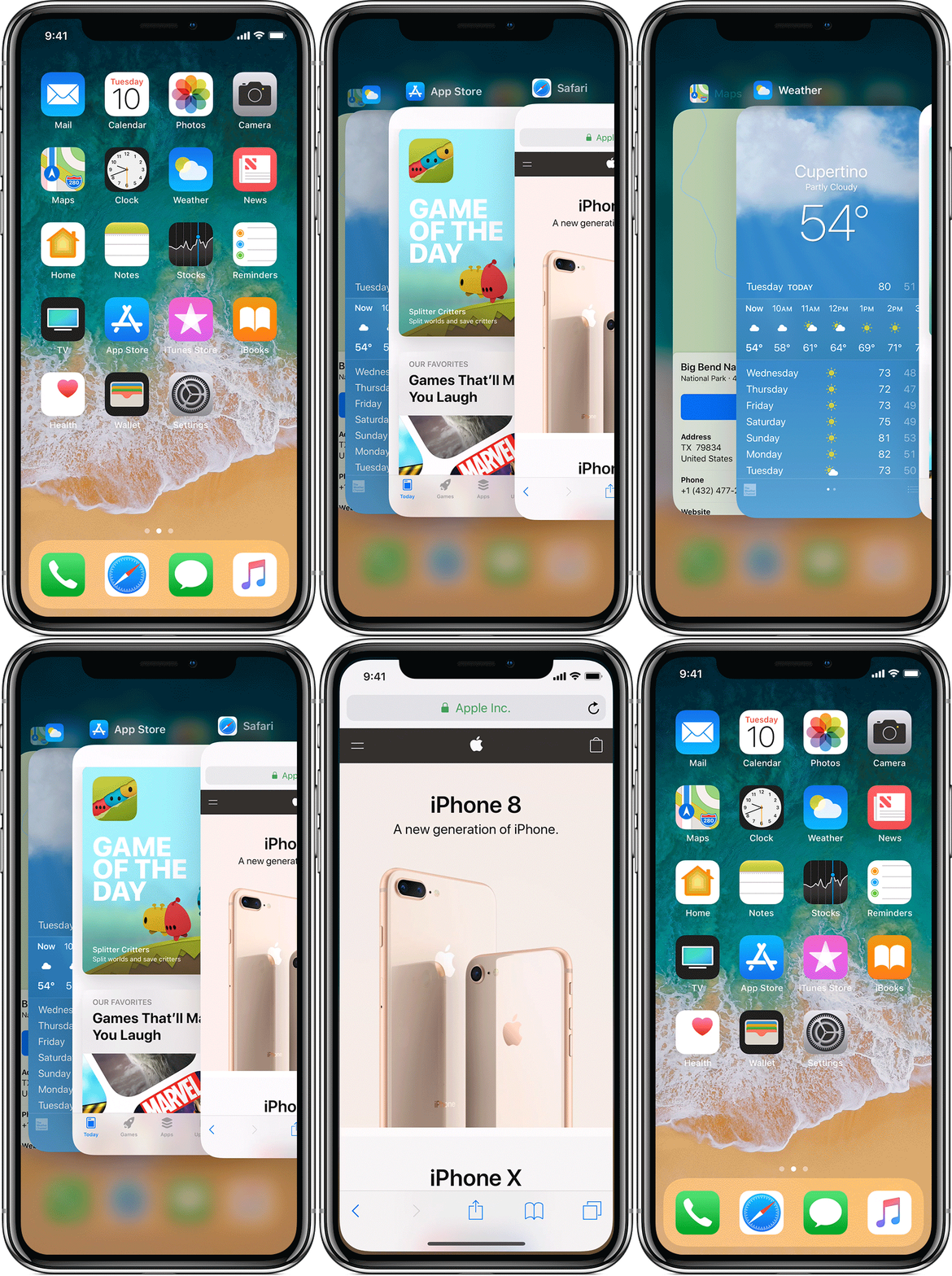
How to force an app to close on your iPhone, iPad, or iPod touch - Apple Support
If you are still unable to move away from GarageBand, I recommend that you use the steps in the article below to force your iPhone to restart:
If your iPhone, iPad, or iPod touch won't turn on or is frozen - Apple Support
If your screen is black or frozen
If your screen is black or frozen, you might need to force restart your device. A force restart won't erase the content on your device. You can force restart your device even if the screen is black or the buttons aren't responding. Follow these steps:
- On an iPhone X, iPhone 8, or iPhone 8 Plus: Press and quickly release the Volume Up button. Press and quickly release the Volume Down button. Then, press and hold the Side button until you see the Apple logo.
- On an iPhone 7 or iPhone 7 Plus: Press and hold both the Side and Volume Down buttons for at least 10 seconds, until you see the Apple logo.
- On an iPhone 6s and earlier, iPad, or iPod touch: Press and hold both the Home and the Top (or Side) buttons for at least 10 seconds, until you see the Apple logo.
I am slowly figuring out the new iphone X. It seems to close any app you swipe up from the small line in the middle of the bottom of the screen. If you look at any app you open you will find it at the bottom. Garage bands is on the side of the phone because the app runs in horizontal mode.
I ended up closing the app by pressing the power/Siri button, pressing it again to wake the screen and then swipe right to the widgets, open the weather widget, and then swipe up and close them all. Oh, and then delete GarageBand and free up 1.2GB.
I was unable to close the Garage Band App
So I just have to completely close down my phone. Why do I have to do this and is this normal?
I am unable to quit GarageBand on iPhone X. The app switcher does not open when program opened.

