Canceling an Apple Pay transaction
My landscaper sent me an invoice and I tried to pay him with Apple Pay, but he doesn't have an account. How do I cancel the transaction?
My landscaper sent me an invoice and I tried to pay him with Apple Pay, but he doesn't have an account. How do I cancel the transaction?
How to cancel a payment
If you send money to someone who hasn't accepted the payment, you can cancel the payment. Here's how:
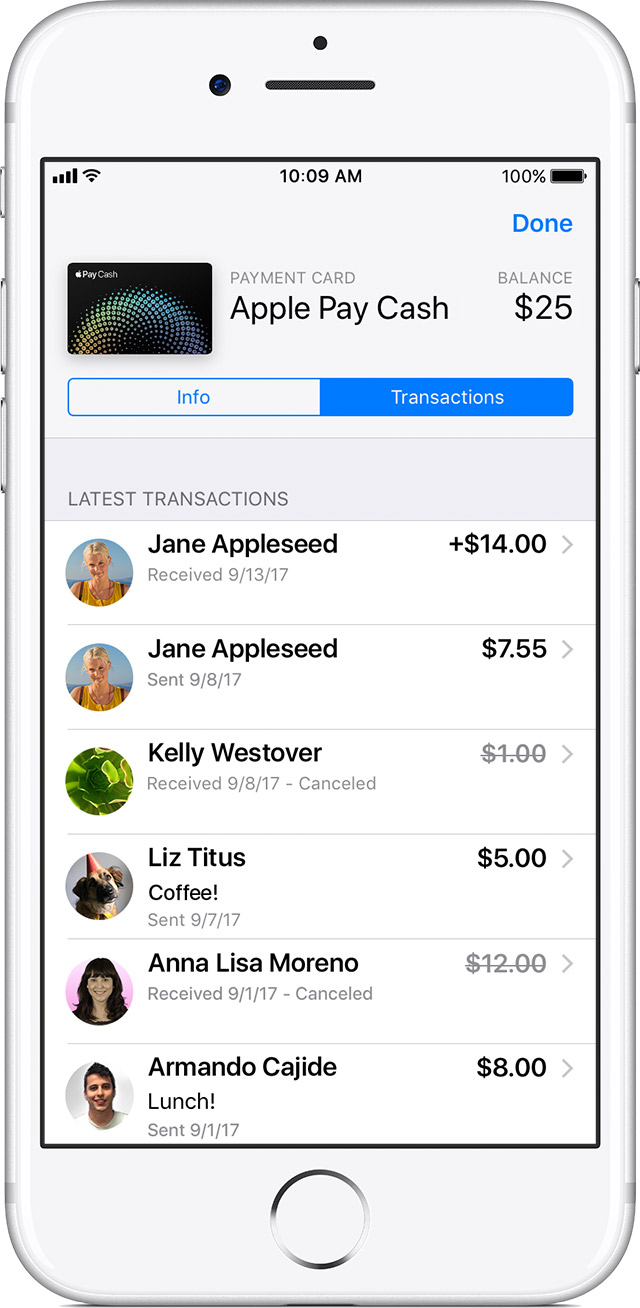
- Open Messages and go to the payment. Or go to the payment in transaction history.
- Tap the payment to see its details, then check the Status field.
- Tap Cancel Payment. The Status field updates to say Canceled. If you don't see the option to cancel, then the person has already accepted the payment. Try asking the person to send money back to you instead.
If you reject or cancel a payment, the money will be refunded by the next business day depending on your bank or card issuer.
How to cancel a payment
If you send money to someone who hasn't accepted the payment, you can cancel the payment. Here's how:
- Open Messages and go to the payment. Or go to the payment in transaction history.
- Tap the payment to see its details, then check the Status field.
- Tap Cancel Payment. The Status field updates to say Canceled. If you don't see the option to cancel, then the person has already accepted the payment. Try asking the person to send money back to you instead.
If you reject or cancel a payment, the money will be refunded by the next business day depending on your bank or card issuer.
Canceling an Apple Pay transaction