Verify on another device. Don’t have one. Help

My phone keeps getting this pop-up message that I must verify my iCloud on another apple device to continue using it on this phone.

I don’t have another working device. How can I fix this. My phone is 13 months old and this message just started a month ago.

Posted on Jan 6, 2018 2:45 AM

Reply
Question marked as Top-ranking reply

Posted on Jan 10, 2018 9:49 AM

Hi MeghanDee123,

Thanks for sending that screenshot, it's most helpful. This looks to be related to iCloud Keychain. Since you mention you don't have another device to use, I'd recommend reviewing the steps below:

If you can't access a device that uses your iCloud Keychain

Follow these steps to reset your iCloud Keychain.

On an iPhone, iPad, or iPod touch:

  1. Tap Settings > [your name] > iCloud > Keychain and turn on iCloud Keychain. If you're using iOS 10.2 or earlier, tap Settings > iCloud. You might be asked to enter your Apple ID password.
  2. If you protect your account with two-factor authentication, tap Restore with Security Code. If you don't use two-factor authentication, tap Approve with Security Code.
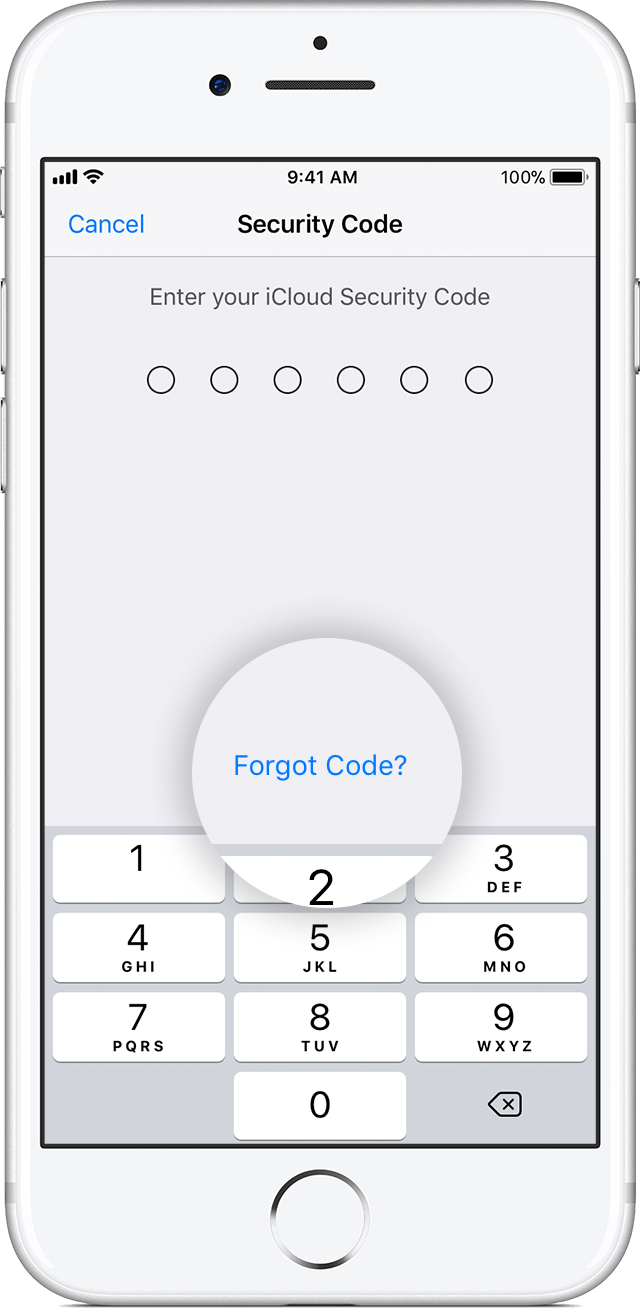
  3. Tap Forgot Code.
    User uploaded file
  4. Tap Reset iCloud Keychain to replace your keychain in iCloud with the iCloud Keychain from your device.
  5. Tap Reset to confirm.
  6. Follow the onscreen steps to create a new iCloud Security Code.
If you enter your iCloud Security Code incorrectly too many times


Let me know what you find.


Warmest Regards.
3 replies
Question marked as Top-ranking reply

Jan 10, 2018 9:49 AM in response to MeghanDee123

Hi MeghanDee123,

Thanks for sending that screenshot, it's most helpful. This looks to be related to iCloud Keychain. Since you mention you don't have another device to use, I'd recommend reviewing the steps below:

If you can't access a device that uses your iCloud Keychain

Follow these steps to reset your iCloud Keychain.

On an iPhone, iPad, or iPod touch:

  1. Tap Settings > [your name] > iCloud > Keychain and turn on iCloud Keychain. If you're using iOS 10.2 or earlier, tap Settings > iCloud. You might be asked to enter your Apple ID password.
  2. If you protect your account with two-factor authentication, tap Restore with Security Code. If you don't use two-factor authentication, tap Approve with Security Code.
  3. Tap Forgot Code.
    User uploaded file
  4. Tap Reset iCloud Keychain to replace your keychain in iCloud with the iCloud Keychain from your device.
  5. Tap Reset to confirm.
  6. Follow the onscreen steps to create a new iCloud Security Code.
If you enter your iCloud Security Code incorrectly too many times


Let me know what you find.


Warmest Regards.

Jan 7, 2018 2:59 PM in response to MeghanDee123

Hi MeghanDee123,

Thanks for reaching out in Apple Support Communities. I understand that you're being prompted to verify something related to your iCloud account from another device in order to continue using it on your iPhone. I can see why you would reach out for assistance with this and I'm happy to help. The prompt you're seeing could be related to your iCloud Keychain or Two-factor authentication. I'd recommend reviewing the resources below and taking action based on the prompt you're seeing on your device.

Get a verification code and sign in with two-factor authentication
Frequently asked questions about iCloud Keychain

If you continue to have trouble, could you let me know the exact message that you see?


Best Regards.

This thread has been closed by the system or the community team. You may vote for any posts you find helpful, or search the Community for additional answers.

Verify on another device. Don’t have one. Help

Welcome to Apple Support Community
A forum where Apple customers help each other with their products. Get started with your Apple Account.