no summary or file sharing tab for iphone in itunes

There is no summary or file sharing tab for iphone in itunes. I have IMAC with 10.13.2 and iTunes 12.7.2.58 and iPhone 7 11.2.1.


When I plug the iPhone into the iMac it is recognised (although it doesn't open iTunes automatically as before), but there is no summary or file sharing tab on the left. There are however music, films, tv, podcasts, book, audiobooks, tones, playlist. The phone synchronises.


I have swapped cables, ports and restarted with no success.

iMac, Mac OS X (10.7.5)

Posted on Jan 7, 2018 9:10 AM

Reply
3 replies

Jan 10, 2018 3:04 AM in response to Andy Smith5

Hi, Andy!
Thanks for visiting the Apple Support Communities. From your post, I understand that you are unable to locate the iPhone Summary tab once you connect your iPhone to your computer. I'm happy to help!

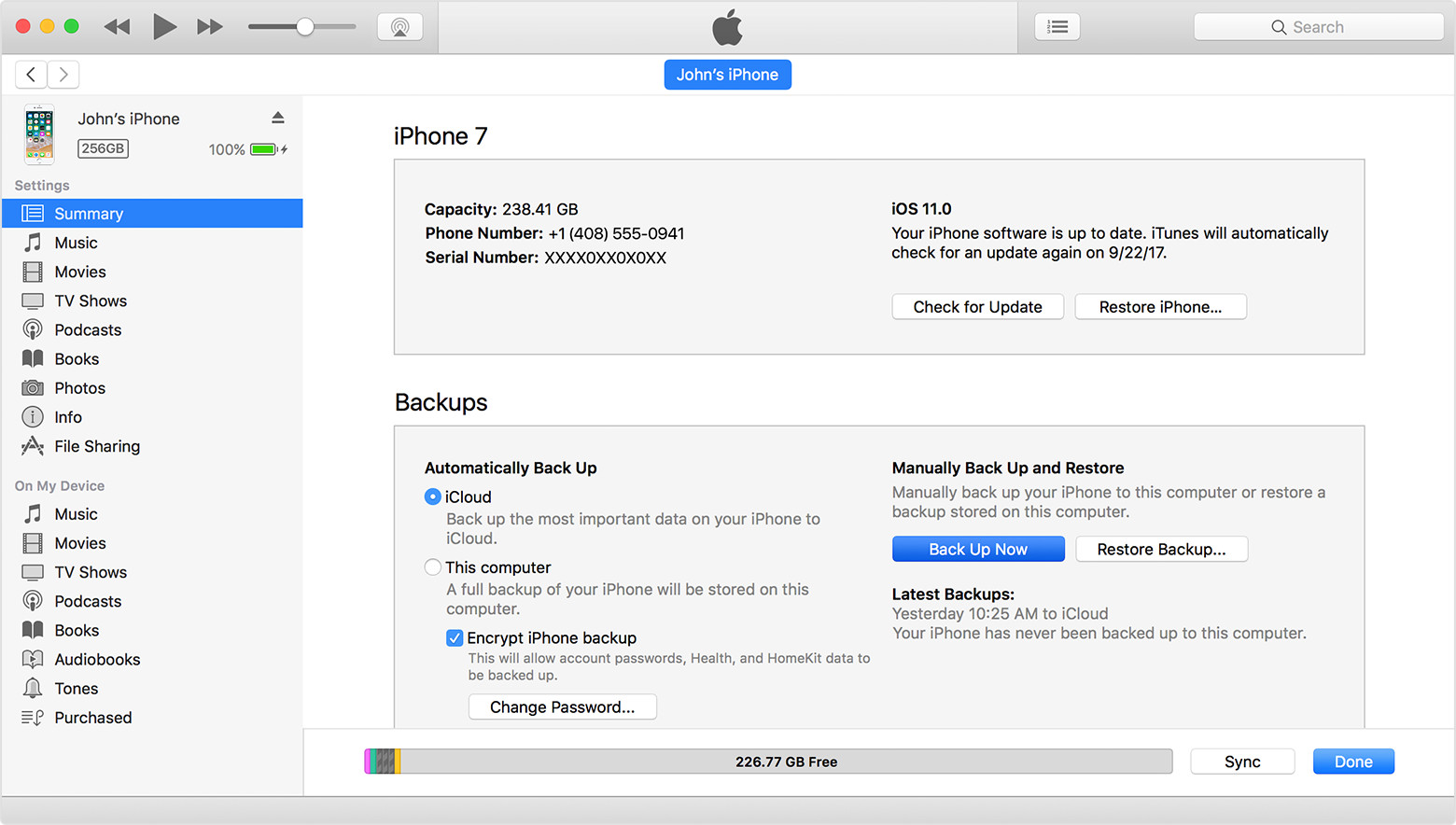
In iTunes 12, you access the iPhone Summary page (and sync options) by connecting your device and selecting the device icon User uploaded file, situated above the sidebar on the left side of the iTunes window. Once you've clicked that icon, you will see the following screen:

User uploaded file

From here, you can navigate through the Summary page and sync options using the sidebar on the left, and interact with each option on the right.

Cheers!

This thread has been closed by the system or the community team. You may vote for any posts you find helpful, or search the Community for additional answers.

no summary or file sharing tab for iphone in itunes

Welcome to Apple Support Community
A forum where Apple customers help each other with their products. Get started with your Apple Account.