Apple Pencil will not connect

Hi, I am trying to use my Apple Pencil. I have already paired it with my device. The problem im having is...once I take the pencil out of the iPad to use it, I get a message that says, “plug in Apple Pencil to use it with this device.” Once plugged back in, the pencil connects right away. It is clearly impossible to use the pencil if it is plugged in. How do I fix this problem?

null-OTHER

Posted on Jan 21, 2018 6:33 PM

Reply
1 reply

Jan 22, 2018 1:01 PM in response to shaquanna4313

Greetings shaquanna4313,

Thank you for using Apple Support Communities. It seems like the iPad is having trouble pairing to the Apple Pencil. I would recommend you read this article and use it to help troubleshoot the issue. ​


If your Apple Pencil won't pair with your iPad Pro

  1. Restart your iPad Pro, then try to pair again.
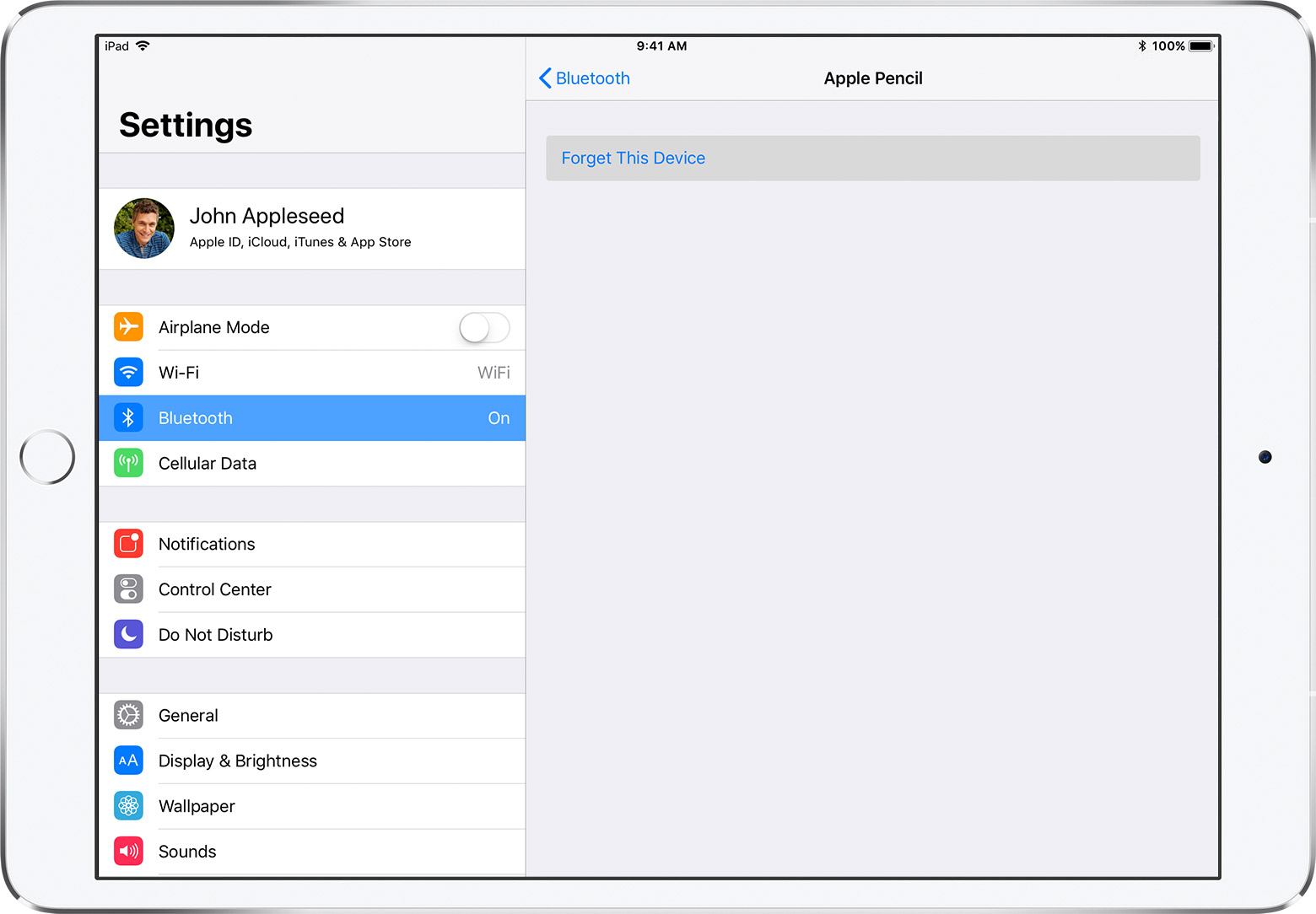
  2. Go to Settings > Bluetooth and make sure that Bluetooth is turned on.
  3. On the same screen, look under My Devices for your Apple Pencil. If you see it, tap User uploaded file. Then tap Forget this Device.
    User uploaded file
  4. Plug your Apple Pencil into your iPad Pro and tap the Pair button when it appears after a few seconds.
  5. If you don't see the Pair button, wait for one minute while your Apple Pencil charges. Then unplug your Apple Pencil, plug it back in, and wait until you see the Pair button.
  6. If you still don’t see the Pair button, contact Apple Support.

Use Apple Pencil with iPad Pro


Take care.

This thread has been closed by the system or the community team. You may vote for any posts you find helpful, or search the Community for additional answers.

Apple Pencil will not connect

Welcome to Apple Support Community
A forum where Apple customers help each other with their products. Get started with your Apple Account.