Hi ELa,
The easiest and most fluid way to redownload to your iPhone from your iTunes library is using Apple Music with iCloud music library enabled.
First, go to the Apple music app. Then, to Library - Albums. See if your purchases got put in albums. If so, you can click on the cloud there to download at one time.
Please note: your songs typically download automatically in Apple Music if you are signed in with your Apple ID and password, and if you have iCloud music library on with downloads and streaming options turned on.
ICloud Music Library: https://support.apple.com/en-us/HT204926
Apple Music: https://support.apple.com/en-us/HT205919
To reiterate: This is Taking into consideration that you have Apple music downloaded on your iPhone or that you are subscribed, and iCloud music library is turned on under settings - music..... as noted previously
If not, go to the Music app on your phone, and see if your selections appear in the same manner as Apple Music would appear- showing "library, etc menu".
If so, check to see if your downloads/music are there. If not, you definitely have not gotten them to your iPhone yet.
If none of the above is to any avail or you elect not to utilize Apple Music for example, you may have to go through your iTunes app, purchases, then music to redownload purchased music, which is most likely the process you are currently seeing upon importing via the iTunes app on your phone:
****Before you can redownload items that you bought from the iTunes Store, App Store, or iBooks Store:
- Open the iTunes Store app.
- On your iPhone or iPod, tap More > Purchased at the bottom of the screen. On an iPad, just tap Purchased.
- Depending on what you want to redownload, tap Music, Movies, or TV Shows, then tap "Not on This [device]."
- Find the movie, TV show, or music that you want to redownload, then tap it.
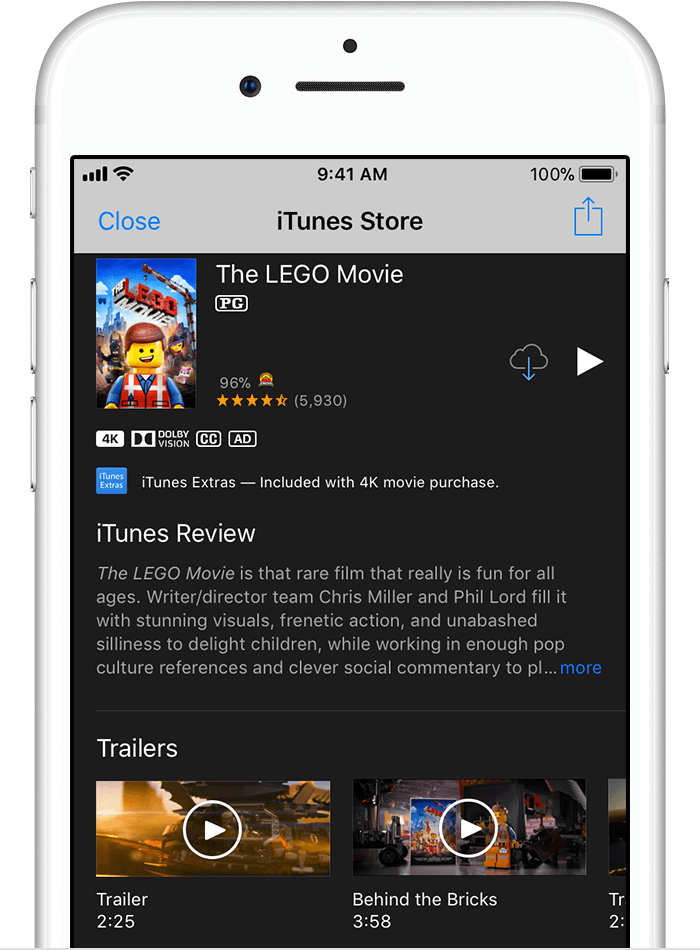
- Tap
 to the right of the title. The movie, TV show, or music downloads to your device. You can find movies and TV shows that you redownload in the TV app3 or Videos app, and music in the Music app.