Hello woodyfromorlando.
Welcome to Apple Support Communities.
If I'm understanding correctly, you would like to know if you can switch carriers for the Apple Watch. I will be happy to provide you with some information on this.
Check out the steps below from our article: Set up and use cellular on Apple Watch Series 3 (GPS + Cellular)
Your iPhone and Apple Watch Series 3 (GPS + Cellular) must use the same carrier. If you change carriers on your iPhone,* you need to remove the previous service plan on your Apple Watch and sign up for a new plan. Here's how:
- On your iPhone, open the Apple Watch app.
- Tap the My Watch tab, then tap Cellular.
- Your plan should automatically switch. If you need to add a new plan, tap Add a New Plan, then follow the onscreen steps. If your previous plan still appears in the Apple Watch app, you can remove it.
If you need help, contact your carrier.

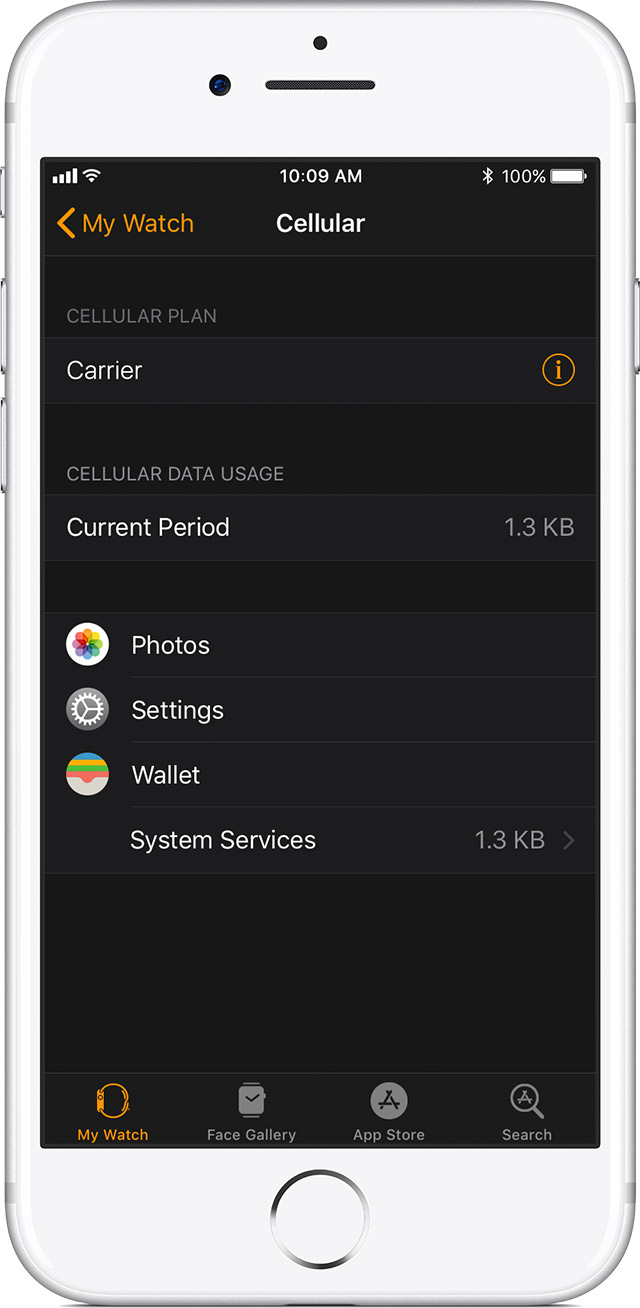
You can remove your cellular plan at any time:
- On your iPhone, open the Apple Watch app.
- Tap the My Watch tab, then tap Cellular.
- Tap
 next to your carrier at the top of the screen.
- Tap Remove [carrier] Plan. Tap again to confirm.
- If you aren't going to pair again, you might need to contact your carrier to cancel your cellular subscription.*
When you erase and unpair your Apple Watch, you'll also get the option to remove the plan from your Apple Watch. When asked, choose Erase All to remove the plan.
Cheers.


