why is my screen sooo dark when streaming
Why does my Macbook Air screen go so dark when streaming movies, where as if I stream through my apple TV, it shows lighter on the tele
Why does my Macbook Air screen go so dark when streaming movies, where as if I stream through my apple TV, it shows lighter on the tele
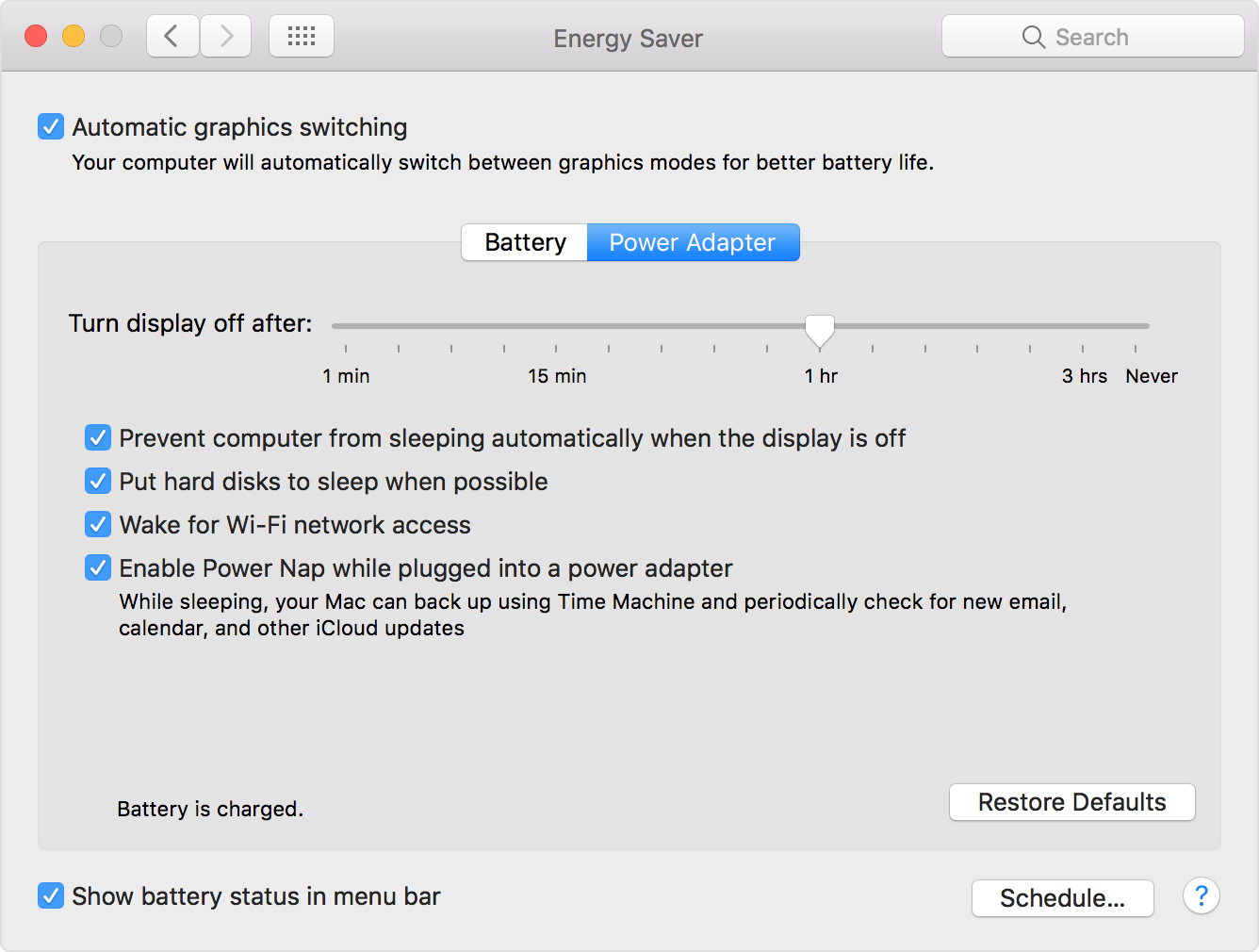
Adjust settings in Energy Saver
When you don't use your Mac for a while, macOS can automatically turn off features that you aren't using. When the computer needs to perform a task, related components power back up.
You can adjust energy-related settings in the Energy Saver pane of System Preferences:
- Choose Apple menu > System Preferences.
- Click Energy Saver.
Display sleep
You can tell your Mac how long to wait before it puts its display to sleep. Turning your display off is useful if your computer is performing a task (such as playing music) but you don't need to see anything that the computer is doing.
Putting your display to sleep stops the video signal to any internal and external displays. For Apple displays and built-in displays, this also means that the backlight on the LCD is turned off to save energy.
When your display goes to sleep, the screen goes dark or turns off, but apps that are still busy on your Mac stay active. If your display has a power indicator, it may change to indicate that the display is in low-power mode. To wake your display, move the mouse, touch the trackpad, or press a key on the keyboard.
Adjust settings in Energy Saver
When you don't use your Mac for a while, macOS can automatically turn off features that you aren't using. When the computer needs to perform a task, related components power back up.
You can adjust energy-related settings in the Energy Saver pane of System Preferences:
- Choose Apple menu > System Preferences.
- Click Energy Saver.
Display sleep
You can tell your Mac how long to wait before it puts its display to sleep. Turning your display off is useful if your computer is performing a task (such as playing music) but you don't need to see anything that the computer is doing.
Putting your display to sleep stops the video signal to any internal and external displays. For Apple displays and built-in displays, this also means that the backlight on the LCD is turned off to save energy.
When your display goes to sleep, the screen goes dark or turns off, but apps that are still busy on your Mac stay active. If your display has a power indicator, it may change to indicate that the display is in low-power mode. To wake your display, move the mouse, touch the trackpad, or press a key on the keyboard.
Have tried all this, but has not helped. The darkness is when watching Netflix or lightbox. Once a dark scene comes on, I cannot see faces or backgrounds. So in the 4 years Ive owned this Mac, I havent been able to watch this. If I loaded a DVD through the usb, the pic would be fine.... Please help
why is my screen sooo dark when streaming