Hi Glorfindelor,
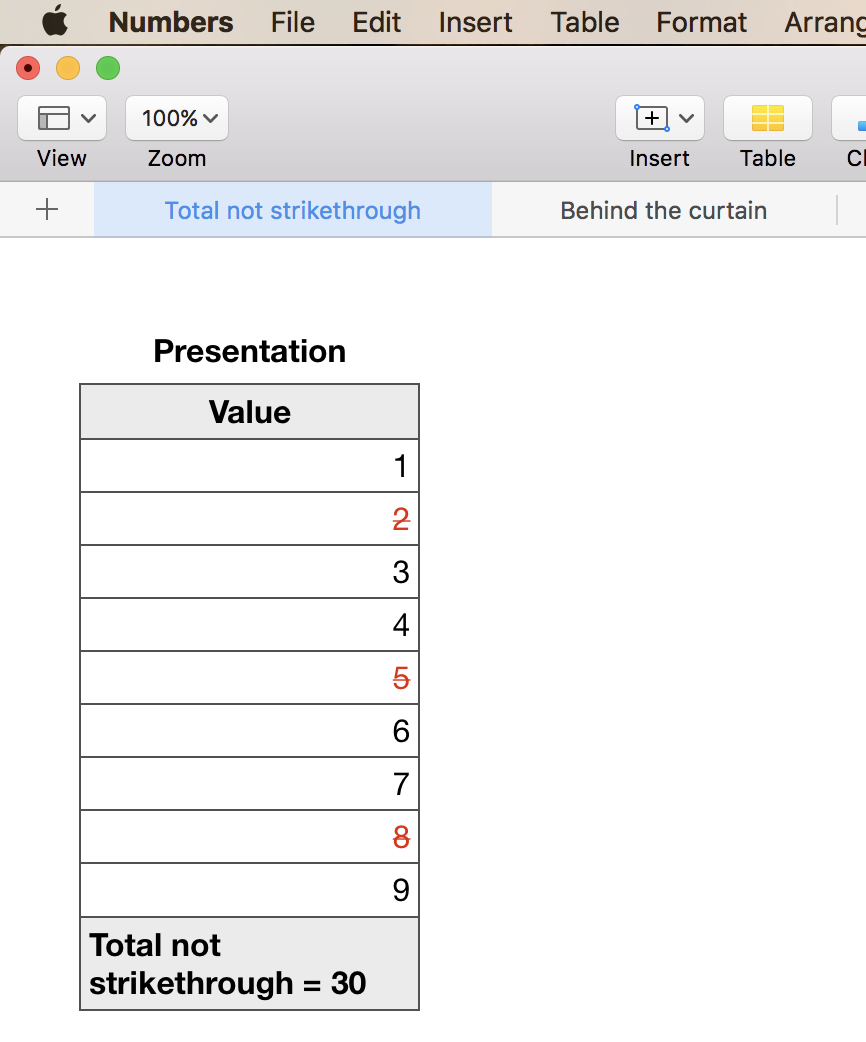
You can amaze your friends with this:
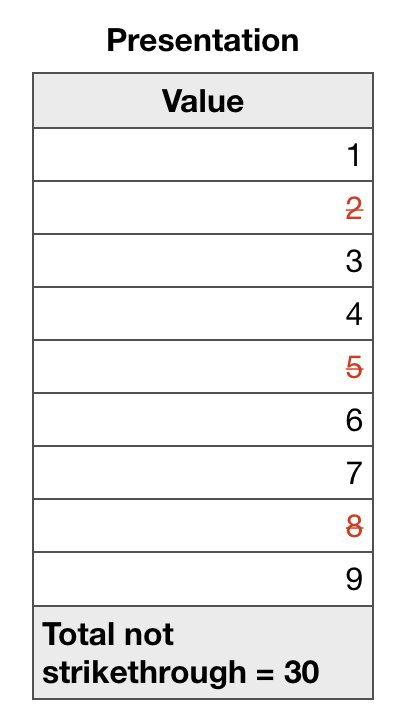
Here is what is going on "behind the curtain"
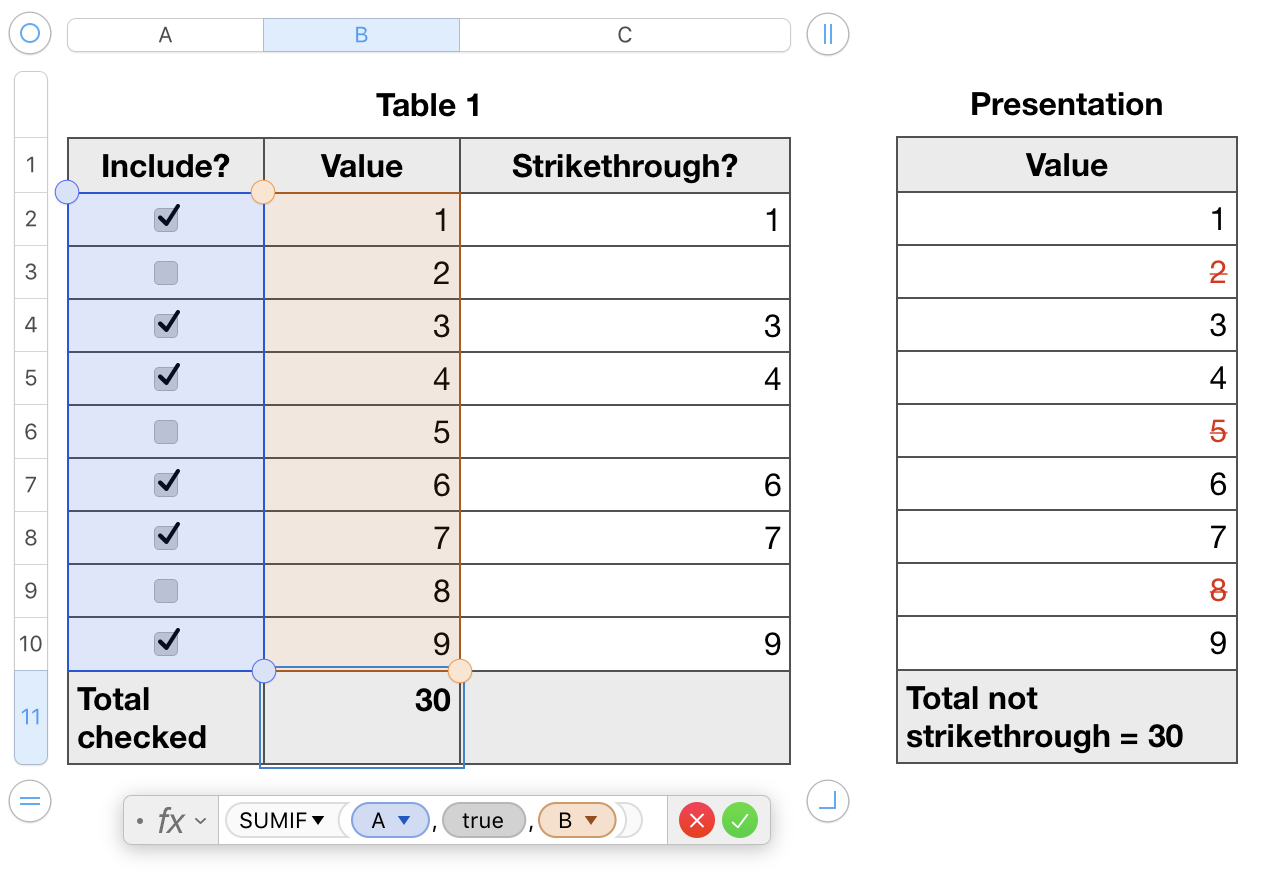
Formula in Footer Cell B11 is Barry's formula =SUMIF(A,TRUE,B)
(11 rows, because I inserted a Header Row)
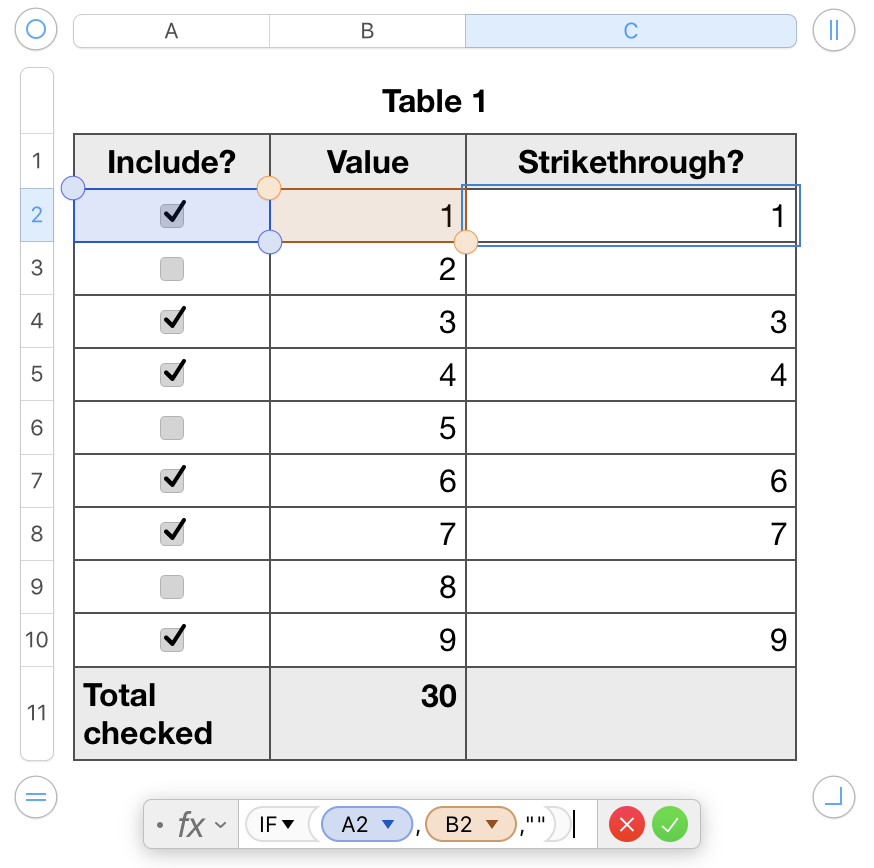
Formula in the extra Column C (Cell C2 and Fill Down) =IF(A2,B2,"")

Formula in the Footer Cell B11 of the "Presentation" table ="Total not strikethrough = "&Table 1::B$11
Now for Conditional Highlighting in the table "Presentation"
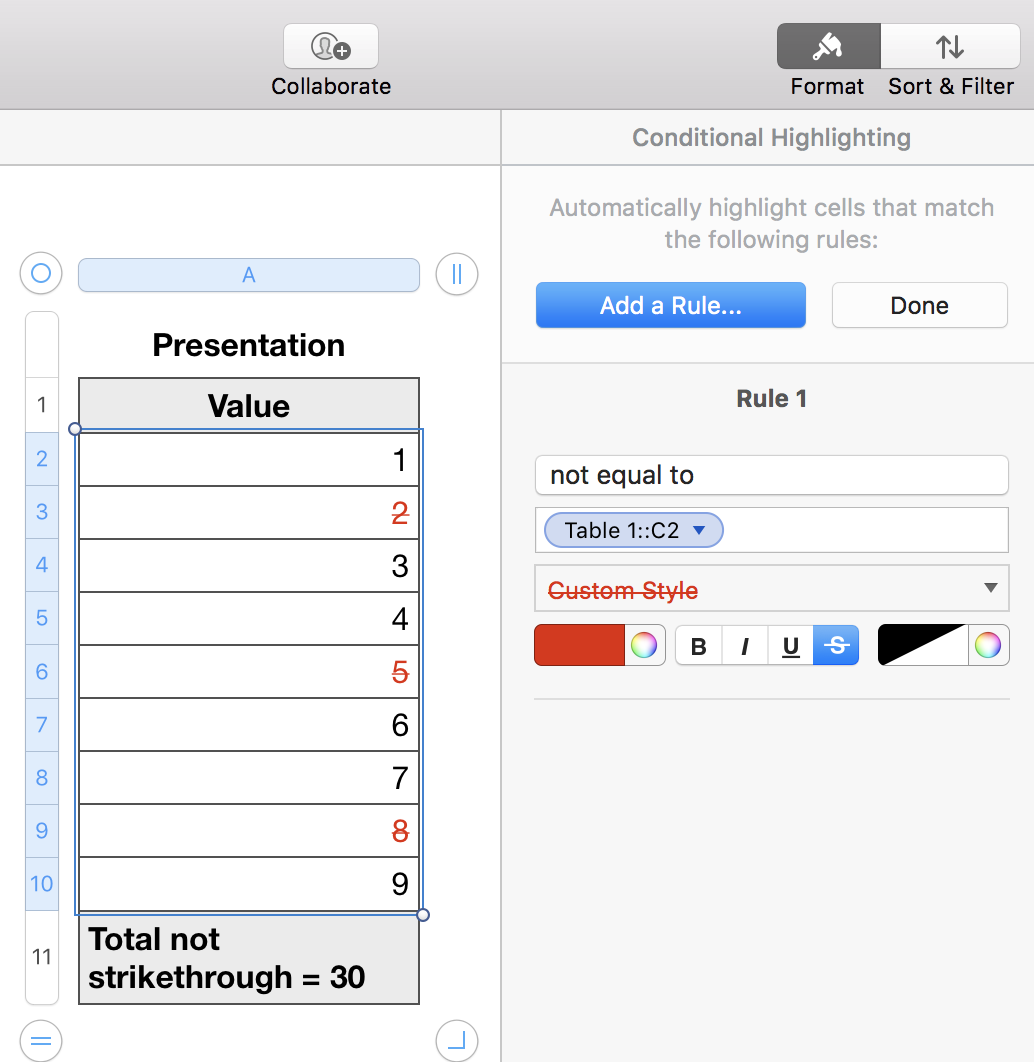
Numbers will automatically Fill Down that Conditional Highlighting rule and adjust the rule to suit all selected cells.
Insert another Sheet and move (Cut and Paste) Table 1 to the new Sheet to "hide" it while you amaze your audience.
Regards,
Ian.

