How do I delete a sticker APP from iMessage
It is not clear. It also won’t pop up as a app in my home scree. just In messages
It is not clear. It also won’t pop up as a app in my home scree. just In messages
Greetings, Jasminereyes.
I see that you wish to remove the Sticker application in iMessage apps on your iPhone. I'm happy to help.
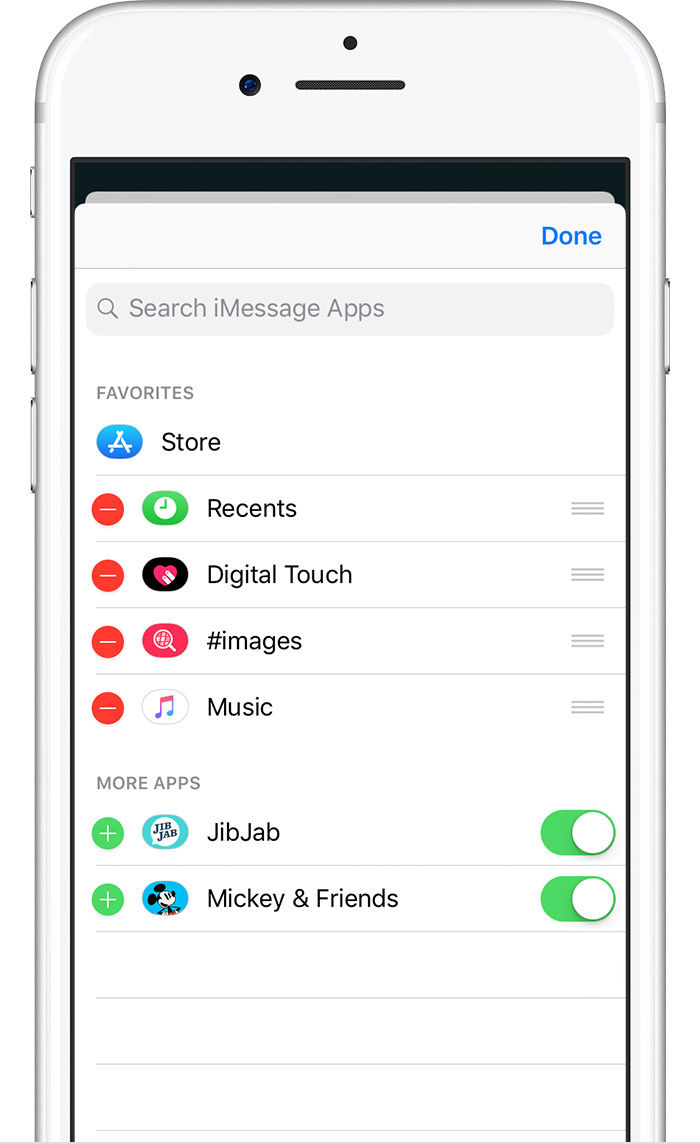
Use iMessage apps on your iPhone, iPad, and iPod touch -- Since these apps were designed for use only in the Messages application, they aren't available for other applications. You'll need to open the app drawer, then follow the steps below:
Manage iMessage appsYou can add apps to your Favorites so you have quick access to them in the app drawer. You can also reorder apps in the app drawer, remove the ones you don’t want, and more. Here’s how:
- Tap
to open the app drawer. Then tap
.
- Tap Edit in the upper-right corner to do the following:
- To add an app to your Favorites, tap
.
- To remove an app, tap
.
- To reorder apps in the app drawer, touch and hold
, then move the apps in the order that you want.
- To hide an app, turn it off.
- Tap Done.
To delete an iMessage app, open the app drawer, tap
Take care!
How do I delete a sticker APP from iMessage