Media taking up all my iPad storage

Hi all - I have looked at the forum answers but they aren’t helpful - my storage has a huge blue line of about 50 GB taken up by “Media” - I have very few Apps and nothing is taking up that kind of space in the list of apps etc and the space they list as being used. What is going on? I have lots more apps on my phone and it’s only 32 GB. My iPad has 64 GB. What is the media and how do I get rid of it? I am traveling so I can’t call Apple, hoping there’s a better answer out there than go to General and look at what’s taking up space - because that’s not it.

iPad Pro Wi-Fi, iOS 11.2.6

Posted on Jun 8, 2018 11:03 AM

Reply

Similar questions

2 replies

Jun 10, 2018 12:03 PM in response to secdenco

Hello secdenco.

Welcome to Apple Support Communities.

If I'm understanding correctly, you are concerned about how much storage the Media category is using on the iPad Pro. I will be glad to assist. To get started, I would recommend checking to see what the storage looks like using iTunes.

Here are the steps below, from our article: How to check the storage on your iPhone, iPad, and iPod touch

Use iTunes to check the storage on your iOS device

  1. Open iTunes on your computer.
  2. Connect your device to your computer.
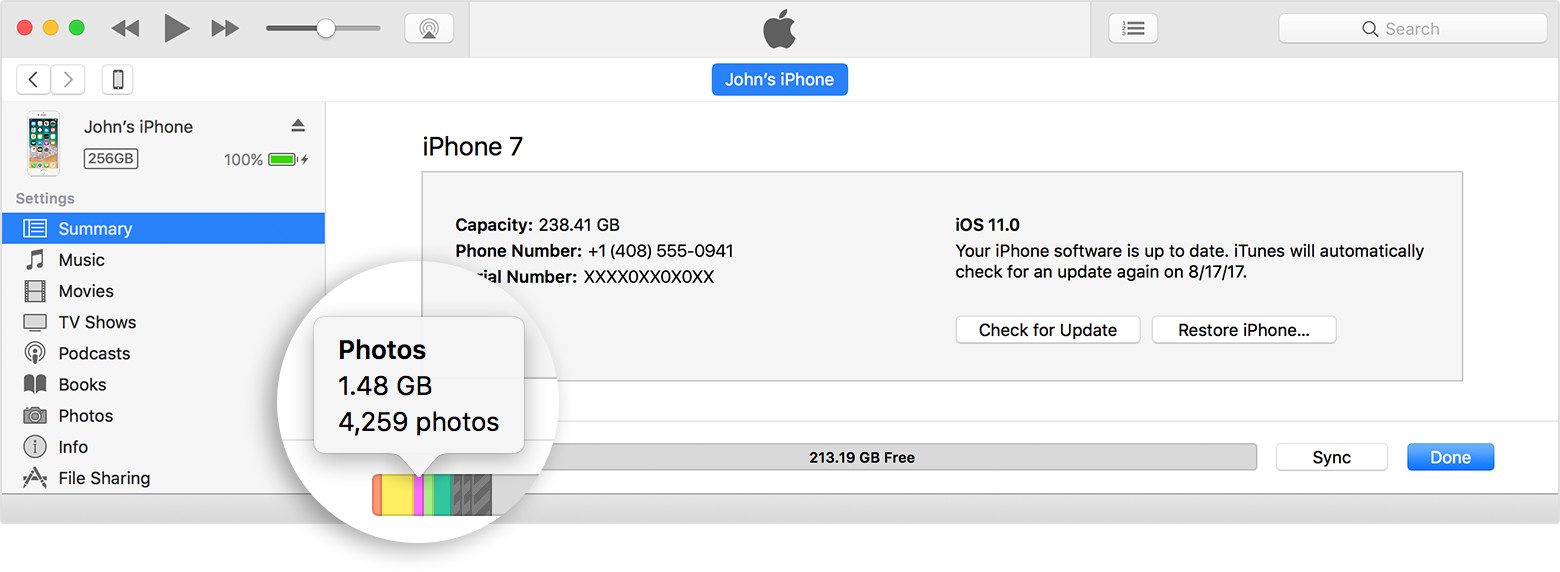
  3. Select your device in iTunes. You'll see a bar that shows how much storage your iOS content uses, divided by content type.
  4. Move your mouse over a content type, like Other or Apps, to find more information:
    User uploaded file

Here's a list of the types of content on your iOS device, and what each type includes:

  • Audio: Songs, audio podcasts, audiobooks, voice memos, and ringtones.
  • Video: Movies, music videos, and TV shows.
  • Photos: Content in your Photo Library, Camera Roll, and Photo Stream.
  • Apps: Installed apps. The content of the apps is listed under Documents & Data.
  • Books: iBooks books, audio books, and PDF files.
  • Documents & Data: Safari Offline Reading List, files stored within installed apps, and app content like contacts, calendars, messages, and emails (and their attachments).
  • Other: Settings, Siri voices, system data, and cached files.

About cached files in "Other" iOS storage

Cached files are created when you stream or view content like music, videos, and photos. When you stream music or video, that content is stored as cached files on your iOS device so you can quickly access it again. iTunes categorizes cached music, videos, and photos as Other instead of actual songs, videos, or photos.


Next, back up and update your iOS. Here's how: Update your iPhone, iPad, or iPod touch


Cheers.

Jun 10, 2018 1:19 PM in response to secdenco

Music, video, photos and even eBooks/iBooks/eMagazines and other data in apps can eat up iPad storage space.

If you save/store emails on your iPad, these can take up data storage space, too!

It's not just apps taking up space. It is also what is in the apps that are taking up space.

What is stored for data in the Files app?

A 64 GBs iPad has ONLY approx. 54-56 GBs of usable free data storage space.

This thread has been closed by the system or the community team. You may vote for any posts you find helpful, or search the Community for additional answers.

Media taking up all my iPad storage

Welcome to Apple Support Community
A forum where Apple customers help each other with their products. Get started with your Apple Account.