Computer keeps telling me to authorize iTunes
Computer keeps telling me to authorize iTunes, unable to complete this task?? How do I do this, what are the correct steps?
Computer keeps telling me to authorize iTunes, unable to complete this task?? How do I do this, what are the correct steps?
Check out this article: Authorize your computer in iTunes
How to authorize a Mac or PC
Before you authorize a computer, make sure that you have the latest version of iTunes.
- Open iTunes.
- If you’re not signed in, sign in with your Apple ID.
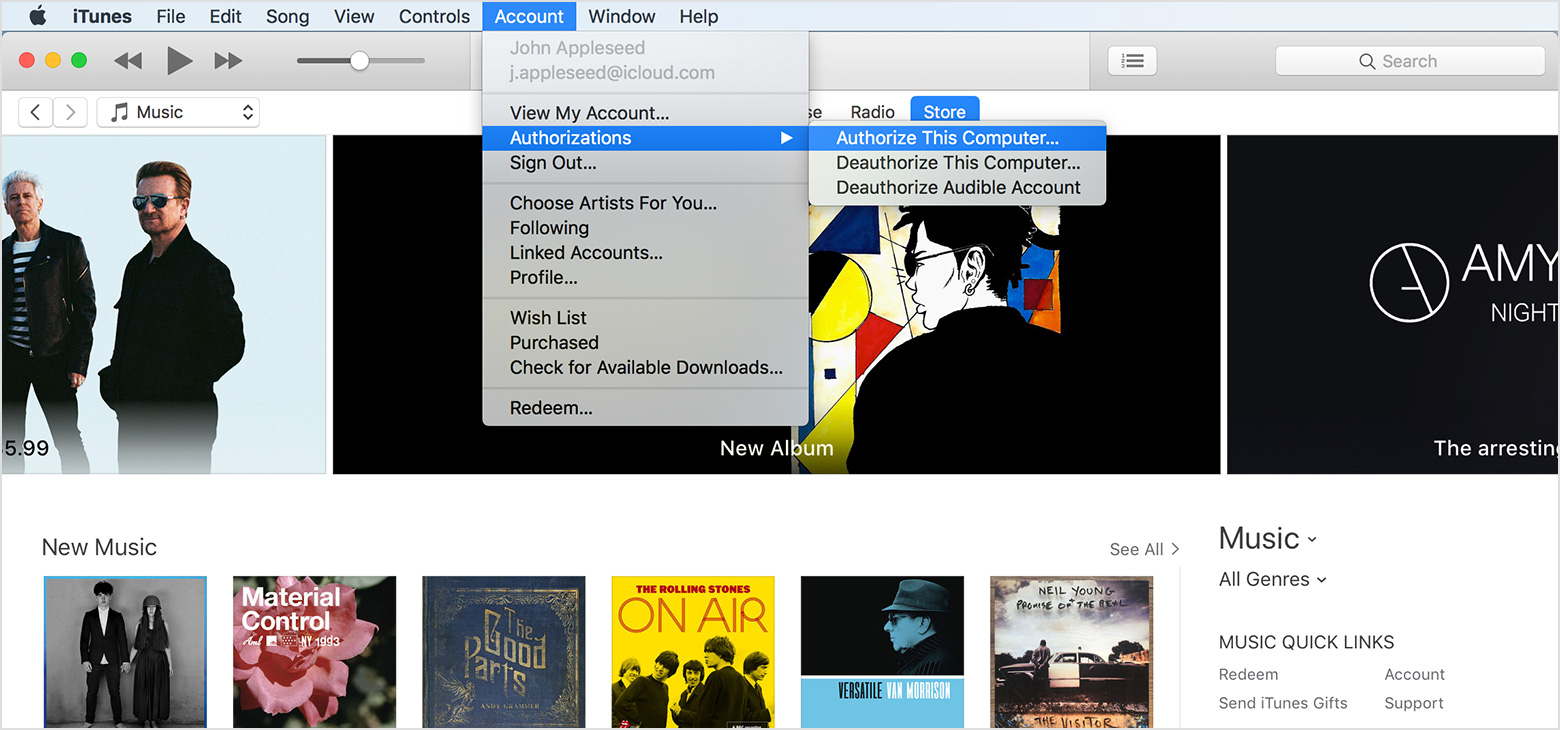
- Mac: From the menu bar at the top of your computer screen, choose Account > Authorizations > Authorize This Computer.
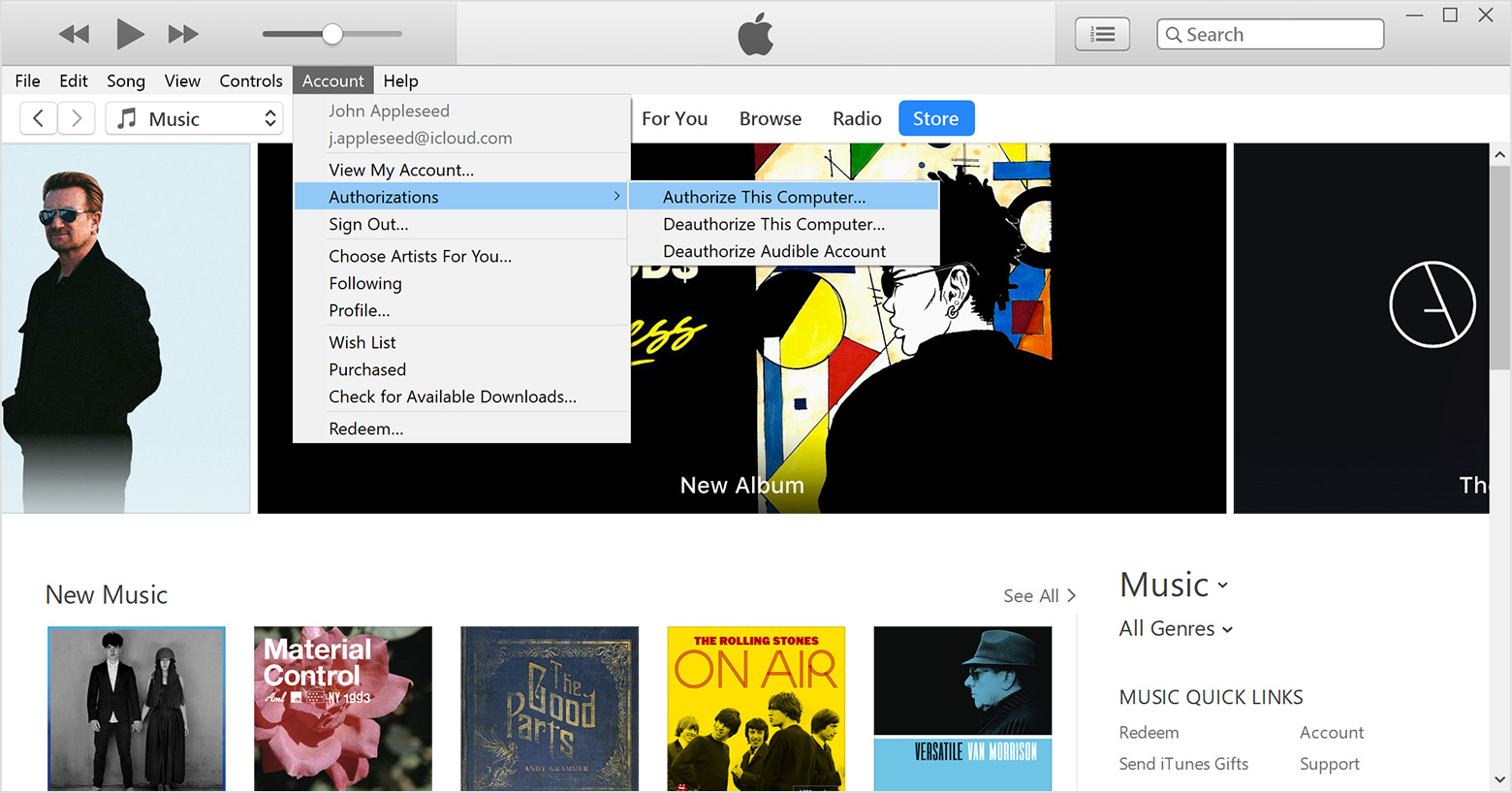
Windows: From the menu bar at the top of the iTunes window, choose Account > Authorizations > Authorize This Computer. If you don't see the menu bar, press Control + B on your keyboard.
- Enter your password, then press the Return or Enter key on your keyboard, or click Authorize.
If iTunes asks you to authorize your computer again, it won't use a new authorization. iTunes uses the same authorization for the same computer.
Computer keeps telling me to authorize iTunes