Why is Bluetooth unavailable?
When I go onto settings it states that Bluetooth is unavailable. I think this is due to the recent iOS update
Hey Nathan_lake12,
I see that you're having trouble with your iPhone because it shows that your Bluetooth is unavailable. I'll be happy to help look into this with you.
Have you tried restarting the iPhone? Sometimes a simple restart can resolve unexpected issues like this: Restart your iPhone, iPad, or iPod touch - Apple Support
If that doesn't work, try reinstalling the iOS since this began with a recent update. Before you proceed, please back up your data using the steps below. This step does not remove any data from your device, but it's always a good idea to have a backup How to back up your iPhone, iPad, and iPod touch - Apple Support
- Connect your device to a computer and open iTunes. If you don't have a computer, try to borrow one, or go to an Apple Store or Apple Authorized Service Provider for help.
- While your device is connected, force it to restart.
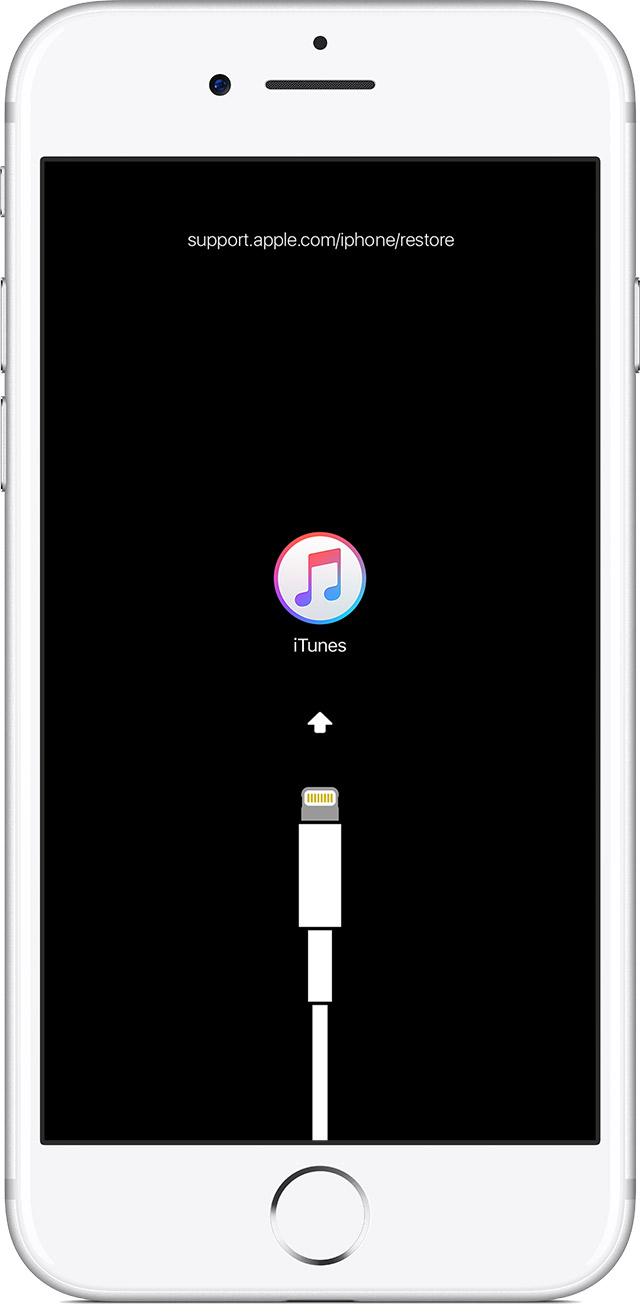
- On an iPhone X, iPhone 8, or iPhone 8 Plus: Press and quickly release the Volume Up button. Press and quickly release the Volume Down button. Then, press and hold the Side button until you see the recovery-mode screen.
- On an iPhone 7 or iPhone 7 Plus: Press and hold the Side and Volume Down buttons at the same time. Keep holding them until you see the recovery-mode screen.
- On an iPhone 6s and earlier, iPad, or iPod touch: Press and hold both the Home and the Top (or Side) buttons at the same time. Keep holding them until you see the recovery-mode screen.
- Don't release the buttons when you see the Apple logo. Keep holding until you see the recovery mode screen.
- When you get the option to restore or update, choose Update. iTunes will try to reinstall iOS without erasing your data.
iTunes will download the software for your device. If it takes more than 15 minutes, your device will exit recovery mode and you'll need to repeat steps 2 and 3.
If your iPhone, iPad, or iPod touch won't turn on or is frozen - Apple Support
Did that work for you?
Cheers!
Hey Nathan_lake12,
I see that you're having trouble with your iPhone because it shows that your Bluetooth is unavailable. I'll be happy to help look into this with you.
Have you tried restarting the iPhone? Sometimes a simple restart can resolve unexpected issues like this: Restart your iPhone, iPad, or iPod touch - Apple Support
If that doesn't work, try reinstalling the iOS since this began with a recent update. Before you proceed, please back up your data using the steps below. This step does not remove any data from your device, but it's always a good idea to have a backup How to back up your iPhone, iPad, and iPod touch - Apple Support
- Connect your device to a computer and open iTunes. If you don't have a computer, try to borrow one, or go to an Apple Store or Apple Authorized Service Provider for help.
- While your device is connected, force it to restart.
- On an iPhone X, iPhone 8, or iPhone 8 Plus: Press and quickly release the Volume Up button. Press and quickly release the Volume Down button. Then, press and hold the Side button until you see the recovery-mode screen.
- On an iPhone 7 or iPhone 7 Plus: Press and hold the Side and Volume Down buttons at the same time. Keep holding them until you see the recovery-mode screen.
- On an iPhone 6s and earlier, iPad, or iPod touch: Press and hold both the Home and the Top (or Side) buttons at the same time. Keep holding them until you see the recovery-mode screen.
- Don't release the buttons when you see the Apple logo. Keep holding until you see the recovery mode screen.
- When you get the option to restore or update, choose Update. iTunes will try to reinstall iOS without erasing your data.
iTunes will download the software for your device. If it takes more than 15 minutes, your device will exit recovery mode and you'll need to repeat steps 2 and 3.
If your iPhone, iPad, or iPod touch won't turn on or is frozen - Apple Support
Did that work for you?
Cheers!
Why is Bluetooth unavailable?