My calendar app does not have invitees why
I want to invite people to calendar dates but my iPhone does not have an invitee section can anyone help
iPhone 6
I want to invite people to calendar dates but my iPhone does not have an invitee section can anyone help
iPhone 6
Start here: Get help using iCloud Contacts, Calendars, or Reminders
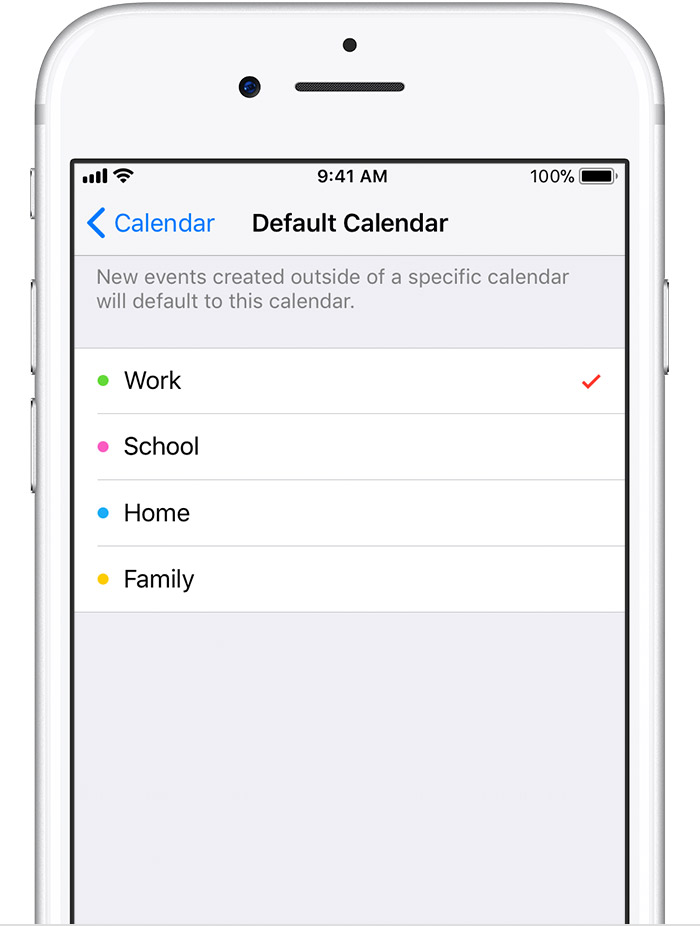
If iCloud is not your default for Calendars, you'll be unable to add invitees.Set iCloud Contacts, Calendars, or Reminders as your default
If your contacts, calendars, and reminders are in iCloud, then iCloud automatically updates your information. See if your information is in iCloud or a third-party account, like Google or Yahoo. Then change your default account to iCloud.
See which account your contacts are in:
- Open the Contacts app and tap Groups in the upper-left corner.
- Deselect the All [account] option for any third-party account, like Gmail or Yahoo.
- Make sure All iCloud is selected.
- Tap Done to see your list of contacts. If you don't see the contact you're looking for, it's stored in another account.
- You can import the contact from a third-party service into iCloud.
Set iCloud as the default account for your contacts in iOS 8 or later:
- Tap Settings > Contacts.
- Tap Default Account.
- Select iCloud.
See which account your calendars are in:
- Open the Calendar app and tap an event to open it.
- Tap the calendar name to see if the event is in an iCloud calendar.
Set an iCloud calendar as the default calendar:
- Tap Settings > Calendar.
- Tap Default Calendar.
- Tap a calendar under iCloud to make it your default.
See which account your reminders are in:
- Open the Reminders app and tap the list name in the upper-left corner to view all your lists.
- See if the list is stored on your device or iCloud. Open a list and tap Edit. If you see Sharing, then your list is in iCloud.
When you create a reminder, you can choose to store it in iCloud or on your iOS device.
My calendar app does not have invitees why