iPad won't charge past 95%?
My iPad Pro will not charge past 95%. This started happening after the 12.0 update.
My iPad Pro will not charge past 95%. This started happening after the 12.0 update.
If your device charges slowly or won’t charge
Follow these steps and try again after each:
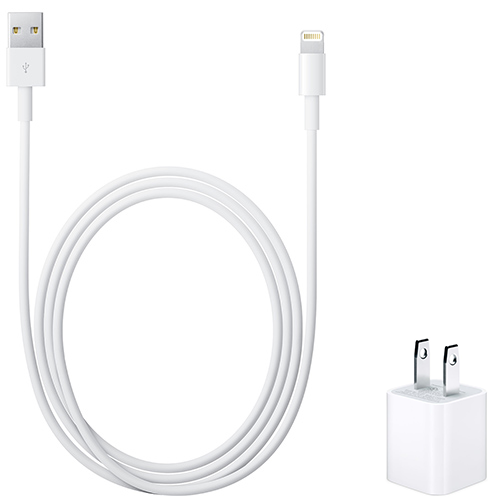
- Check your charging cable and USB adapter for signs of damage, like breakage or bent prongs.* Don't use damaged accessories.
- Use a wall power outlet and check for firm connections between your charging cable, USB wall adapter, and wall outlet or AC power cable, or try a different outlet.
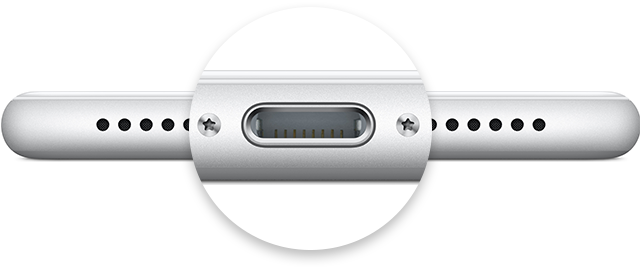
- Remove any debris from the charging port on the bottom of your device, then firmly plug your charging cable into your device. If the charging port is damaged, your device probably needs service.
- Let your device charge for a half hour (if your device is unresponsive afterward, learn what to do).
- Force restart your device:
- On an iPhone 8 or later: Press and quickly release the Volume Up button. Press and quickly release the Volume Down button. Then, press and hold the Side button until you see the Apple logo.
- On an iPhone 7 or iPhone 7 Plus: Press and hold both the Side and Volume Down buttons for at least 10 seconds, until you see the Apple logo.
- On an iPhone 6s and earlier, iPad, or iPod touch: Press and hold both the Home and Top (or Side) buttons for at least 10 seconds, until you see the Apple logo.
- Let your device charge for another half hour.
- If your device still won’t power on or charge, take your device, charging cable, and charging adapter to an Apple Retail Store or Apple Authorized Service Provider for evaluation. You can also contact Apple Support.
iPad won't charge past 95%?