Hello and welcome to Apple Support Communities, harshaj1!
I understand you're being told you're unable to install this app due to not having enough storage on your iPhone. I understand how frustrating this may be, especially since you have enough storage available. I'd be happy to provide information that may help you out.
Try the steps outlined here: How to check the storage on your iPhone, iPad, and iPod touch
- Open iTunes on your computer.
- Connect your iOS device to your computer.
- Select your iOS device in iTunes. You'll see a bar that shows how much storage your iOS content uses, divided by content type.
- Move your mouse over a content type, like Other or Apps, to find more information:
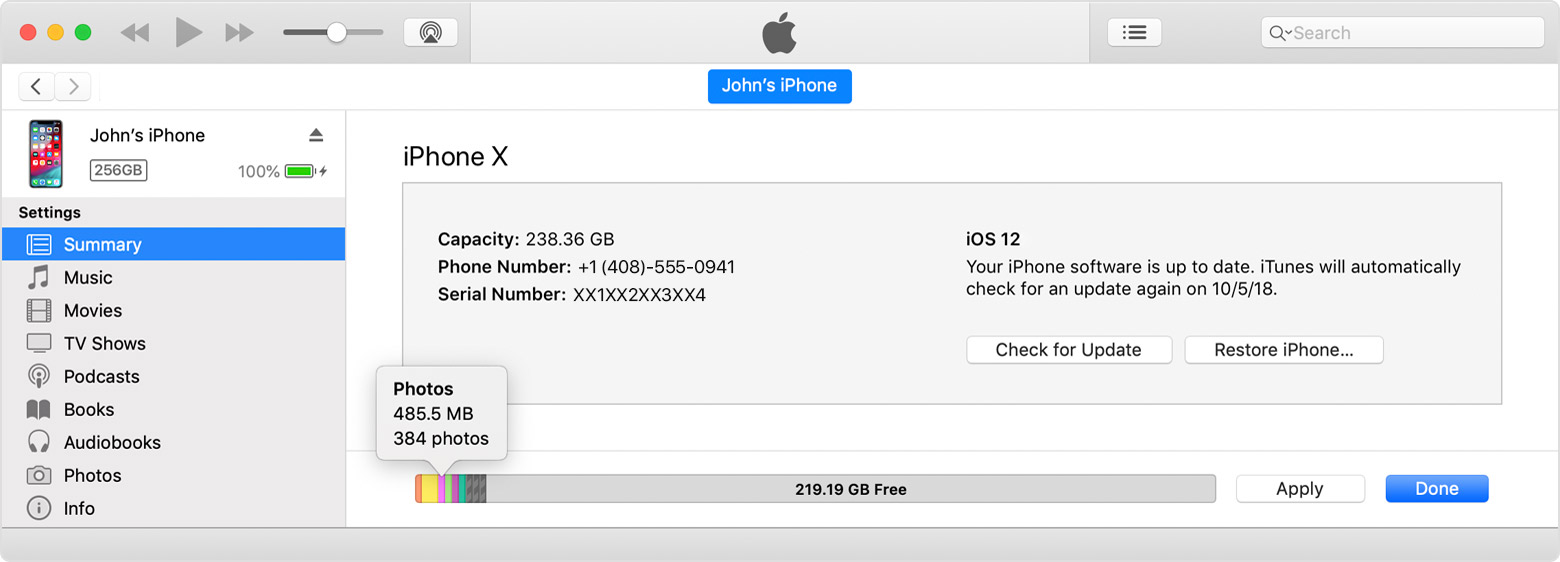
Here's a list of the types of content on your iOS device, and what each type includes:
- Audio: Songs, audio podcasts, audiobooks, voice memos, and ringtones.
- Video: Movies, music videos, and TV shows.
- Photos: Content in your Photo Library, Camera Roll, and Photo Stream.
- Apps: Installed apps. The content of the apps is listed under Documents & Data.
- Books: iBooks books, audio books, and PDF files.
- Documents & Data: Safari Offline Reading List, files stored within installed apps, and app content like contacts, calendars, messages, and emails (and their attachments).
- Other: Settings, Siri voices, system data, and cached files.
iTunes categorizes cached music, videos, and photos as Other instead of actual songs, videos, or photos. Cached files are created when you stream or view content like music, videos, and photos. When you stream music or video, that content is stored as cached files on your iOS device so you can quickly access it again.
Your iOS device automatically removes cached files and temporary files when your device needs more space.
Since iTunes categorizes cached files as Other, reported usage for Music or Videos might differ. To view usage on your iOS device, go to Settings > General > [Device] Storage.
Hope this information helps.
Thank you for using Apple Support Communities.
Have a great day!


