I forgot my iCloud information
hi i forgot my icloud numper
help my...
iPhone 6, iOS 10.3.3
hi i forgot my icloud numper
help my...
iPhone 6, iOS 10.3.3
If you enter your iCloud Security Code incorrectly too many timesIf you can access an approved device that uses your iCloud Keychain
You can create a new iCloud Security Code from another device that also uses your iCloud Keychain.
On an iPhone, iPad, or iPod touch:
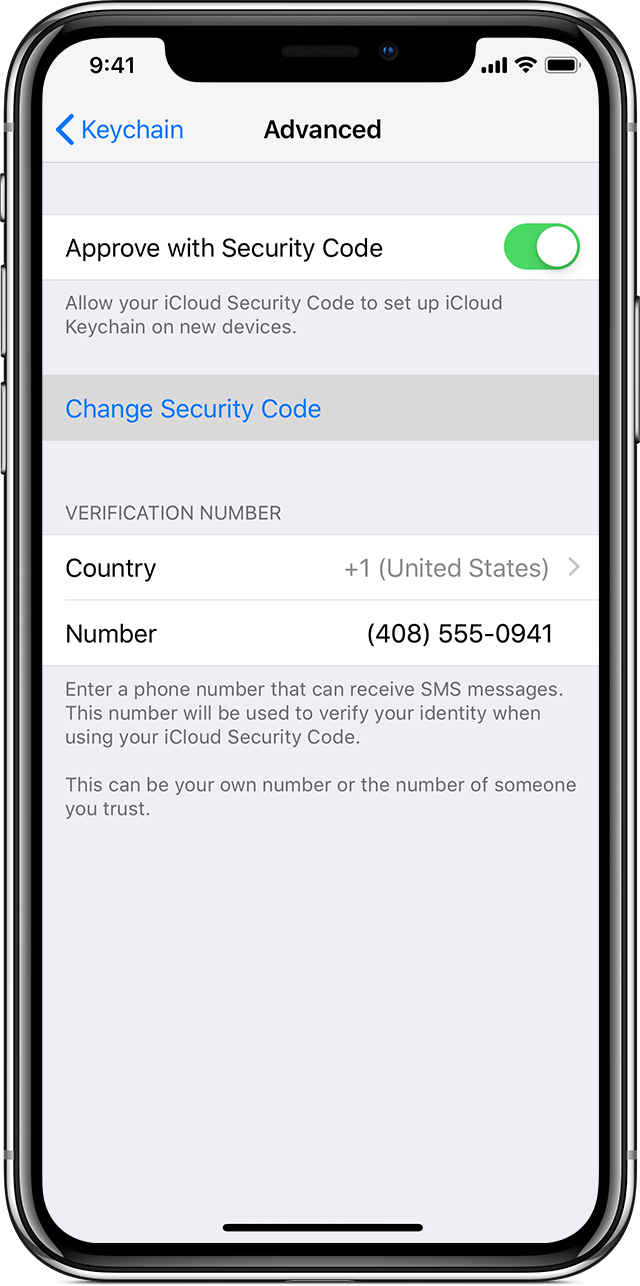
- Tap Settings > [your name] > iCloud > Keychain > Advanced. If you're using iOS 10.2 or earlier, tap Settings > iCloud.
- Tap Change Security Code.
- Enter your Apple ID password when asked.
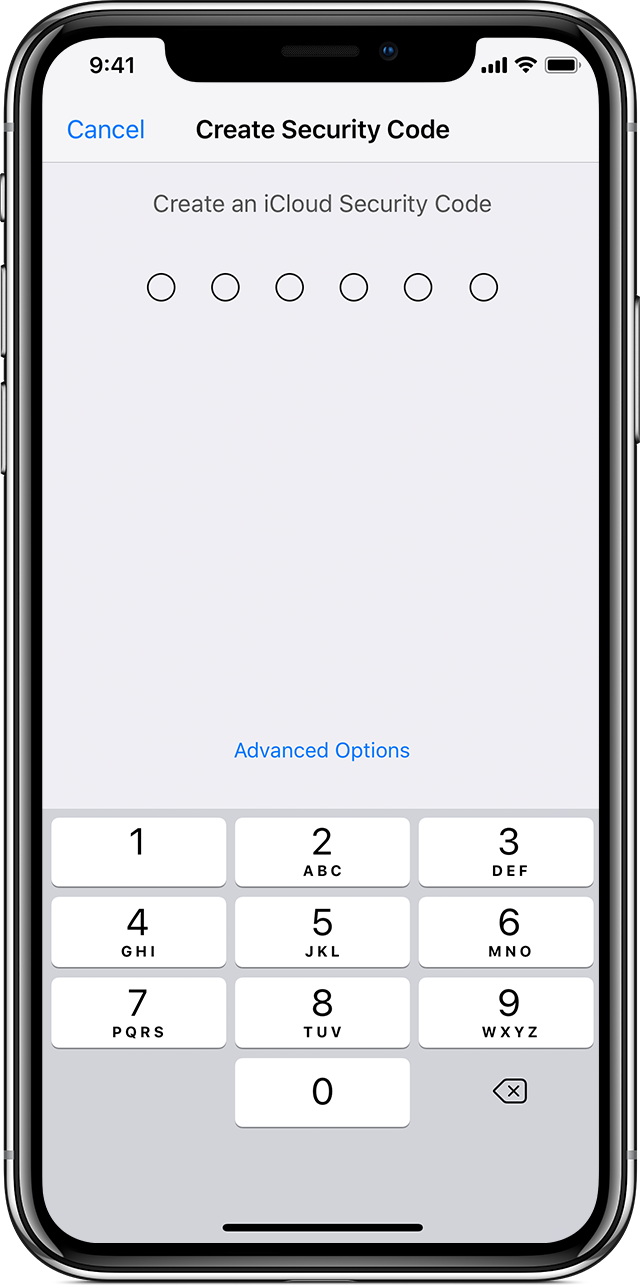
- Enter a new iCloud Security Code.
On a Mac with OS X Yosemite or later:
- Choose Apple
menu > System Preferences, then click iCloud.
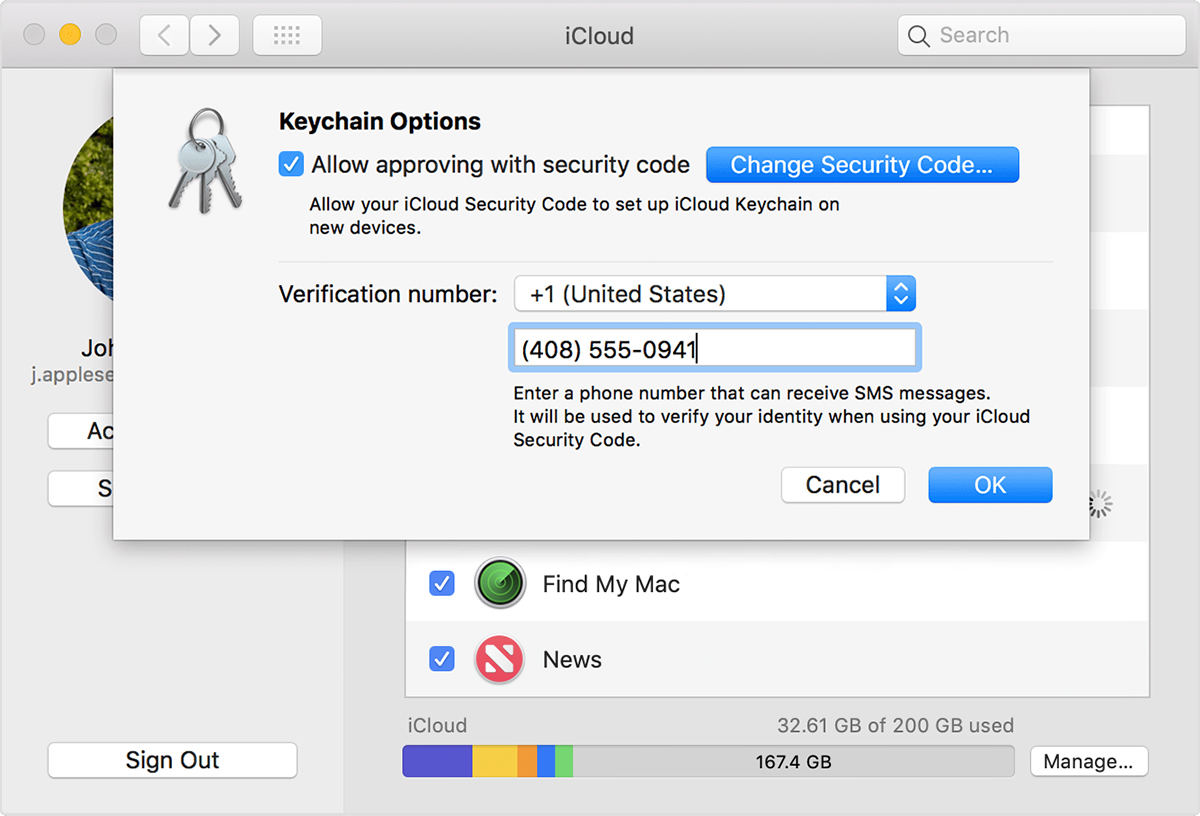
- Click Options next to Keychain.
- Click Change Security Code and enter a new iCloud Security Code.
On the device where iCloud Keychain was disabled, create a new iCloud Keychain that contains the username, passwords, and other keychain items from the device:
- On your iPhone, iPad, or iPod touch: Tap Settings > [your name] > iCloud > Keychain and turn on iCloud Keychain. If you're using iOS 10.2 or earlier, tap Settings > iCloud.
- On your Mac: Choose Apple
An approval notification appears on the device that you used to create the new iCloud Security Code. Approve to add the new iCloud Keychain to your device.
If you can't access a device that uses your iCloud Keychain
Follow these steps to reset your iCloud Keychain.
On an iPhone, iPad, or iPod touch:
- Tap Settings > [your name] > iCloud > Keychain and turn on iCloud Keychain. If you're using iOS 10.2 or earlier, tap Settings > iCloud. You might be asked to enter your Apple ID password.
- If you protect your account with two-factor authentication, tap Restore with Security Code. If you don't use two-factor authentication, tap Approve with Security Code.
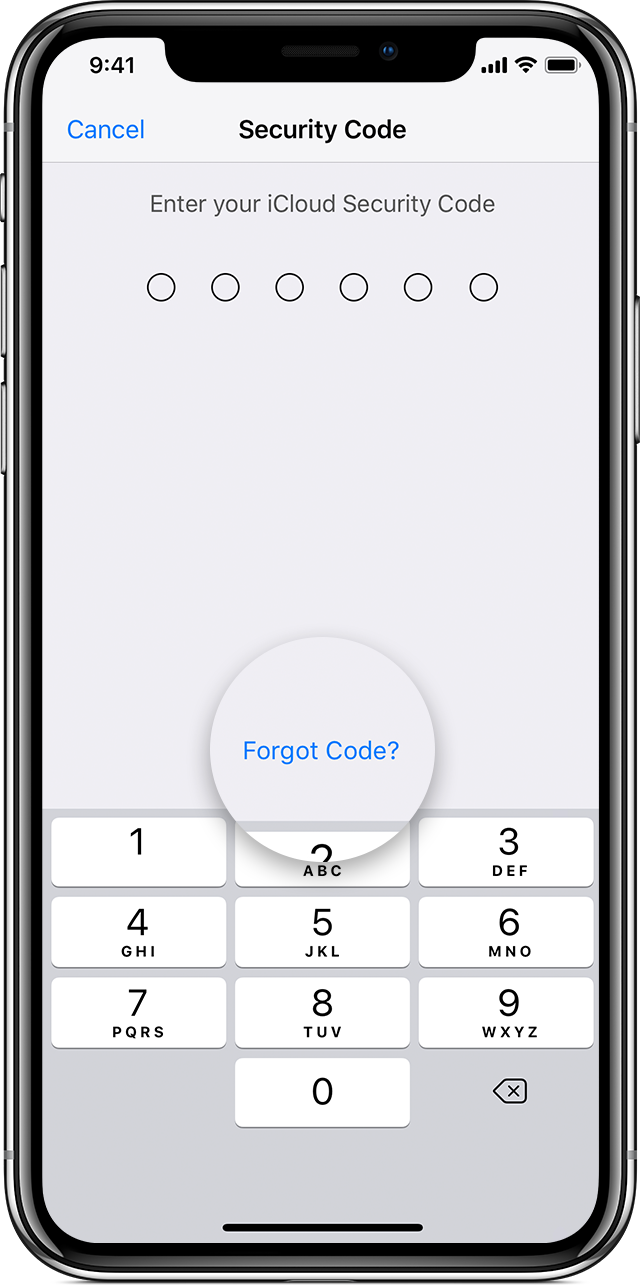
- Tap Forgot Code.
- Tap Reset iCloud Keychain to replace your keychain in iCloud with the iCloud Keychain from your device.
- Tap Reset to confirm.
- Follow the onscreen steps to create a new iCloud Security Code.
On a Mac with OS X Yosemite or later:
- Choose Apple
- Click iCloud, then select Keychain. You might be asked to enter your Apple ID password.
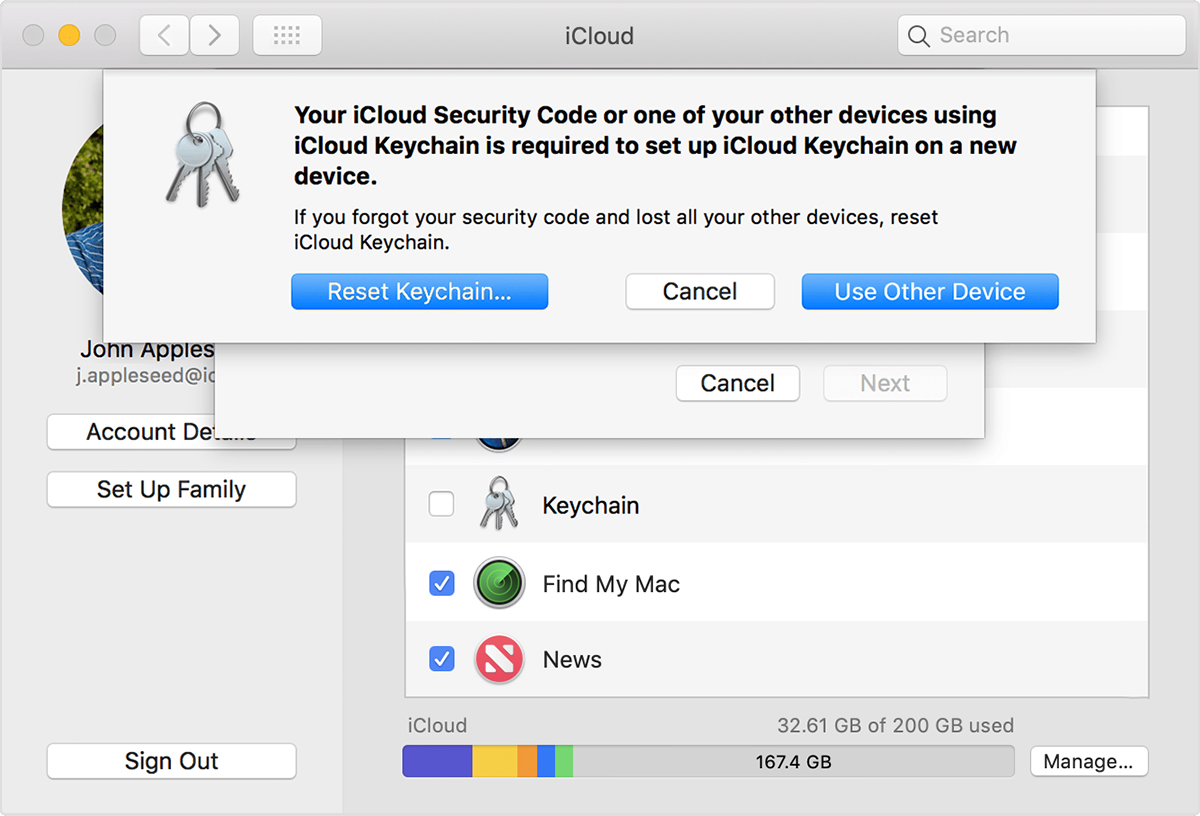
- Click Use Code, then choose Forgot Code when you're asked to enter your iCloud Security Code.
- Click Reset Keychain to replace your keychain in iCloud with the iCloud Keychain from your device.
- Click Reset iCloud Keychain to confirm.
- Follow the onscreen steps to create a new iCloud Security Code.
If you enter your iCloud Security Code incorrectly too many timesIf you can access an approved device that uses your iCloud Keychain
You can create a new iCloud Security Code from another device that also uses your iCloud Keychain.
On an iPhone, iPad, or iPod touch:
- Tap Settings > [your name] > iCloud > Keychain > Advanced. If you're using iOS 10.2 or earlier, tap Settings > iCloud.
- Tap Change Security Code.
- Enter your Apple ID password when asked.
- Enter a new iCloud Security Code.
On a Mac with OS X Yosemite or later:
- Choose Apple
- Click Options next to Keychain.
- Click Change Security Code and enter a new iCloud Security Code.
On the device where iCloud Keychain was disabled, create a new iCloud Keychain that contains the username, passwords, and other keychain items from the device:
- On your iPhone, iPad, or iPod touch: Tap Settings > [your name] > iCloud > Keychain and turn on iCloud Keychain. If you're using iOS 10.2 or earlier, tap Settings > iCloud.
- On your Mac: Choose Apple
An approval notification appears on the device that you used to create the new iCloud Security Code. Approve to add the new iCloud Keychain to your device.
If you can't access a device that uses your iCloud Keychain
Follow these steps to reset your iCloud Keychain.
On an iPhone, iPad, or iPod touch:
- Tap Settings > [your name] > iCloud > Keychain and turn on iCloud Keychain. If you're using iOS 10.2 or earlier, tap Settings > iCloud. You might be asked to enter your Apple ID password.
- If you protect your account with two-factor authentication, tap Restore with Security Code. If you don't use two-factor authentication, tap Approve with Security Code.
- Tap Forgot Code.
- Tap Reset iCloud Keychain to replace your keychain in iCloud with the iCloud Keychain from your device.
- Tap Reset to confirm.
- Follow the onscreen steps to create a new iCloud Security Code.
On a Mac with OS X Yosemite or later:
- Choose Apple
- Click iCloud, then select Keychain. You might be asked to enter your Apple ID password.
- Click Use Code, then choose Forgot Code when you're asked to enter your iCloud Security Code.
- Click Reset Keychain to replace your keychain in iCloud with the iCloud Keychain from your device.
- Click Reset iCloud Keychain to confirm.
- Follow the onscreen steps to create a new iCloud Security Code.
friend i have a big broplum i forgot the email to the icloud ( e*****@icloud.com) and the bassword)
this ***
sn: dn***ry5
what can i do
[Personal Information Edited by Host]I forgot my iCloud information