How can I remove the siri icon from the touch bar?
Remove Siri button on the touch bar
MacBook Pro (13-inch, 2017, 4 TBT3), iOS 12.1
Remove Siri button on the touch bar
MacBook Pro (13-inch, 2017, 4 TBT3), iOS 12.1
How to use the Touch Bar on your MacBook Pro - Apple Support
Cheers!Customize your Touch Bar
In many apps, like Finder, Mail, and Safari, you can customize the Touch Bar.
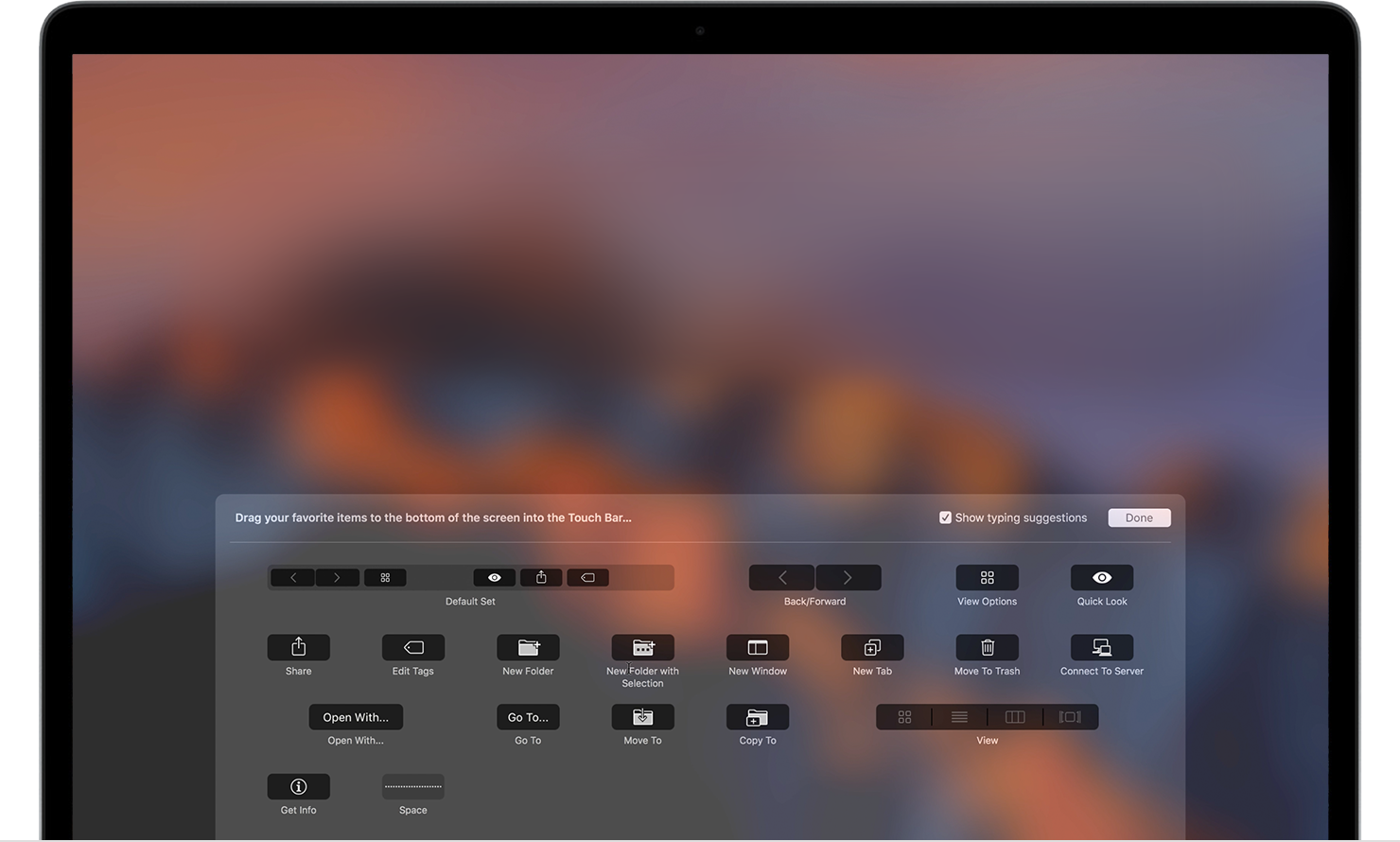
Choose View > Customize Touch Bar. The customization window appears on your display, allowing you to choose your favorite items:
When you're customizing the Touch Bar, its buttons jiggle, and you see the Done button on the left side.
Use your cursor to drag items that you want from the display down into the Touch Bar. You can also drag items left and right within the Touch Bar to rearrange them, or drag them up and out of the Touch Bar to remove them. Tap Done in the Touch Bar or click Done on the screen when you finish.
Customize the Control Strip
You can also add, remove, or rearrange Control Strip buttons, including Siri.
In any app that supports customization (such as Finder), Select View > Customize Touch Bar. Touch the Control Strip region of the Touch Bar to switch to Control Strip customization. Then use your cursor to drag items that you want from the display down into the Control Strip. Drag items left and right within the Control Strip to rearrange them, or drag them up and out of the Touch Bar to remove them. Tap Done in the Touch Bar or click Done on the screen when you finish.
You can also enter Control Strip customization mode by clicking "Customize Control Strip" in the Keyboard section of System Preferences.
How can I remove the siri icon from the touch bar?