
How i can pay for the pending in purchases history
Please need to know I can’t install anything from app store
Update your billing information
You can update your billing information in Settings on your iPhone, iPad, or iPod touch, or in iTunes on your Mac or PC. When you update your information, use any of these payment methods. You can't select None when you have an unpaid balance or payment due.
After you update your billing information, the App Store or iTunes Store automatically attempts to charge any outstanding orders to your updated payment method.

Pay an unpaid bill
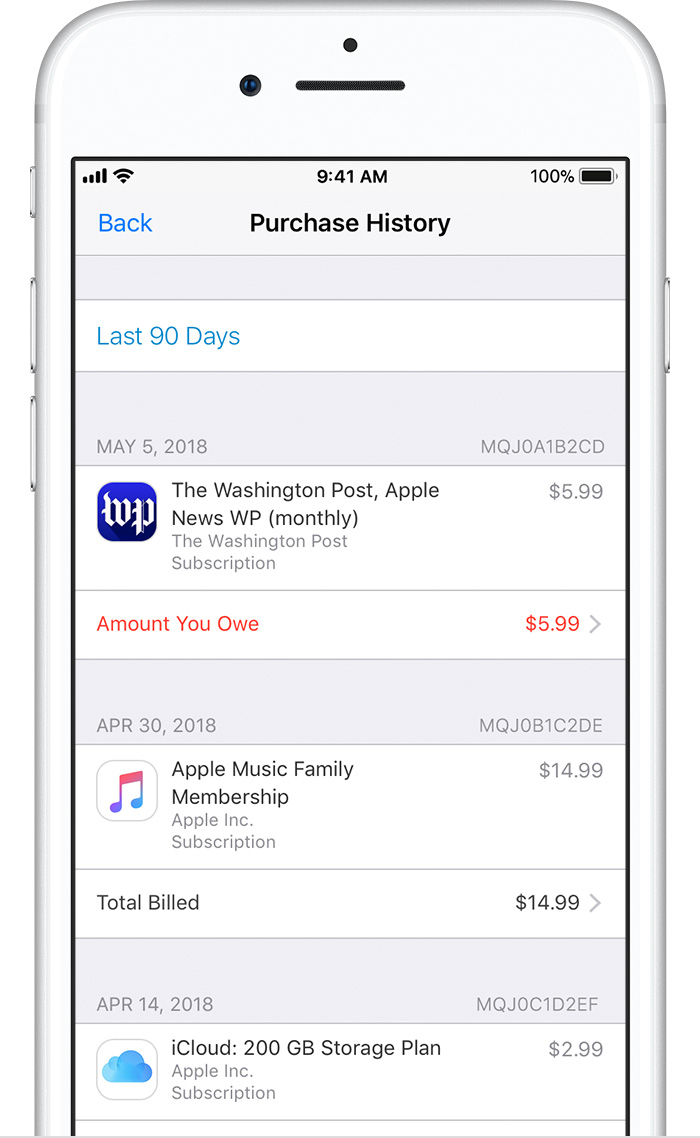
On your iOS device: Go to Settings > [your name] > iTunes & App Store, then tap your Apple ID. Tap View Apple ID and sign in with your Apple ID, then tap Purchase History. (You can also view your purchase history in iTunes on a Mac or PC.)
Find the unpaid purchase, which is likely at the top of the list, and tap it, then change your payment method.
Add funds to your Apple ID
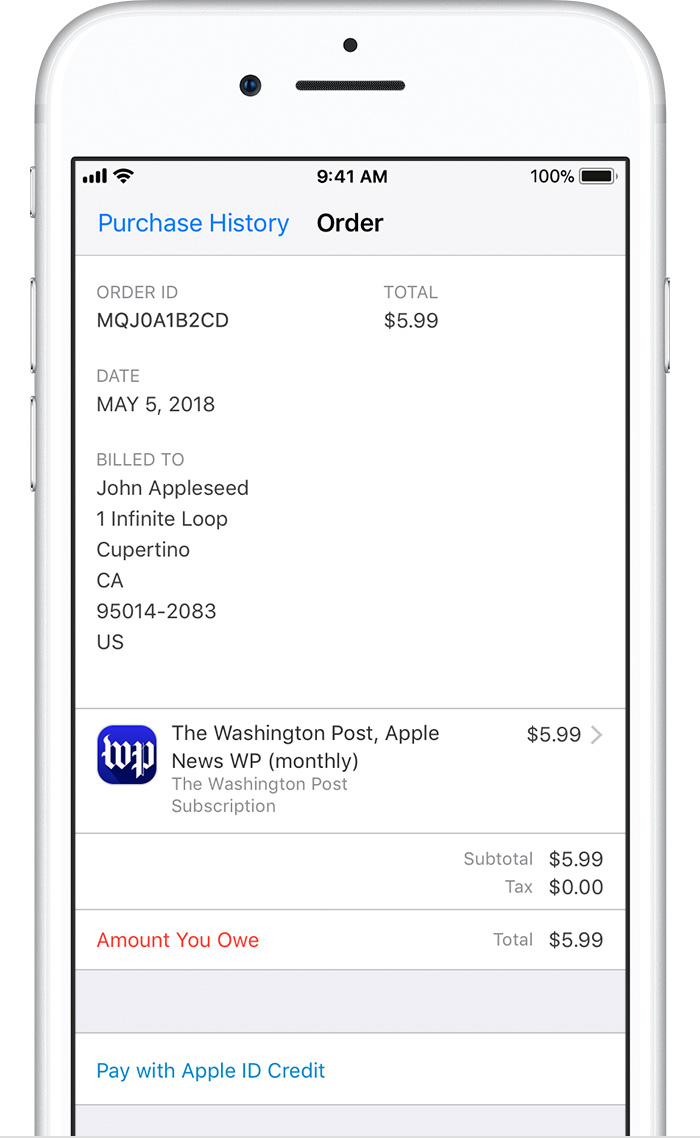
When you try to pay an unpaid bill, you might see the option to pay with Apple ID credit if you have a credit balance.
If you don’t have a credit balance, you can redeem App Store & iTunes Gift Cards or add funds to your Apple ID2
, then use the credit to pay an unpaid bill.Update your billing information
You can update your billing information in Settings on your iPhone, iPad, or iPod touch, or in iTunes on your Mac or PC. When you update your information, use any of these payment methods. You can't select None when you have an unpaid balance or payment due.
After you update your billing information, the App Store or iTunes Store automatically attempts to charge any outstanding orders to your updated payment method.
Pay an unpaid bill
On your iOS device: Go to Settings > [your name] > iTunes & App Store, then tap your Apple ID. Tap View Apple ID and sign in with your Apple ID, then tap Purchase History. (You can also view your purchase history in iTunes on a Mac or PC.)
Find the unpaid purchase, which is likely at the top of the list, and tap it, then change your payment method.
Add funds to your Apple ID
When you try to pay an unpaid bill, you might see the option to pay with Apple ID credit if you have a credit balance.
If you don’t have a credit balance, you can redeem App Store & iTunes Gift Cards or add funds to your Apple ID2
, then use the credit to pay an unpaid bill.How i can pay for the pending in purchases history