I'd like to share my experiences here.
I thought about buying this display for a long time, and after reading this topic over and over, I finally decided to do it, even if the full resolution would only be possible with the PbP-"hack".
And I don't regret it at all!
First, my setup:
- A Dell U4919DW
- A Macbook Pro 15'' 2017 with Intel HD Graphics 630 1536mb (integrated) + Radeon Pro 555 2GB (dedicated), OS X 10.15.2
- A Macbook Pro 13'' Mid 2014 with Intel Iris 1536mb (integrated), OS X 10.15.2
First I plugged in the 15'' via the USB-C cable that shipped with the monitor. And it worked OOTB! Full 5120x1440x60 resolution, no upscaling. Just the full native resolution. The macbook got charged automatically and the integrated usb hub worked flawlessly as well. One single cable to the Macbook, that's all. Perfect!
Then I plugged in the 13'' via the HDMI cable that shipped with the display, and a (very cheap, and a few years old) 3rd-party mini-dp to hdmi cable. Turned on the PbP-mode on the monitor, and second success! The monitor renders 2 displays at native 2560x1440x60 each. So in total, there is the full native resolution here too.
Both setups run fine, no problems at all with sleep mode etc. The monitor gets recognized every time without any hassle.
Also, there is absolutely no change on closing the lid oder powering the macbooks. Both macbooks work with lid open/closed and power source connected/disconnected. (The 15'' with usb-c connected does actually charge the macbook as I wrote earlier, so I can't guarantee that it works without it, but I'm fairly sure it should be fine).
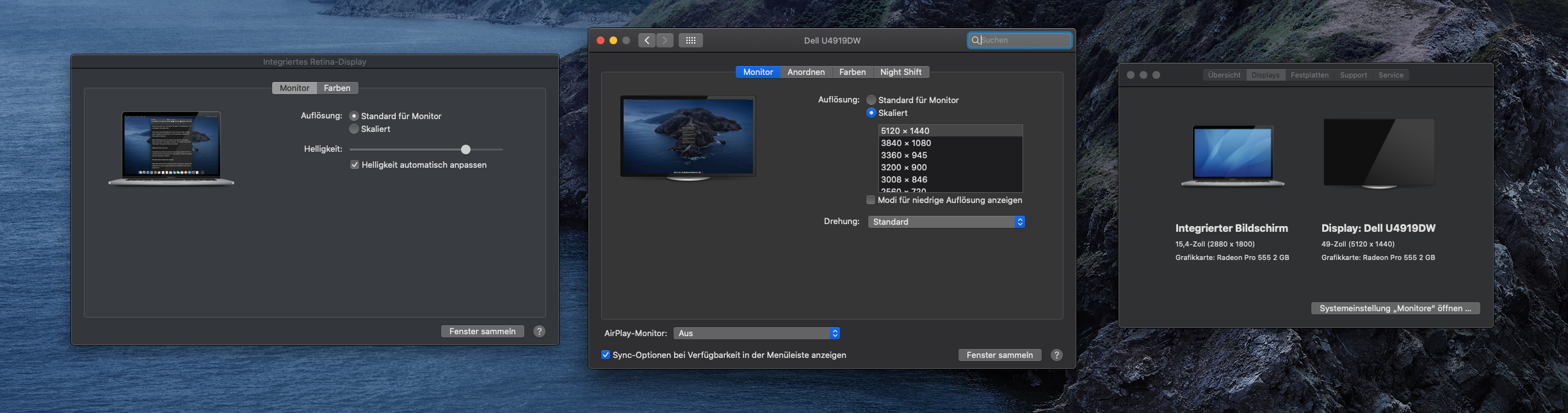
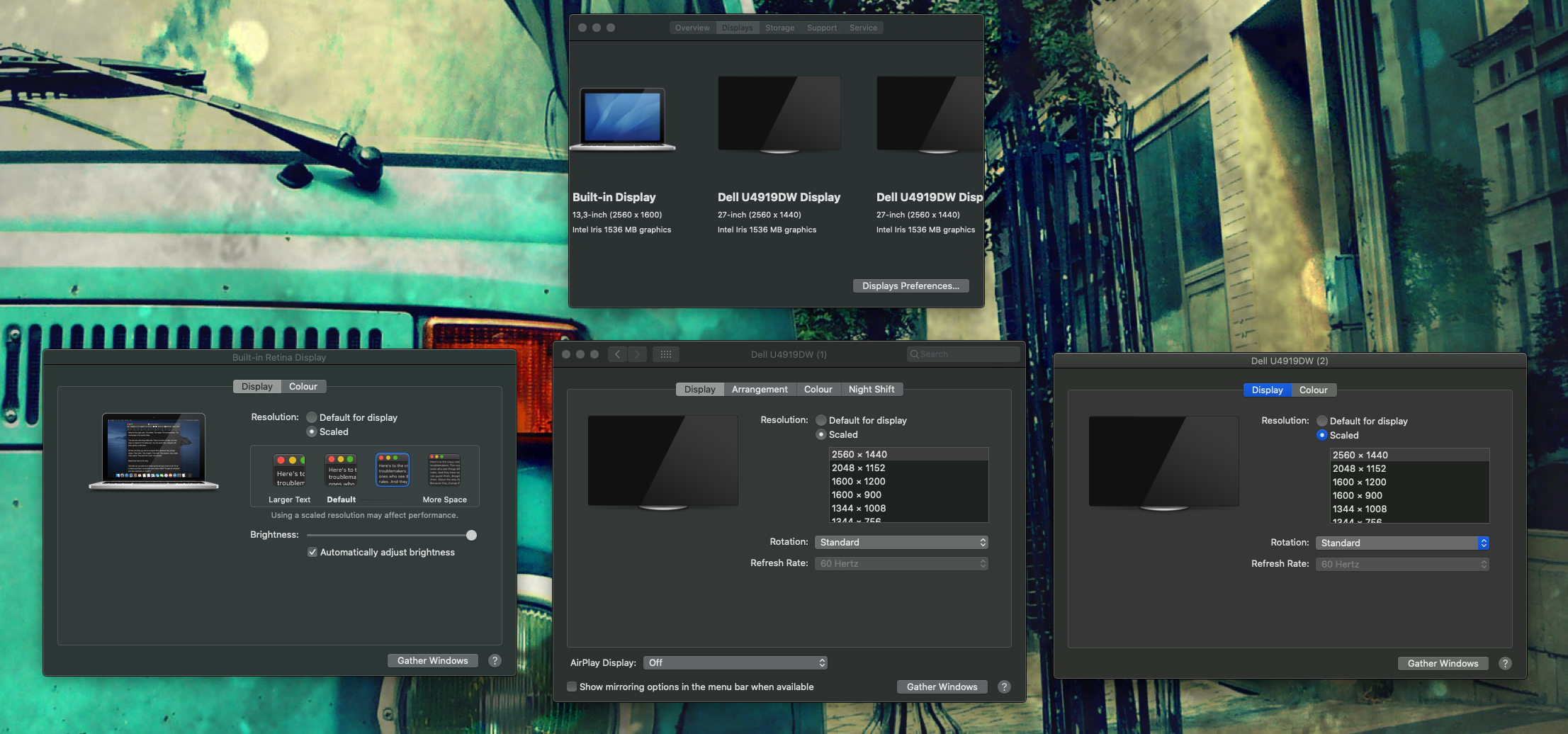
However, I see 2 minor downsides on this monitor:
- Imho the radius is too large for this display. The edges are a bit far away from the eyes. But that's personal preference. Maybe you should go see the monitor somewhere in a store before you decide if you wanna buy it or not.
- The on-display menu is only accessible if a display source is present. Therefore you have to toggle the PbP mode before you change the input. That is a bit weird, but no problem if you do so.
Apart from this, the monitor is just WOW! Very massive, nice and clean design, no dead pixels at all. Very high quality as usual and expected by Dell.
So the EDID issue was not reproducable, at least for me. But I'm happy to help if you need further specific information regarding my setup!



