Hello vmaclay,
Thank you for using Apple Support Communities! I understand that you would like to know if Apple Must playlists can be synced from your iPhone to an Apple Watch Series 4. I would be happy to help provide additional information about how this works.
With an Apple Watch Series 3 or later, Apple Music or Apple Podcast can be streamed over Wi-Fi or a cellular connection. You can also sync playlists from the paired iPhone to the Apple Watch, which allows you to play the synced music without the paired iPhone nearby. Visit the following link to learn more:
Listen to music and podcasts on your Apple Watch - Apple Support
This section covers how to sync playlists from your iPhone to the Apple Watch:
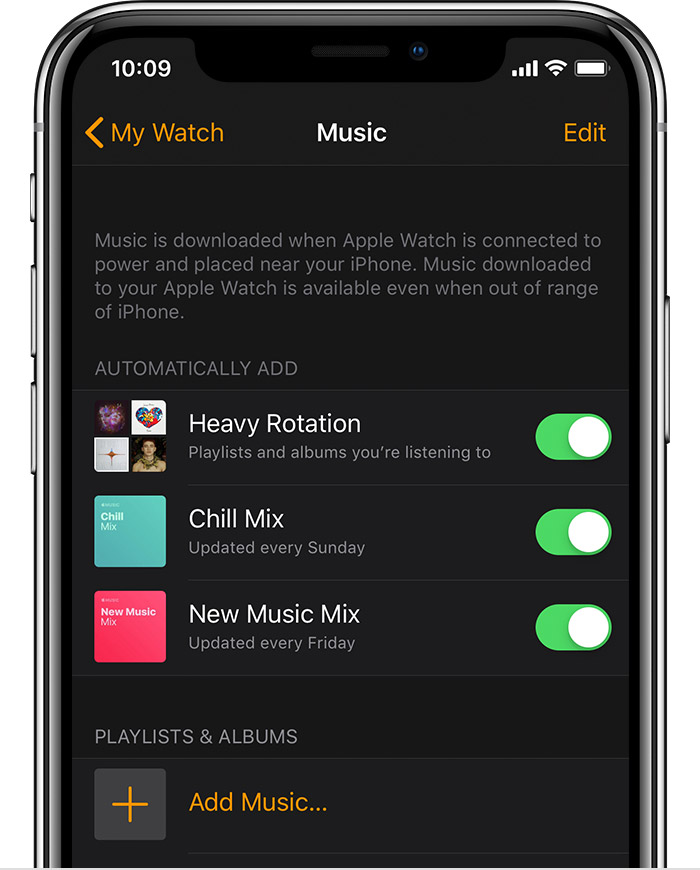
You can add specific albums, playlists, and podcasts to your Apple Watch by syncing them. After you sync, you can play the music on your Apple Watch without your iPhone.
- Set your Apple Watch on its charger and make sure that the device is charging.
- On your iPhone, go to Settings > Bluetooth. Make sure that Bluetooth is turned on.
- On your iPhone, open the Apple Watch app, then tap the My Watch tab.
- Tap Music >
 Add Music.
- Choose the music that you want to sync.
Under the Automatically Add section, you can turn playlists off or on. Music that's in heavy rotation is automatically added to your Apple Watch. And if you're an Apple Music subscriber, personalized mixes are automatically added to Apple Watch.
If you can't add specific albums or playlists, try downloading them to your iPhone before you sync with your watch. You can't add audiobooks to your watch.
Learn how to create playlists on your iOS device or computer.
The following resource provides some additional information about what you can do with the Apple Watch without Wi-Fi, cellular data, or your iPhone nearby:
How to use your Apple Watch without your iPhone nearby - Apple Support
Cheers!


