help with bluethooth connection with wireless bose
help with bluethooth connection on Macbook pro with wireless bose headphones
😝😊
MacBook Pro, iOS 10.2.1, wireless bose headsett by bluethoot
help with bluethooth connection on Macbook pro with wireless bose headphones
😝😊
MacBook Pro, iOS 10.2.1, wireless bose headsett by bluethoot
Hello and welcome to Apple Support Communities, ringtux62.
If I understand your post correctly, you are unable to connect your Bluetooth headphones to your MacBook Pro. I'd like to help.
Try the steps in this guide:
Pair your Mac with a Bluetooth device
Bluetooth wireless devices are associated with your computer through a process called pairing. After you pair a device, your Mac automatically connects to it anytime it's in range.
If your Mac came with a wireless keyboard, mouse, or trackpad, they were pre-paired at the factory. Turn on the devices and your Mac should automatically connect to them when your computer starts up.
If you purchased your Apple wireless devices separately, learn how to pair them with your Mac.
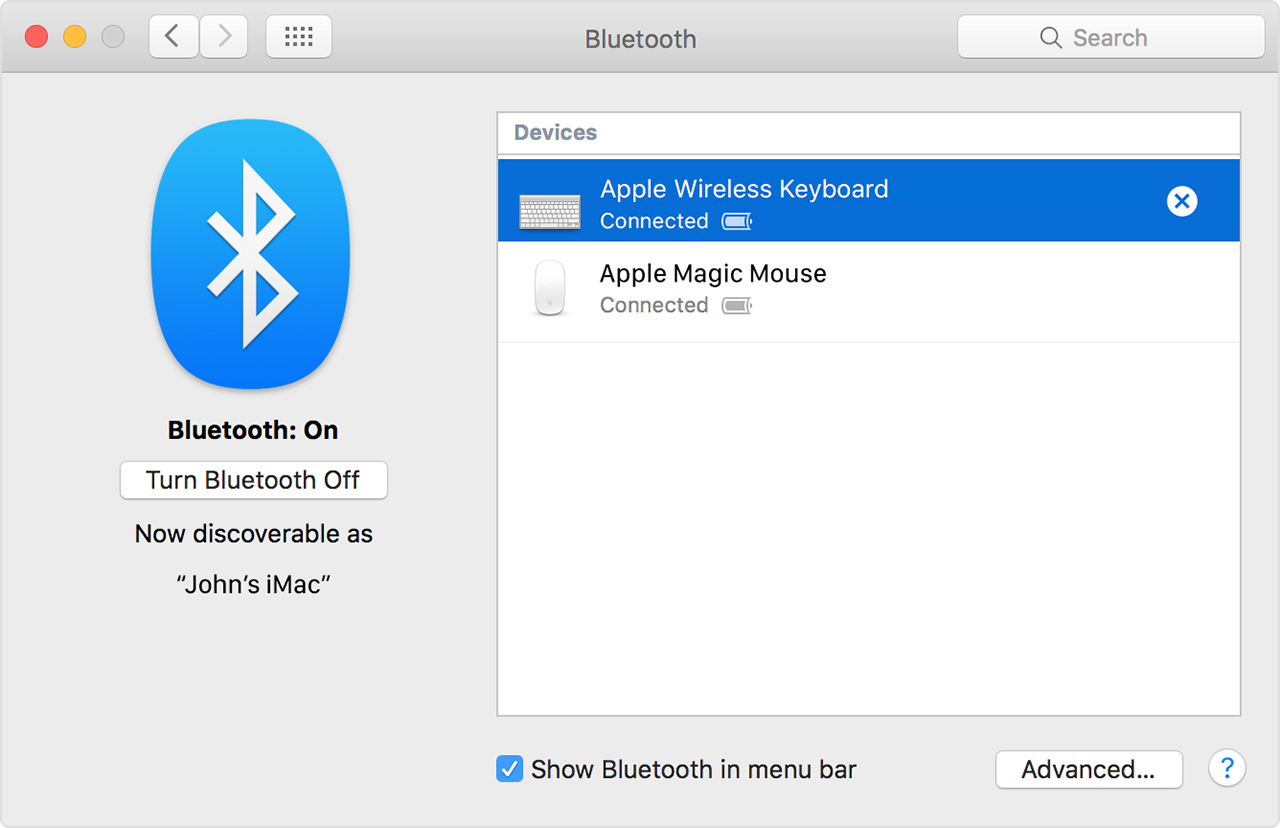
After you pair a Bluetooth device with your Mac, you should see it listed in Bluetooth preferences:
See the full article here:
Using a Bluetooth mouse, keyboard, or trackpad with your Mac
If you are still unable to connect, check out this article:
Potential sources of Wi-Fi and Bluetooth interference
Let us know if that resolves this issue for you.
Thanks for using the Apple Support Communities. Take care.
help with bluethooth connection with wireless bose