Quicktime browser plug-in disable?
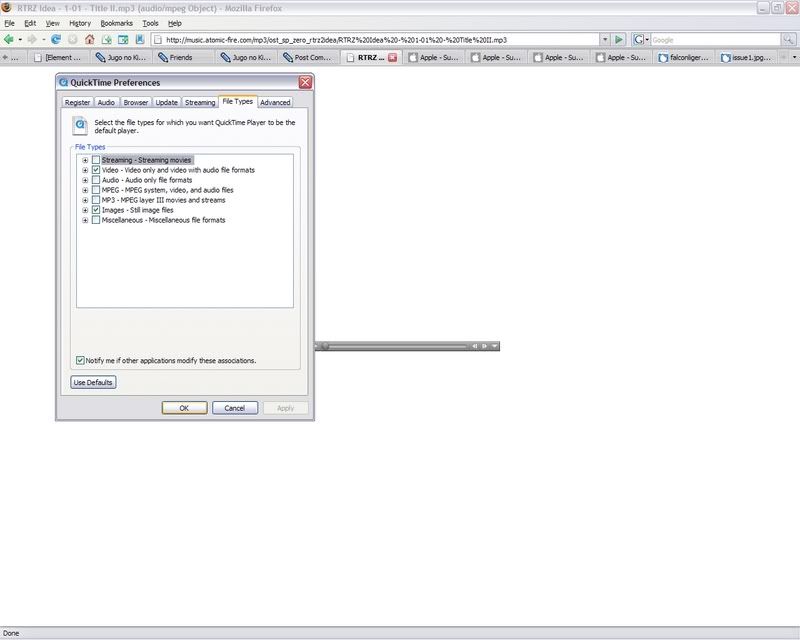
I don't really know why, but for some reason, I can't keep Quicktime from running through my Mozilla browser and opening within the browser window within Firefox when I download a .mp3 file. This keeps happening even though my Firefox is set to automatically download and open mp3 files in Windows Media Player, and I my quicktime plug-in options has mp3 files deselected. It's quite frustrating; I don't like using the quicktime player, but I need it installed to run iTunes.
All help appreciated, thank you.
A picture of what happens:
http://img.photobucket.com/albums/v64/falconliger/issue1.jpg
My quicktime settings:
http://img.photobucket.com/albums/v64/falconliger/issue2.jpg
I just want it disabled plug-in wise X_X
All help appreciated, thank you.
A picture of what happens:
http://img.photobucket.com/albums/v64/falconliger/issue1.jpg
My quicktime settings:
http://img.photobucket.com/albums/v64/falconliger/issue2.jpg
I just want it disabled plug-in wise X_X
Windows XP