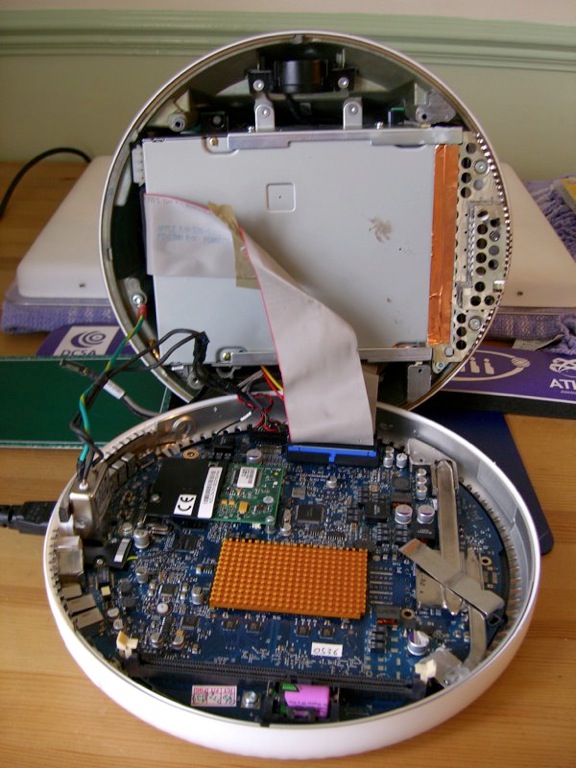
does "imac g4 17 1GHz" have the bluetooth antenna inside already?
I am bidding a "imac g4 17 1GHz" on ebay, while I want to bid a bluetooth at the same time so that they can arrive together to my room. Bellow is the link of bluetooth board, but the seller said it is only a card without antenna and screws. For I never open a imac g4, I do not know does the imac have already a bluetooth antenna and screws inside?
is there any other things I need to install the bluetooth card?
LINK
http://cgi.ebay.co.uk/Apple-Bluetooth-Board-for-PowerMac-G4-G5-iMac-eMac-Mini_W0 QQitemZ190179422650QQihZ009QQcategoryZ44997QQtcZphotoQQcmdZViewItem
is there any other things I need to install the bluetooth card?
LINK
http://cgi.ebay.co.uk/Apple-Bluetooth-Board-for-PowerMac-G4-G5-iMac-eMac-Mini_W0 QQitemZ190179422650QQihZ009QQcategoryZ44997QQtcZphotoQQcmdZViewItem
MACBOOK & iMac, Mac OS X (10.5), compatible computers