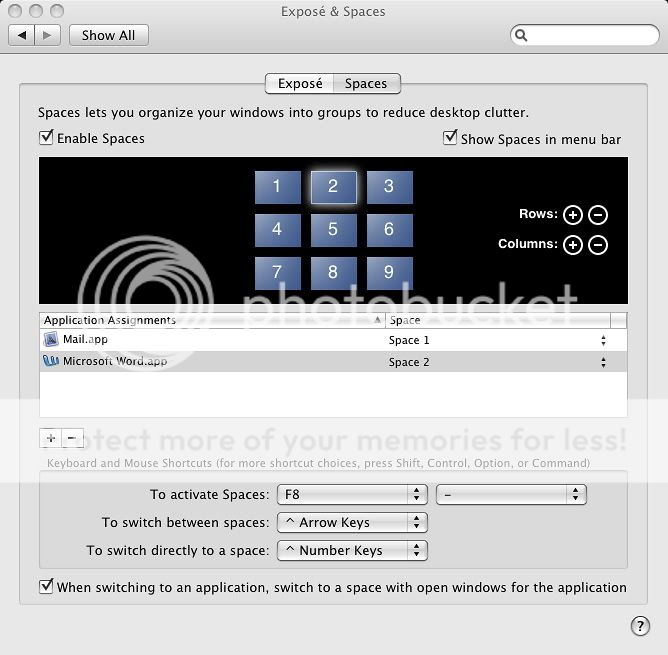
So, I am having a problem with Spaces, exclusively with Microsoft Office programs. Heres what happens. Say I'm working in two spaces (space A, and B) I have a word document I am working on in space A, and I want to read my mail (just an example) and I switch to space B, and then I'm done reading it, so I go back to space A. Now that I am back in space A, the document I was working on, is gone, it's in space B, why does it do this. I have gotten all of the updates for it, and it is the most annoying thing. I use 9 spaces and it drives me nuts, every time i switch back, i have to drag word back into its respective space.
Any help would be greatly appreciated
iMac 7,1,
Mac OS X (10.5.4),
C2D 2.4, 4GB RAM, 20", IPhone 3G

I have MS Office 08 student edition, with update 12.1.2 just installed this morning
I have just tried to put the word doc into different areas of space 2 to see if it moves on switching back and forth. It does not. So, I am afraid, I have no idea what goes wrong with your spaces. Have you tried running the disk utility/repair disk?
Hope you can get it sorted. 😉
I figured it out, I had to set Microsoft word, to always stay in space 1, or it would move, so I got it to stick to a space, and thats all i care about.
I am having problems with Spaces and MO2008. I have entourage in space 2 and word in space 3. when I work in word then switch to space 2 and review a file, once I go back to space 3 and begin editing the doc, it automatically switches back to space 2. I switch it back (3) and it switches back to 2. Any suggestions on what's happening and how do I fix it.
When you use Office 2008 for Mac with Mac OS X Spaces, the Office 2008 applications might not behave as expected. This is caused by the architectural implementation of Spaces in Mac OS X v10.5 (Leopard). Apple is aware of this issue.
I just saw that page on Microsoft's site before I saw it here.
I love how Microsoft says "Apple is aware of this issue."
Yea, so is every Mac user out there. It's not Apple's job to fix it. Every other program is capable of this. ****, even Office 2004 worked perfectly. Microsoft, get on the ball and fix it.
This thread has been closed by the system or the community team.
You may vote for any posts you find helpful, or search the Community for additional answers.
Spaces and Microsoft Office
Welcome to Apple Support Community
A forum where Apple customers help each other with their products. Get started with your Apple Account.