MP3 Player does not show in finder.
I used to have a 1st gen iPod Touch, but that went through the wash and no longer functions. I am now using my backup player which is the first MP3 player I ever owned. It's a Philips GoGear HDD6330 player. The issue I'm having is similar to another issue I had awhile back with my camera. Actually, it's the same problem. When I plug the MP3 player into the MacBook USB Port, it shows up in the System Profiler, but does not appear in the Finder window as an external HDD (which it can indeed be used for when the installed firmware is bypassed as it can be in Windows). In Windows XP, the properties window of the HDD inside the player is that it is a Generic Hierarchical file system. I don't know if that has anything to do with the issue, but I thought I'd mention it anyways.
I did a search of the community posts, and found several posts stating that I would need to use Disk Utility in order to gain access to the HDD. The problem with this is that I didn't have Disk Utility on my machine for some reason. I say "Didn't" because I recently used Pacifist to recover the App from the Install Disks. However, the version that was on the install disks was not compatible with 10.5.7. In the same post that I found the information about Pacifist (which I will link you to shortly) the last few lines state that after the app is installed, that the Combo Updater should be run to bring the app up to date as well as stating that the permissions need to be repaired. I don't know what that means or how to do it.
http://discussions.apple.com/thread.jspa?messageID=6950717�
I found the download for the Combo Update for 10.5.7, downloaded it, and ran the install program that was in the package which the .dmg file contained. Everything went smoothly, and I rebooted my MacBook. The Disk Utility app was still not up to date with the OS version. So I ran Pacifist again, only this time I extracted the app from the update installer package, and installed it (after getting rid of the old file that was not compatible with 10.5.7). This version (11.1) is indeed compatible, but it will not launch and also has the default application Icon with the paper, pen, pencil, and ruler. Pictures will be included.
At this point I don't know how to get Disk Utility to work, and I'm not even sure if using Disk Utility will give me access to my players HDD. Apple Tech won't talk to me because my MacBook is out of warranty, and there's no way in **** I'm paying for a service that should not have to pay for.
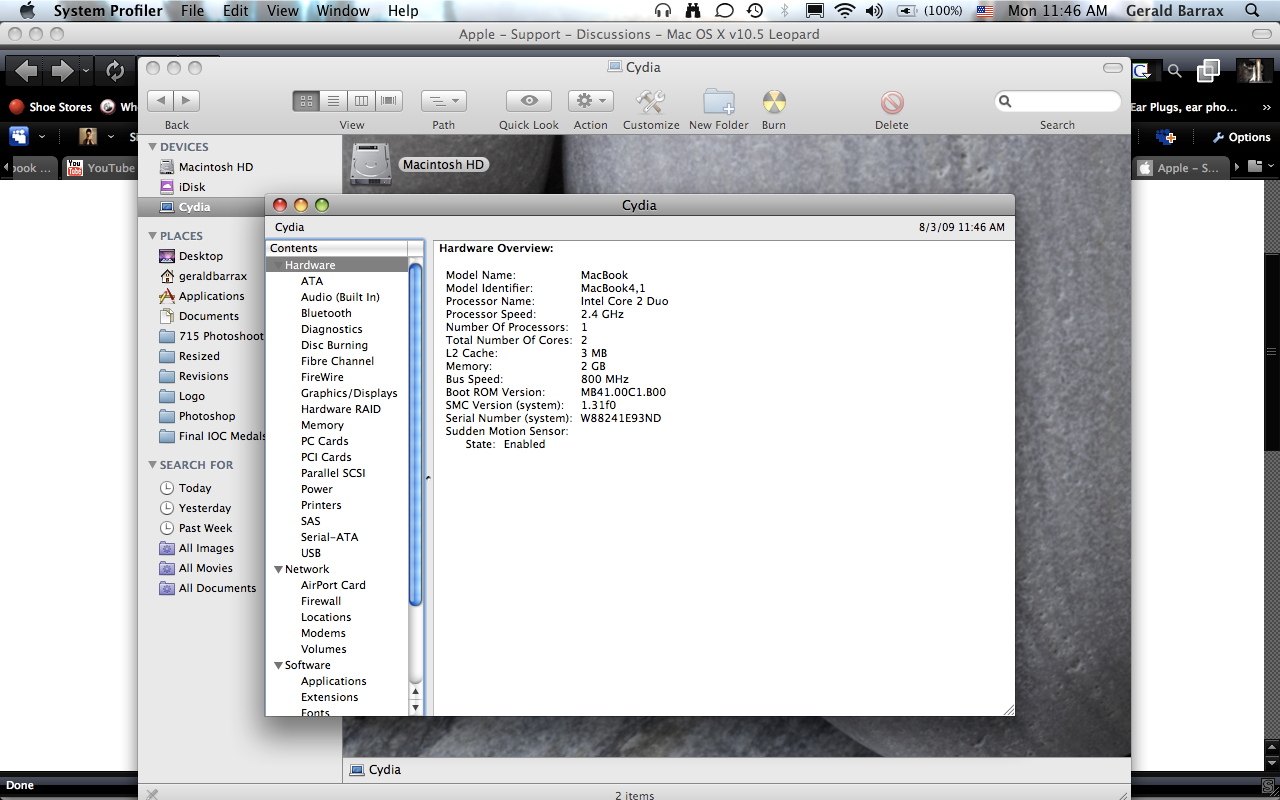
System Information:
http://i3.photobucket.com/albums/y57/HCOPE/Picture34.png
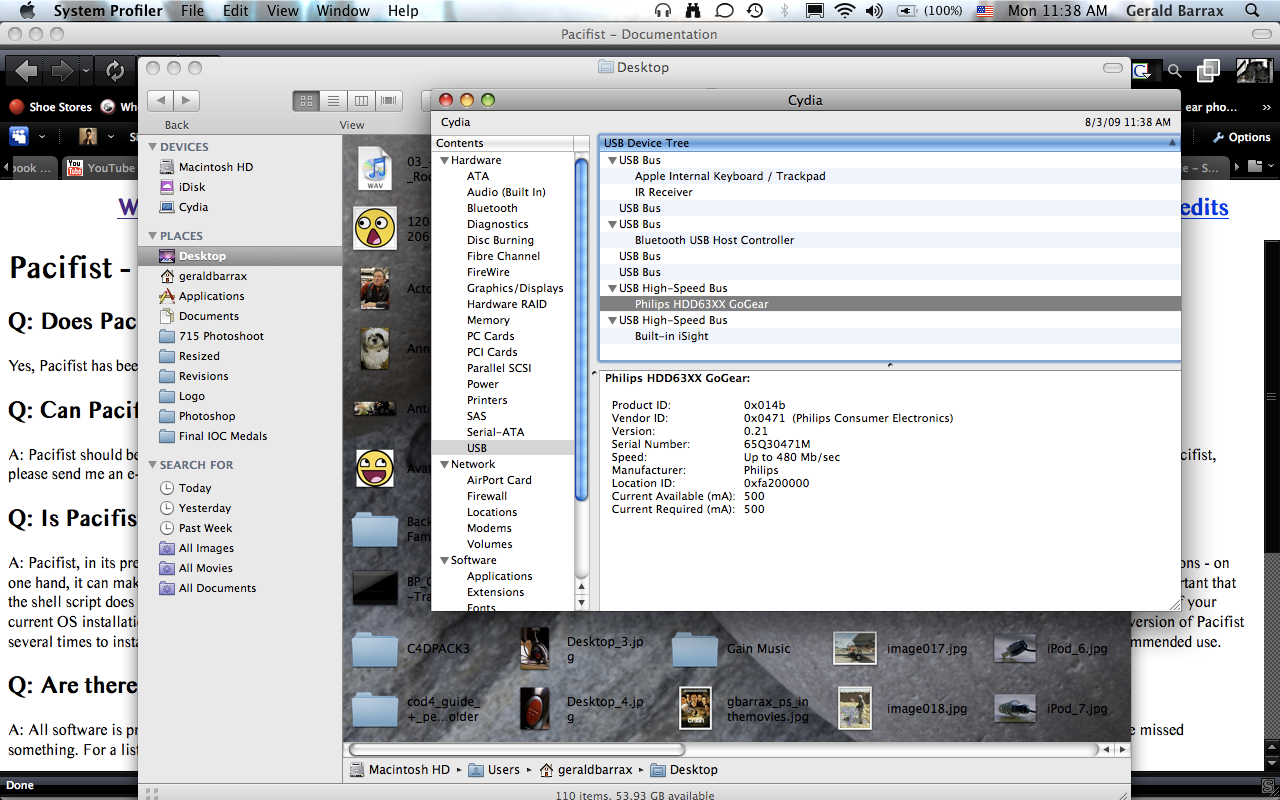
Jukebox in System Profiler, but not in Finder:
http://i3.photobucket.com/albums/y57/HCOPE/Picture26.png
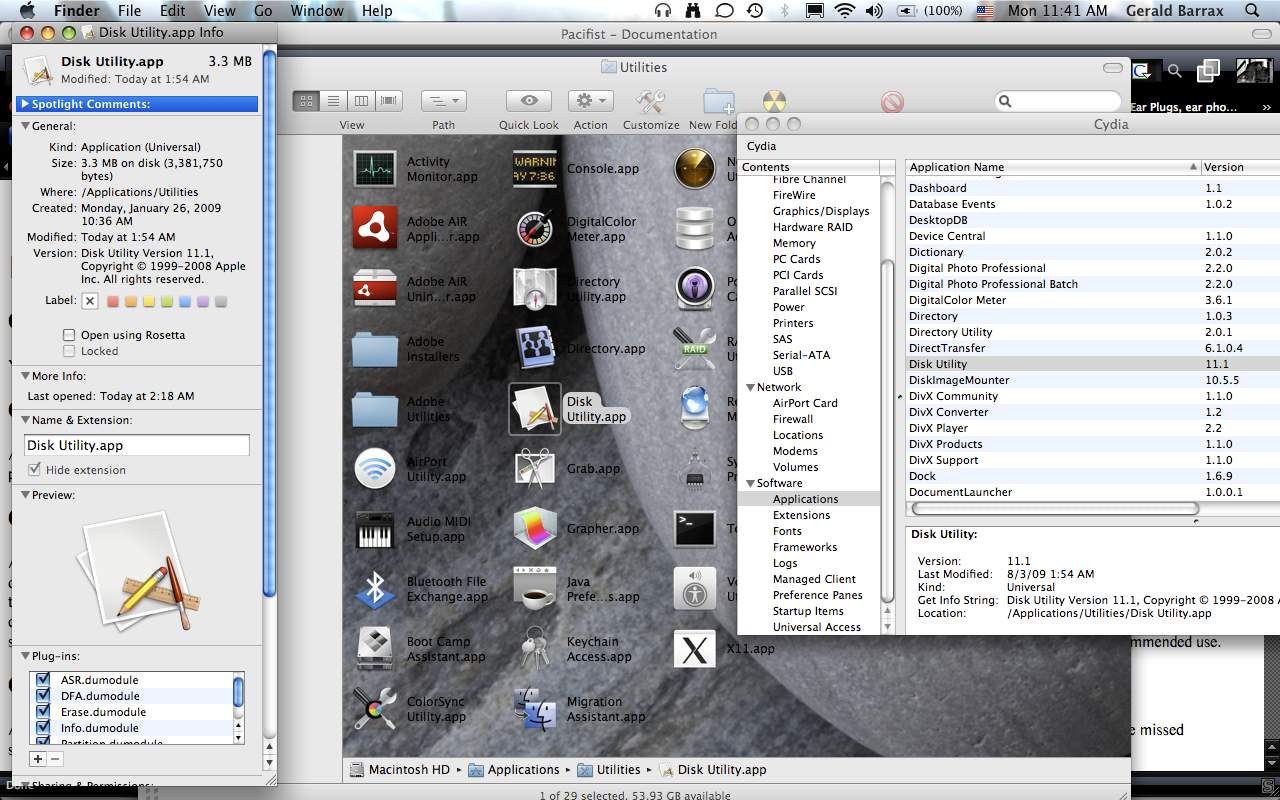
Disk Utility:
http://i3.photobucket.com/albums/y57/HCOPE/Picture30.png
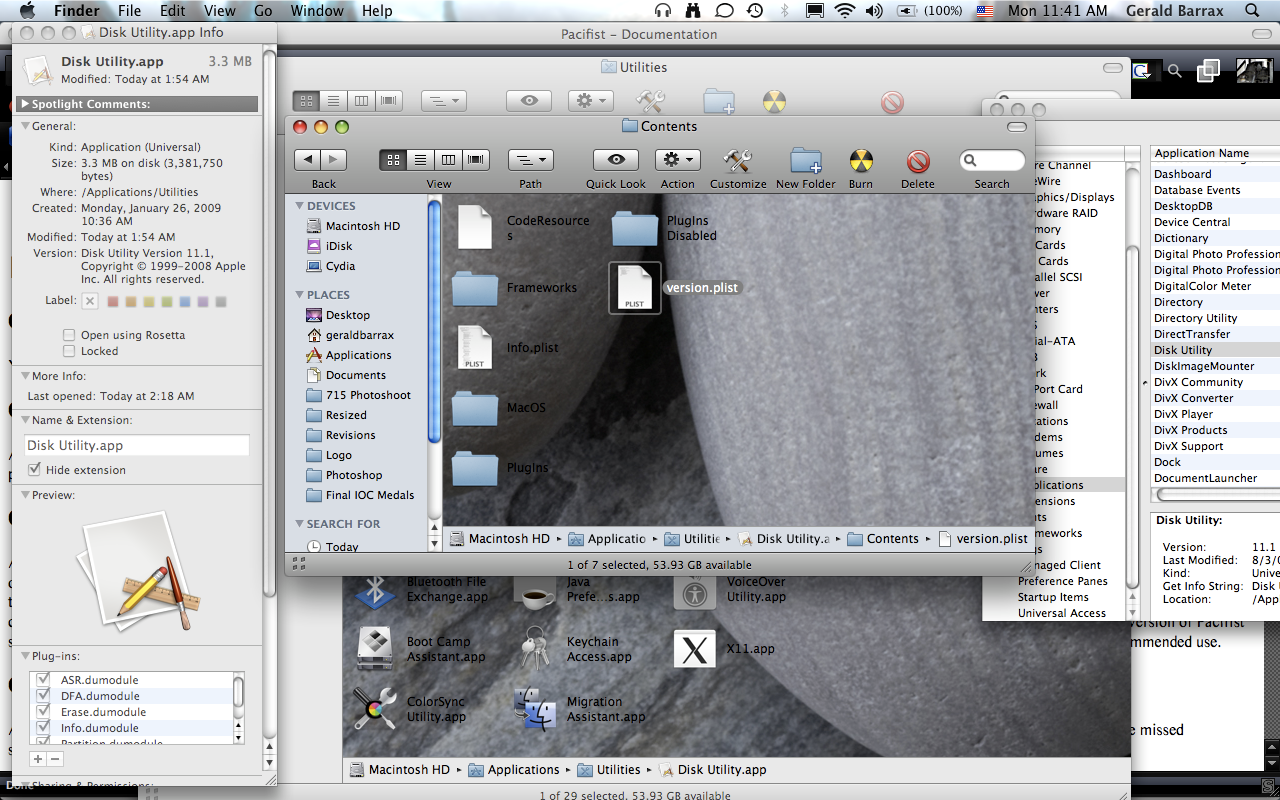
Disk Utility Package Contents
http://i3.photobucket.com/albums/y57/HCOPE/Picture32.png
I did a search of the community posts, and found several posts stating that I would need to use Disk Utility in order to gain access to the HDD. The problem with this is that I didn't have Disk Utility on my machine for some reason. I say "Didn't" because I recently used Pacifist to recover the App from the Install Disks. However, the version that was on the install disks was not compatible with 10.5.7. In the same post that I found the information about Pacifist (which I will link you to shortly) the last few lines state that after the app is installed, that the Combo Updater should be run to bring the app up to date as well as stating that the permissions need to be repaired. I don't know what that means or how to do it.
http://discussions.apple.com/thread.jspa?messageID=6950717�
I found the download for the Combo Update for 10.5.7, downloaded it, and ran the install program that was in the package which the .dmg file contained. Everything went smoothly, and I rebooted my MacBook. The Disk Utility app was still not up to date with the OS version. So I ran Pacifist again, only this time I extracted the app from the update installer package, and installed it (after getting rid of the old file that was not compatible with 10.5.7). This version (11.1) is indeed compatible, but it will not launch and also has the default application Icon with the paper, pen, pencil, and ruler. Pictures will be included.
At this point I don't know how to get Disk Utility to work, and I'm not even sure if using Disk Utility will give me access to my players HDD. Apple Tech won't talk to me because my MacBook is out of warranty, and there's no way in **** I'm paying for a service that should not have to pay for.
System Information:
http://i3.photobucket.com/albums/y57/HCOPE/Picture34.png
Jukebox in System Profiler, but not in Finder:
http://i3.photobucket.com/albums/y57/HCOPE/Picture26.png
Disk Utility:
http://i3.photobucket.com/albums/y57/HCOPE/Picture30.png
Disk Utility Package Contents
http://i3.photobucket.com/albums/y57/HCOPE/Picture32.png
MacBook, Mac OS X (10.5.7)