INTEL SSD firmware update. Anyone had success?

After trying the latest Parallels, XP and the 'Intel SSDToolbox' with very scary results, I realized I might be approaching this the wrong way.

My guess:
1. Backup SSD
2. Use Bootcamp & XP (all I got)
3. Boot from XP disk (all I got)
4. Update firmware
5. Boot into SL
6. Vola?

any thoughts?

Early Mac Pro 2008, Mac OS X (10.6), NVIDIA GeForce 8800 GT, 8GB RAM, Intel SSD bootdrive

Posted on Oct 29, 2009 8:35 PM

Reply
26 replies

Oct 30, 2009 8:16 AM in response to Ein

It doesn't work that way anymore. I don't know what the heck it is that they let you download, but it's not anything a Mac can deal with that I can tell. DU won't do a thing with it.
Besides, that was for the first gen, which BTreez has, or is pretty sure he has. And any reference to that firmware update has been deleted from Intels site.
I emailed them about the older update and how Mac users are supposed to use the new update. They haven't responded.

I hope people who are thinking of getting an SSD read this thread. I would strongly recommend holding off on getting an Intel SSD until Intel gets it's act together.

I hadn't seen the news that Malcolm's link refers to, but as I looked through Intels forum it was filled with dead drive stories. And this after their last fiasco of an update? Disgraceful really...

Oct 30, 2009 12:54 PM in response to The hatter

I've been looking to see if I have the old firmware update anymore, but I can't find it. I found a few other things though buried deeply away on a USB drive.
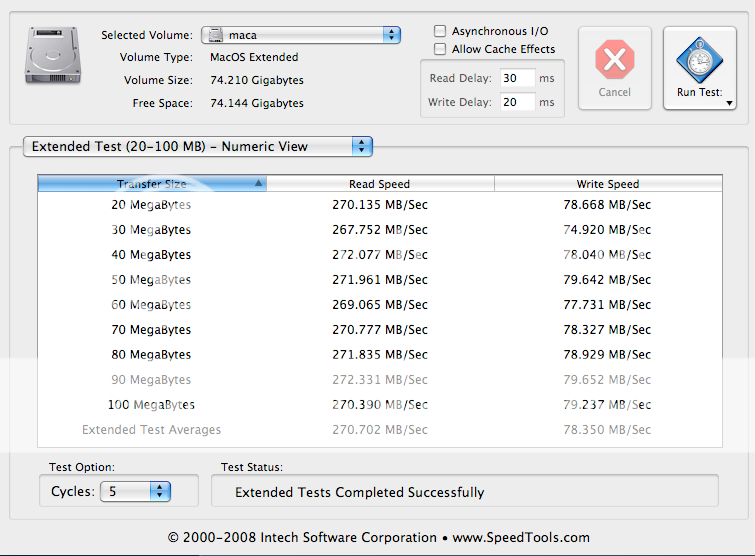
First, these two images are tests of before and after the update. I'm not going to label them, there's no point:
http://i528.photobucket.com/albums/dd325/senecat/1Intelearlymodelx25M-1.png

http://i528.photobucket.com/albums/dd325/senecat/intelafterupdate.png

So it wasn't a performance update.

And then I found this buried away which is early enough to apply to the early SSDs. And this is what I remember reading about it. The link for the update given leads to the same page I found last night, which if you click on the one link goes nowhere, that is, "Download Not Available".
http://www.computerworld.com/s/article/9131579/Inteloffers_firmware_upgrade_for_SSD_performanceproblem

Oct 30, 2009 3:44 PM in response to BROOKLYNTREEZ

To one mere insignificant measly individual with all the buzz going on? Perhaps when you find the update I'll get a note. One that says, "Sorry, we don't reply to serfs. Oops!".

Well, what's the bottom line? If you don't get an update your SSD will degrade faster over time losing speed. Mine have done that already anyway, we're both doomed... 😉

Oct 30, 2009 10:34 PM in response to Samsara

Samsara wrote:
So this, "Intel SSD_Toolbox_1_1_0000.msi" is useless then for Macs. The firmware iso that you downloaded, was that for both 1st and 2nd gen Intels? Which Intels do you have? Do you remember what the update was for?


I downloaded the firmware for my 2nd Gen Intel SSD. It was the latest version that the Windows 7 people are having problem with. But it works fine with my SL.

This thread has been closed by the system or the community team. You may vote for any posts you find helpful, or search the Community for additional answers.

INTEL SSD firmware update. Anyone had success?

Welcome to Apple Support Community
A forum where Apple customers help each other with their products. Get started with your Apple Account.