Screen artifacts and hanging - attempting to revive my Powermac G5
Hello all,
Background
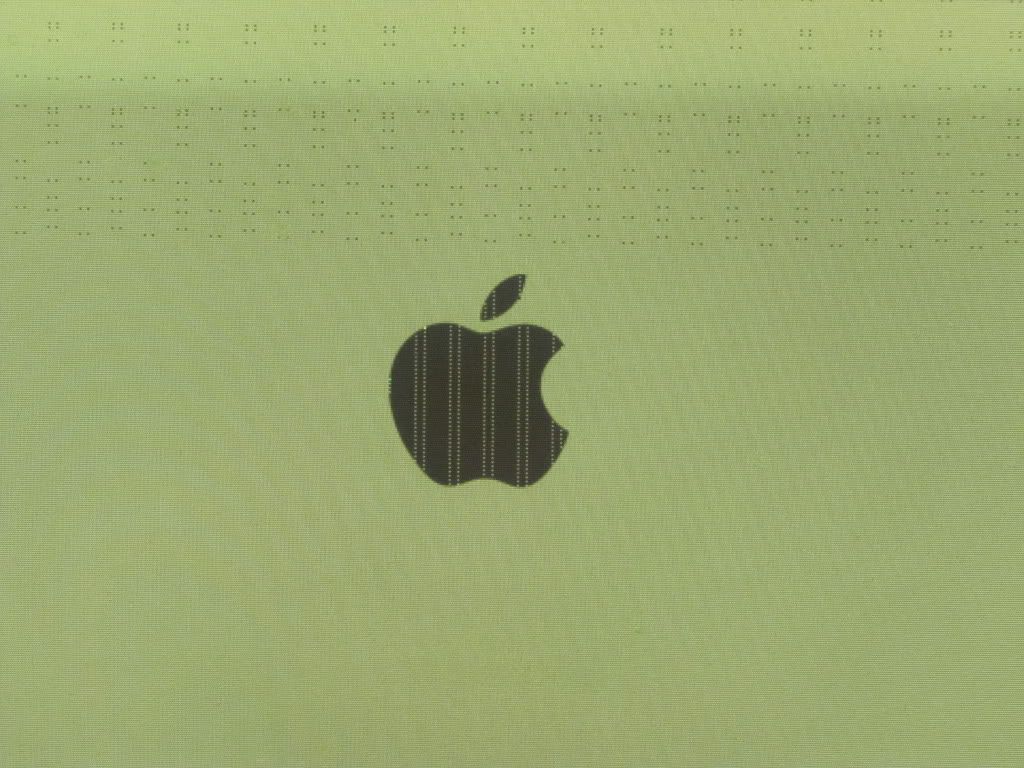
About a year ago my Powermac G5 2Ghz Dual Proc (2.5GB RAM) started having kernel panics once in a while, then random screen artifacts in the form of lines and dots started appearing all over, then it wouldn't go further than the Apple screen (artifacts included from that moment every time I tried to start the computer). I didn't take the time to resolve the issue then, and figured it would be a OS problem. Now I'd like to resolve my problem.
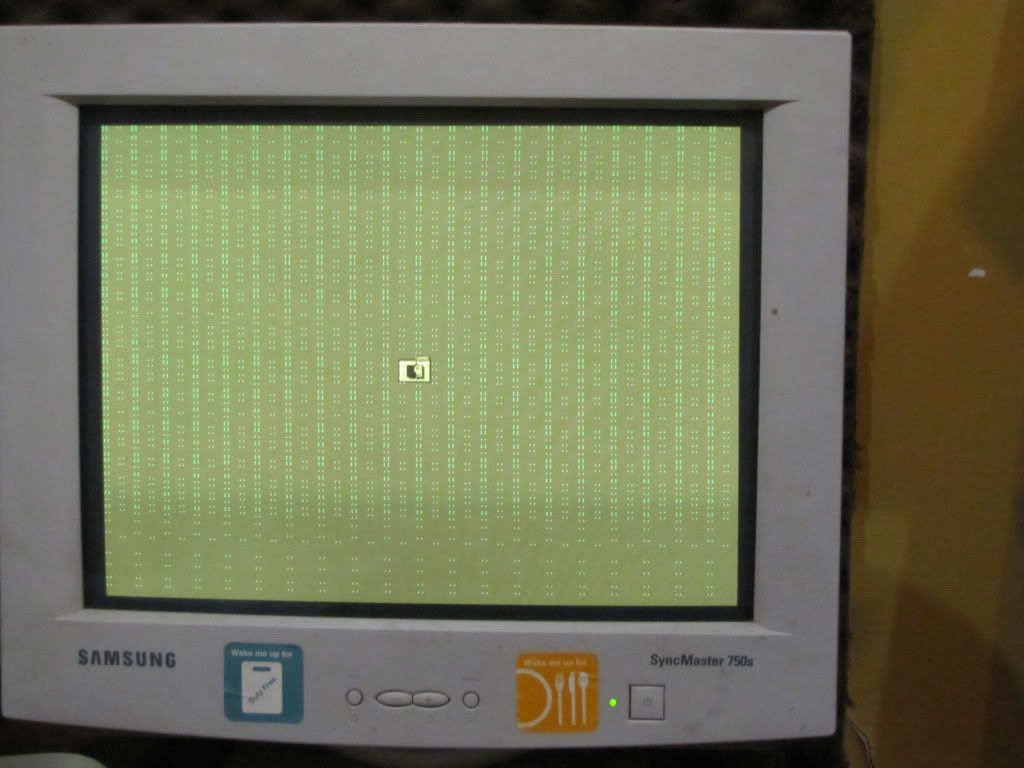
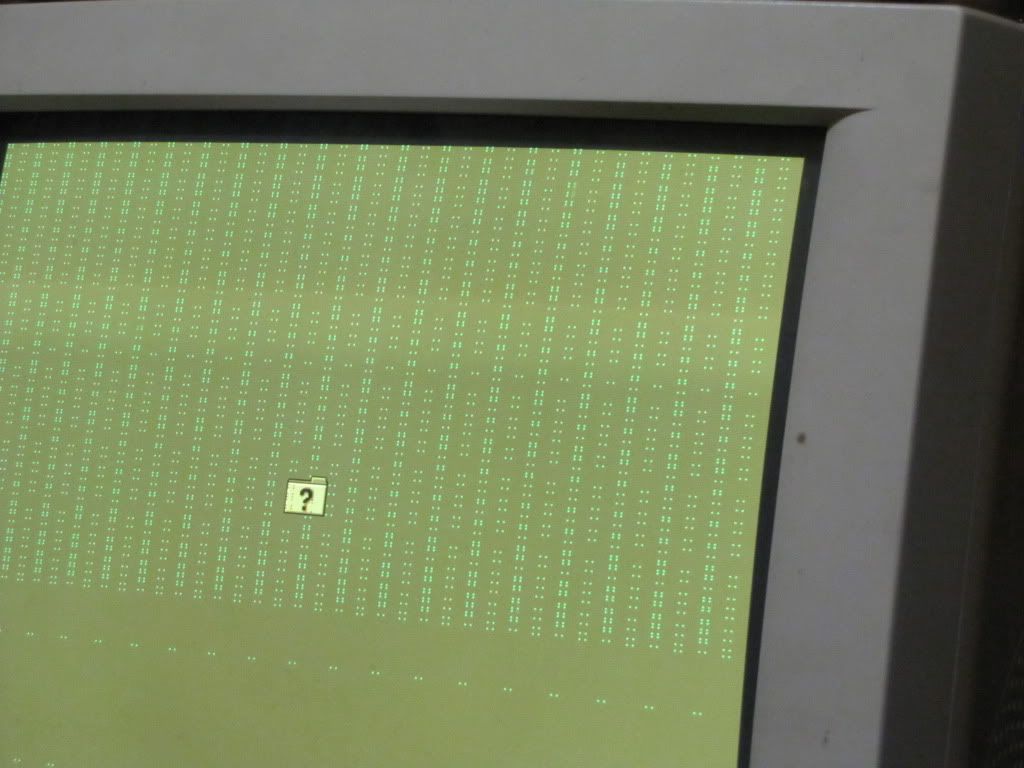
First, I turned the computer on without a system drive or install disc in in, to see if the lines would appear, which they did, plus a folder with a blinking question mark, which is supposed to in case there is no start-up drive. Here are two pics of the screen artifacts:
(My VGA adaptor has contact issues so the screen had a completely relaxing yellowish tint to it that doesn't bother me at all at no time during any of these processes).
http://i301.photobucket.com/albums/nn56/juergenalbum/Powermac%20G5/IMG2505.jpg
http://i301.photobucket.com/albums/nn56/juergenalbum/Powermac%20G5/IMG2510.jpg
Unfortunately, I can't locate my original install DVDs, so I borrowed copies for OS10.5 and 10.4 install DVDs from a friend (not originals). I'll keep looking for my originals tonight.
Installation
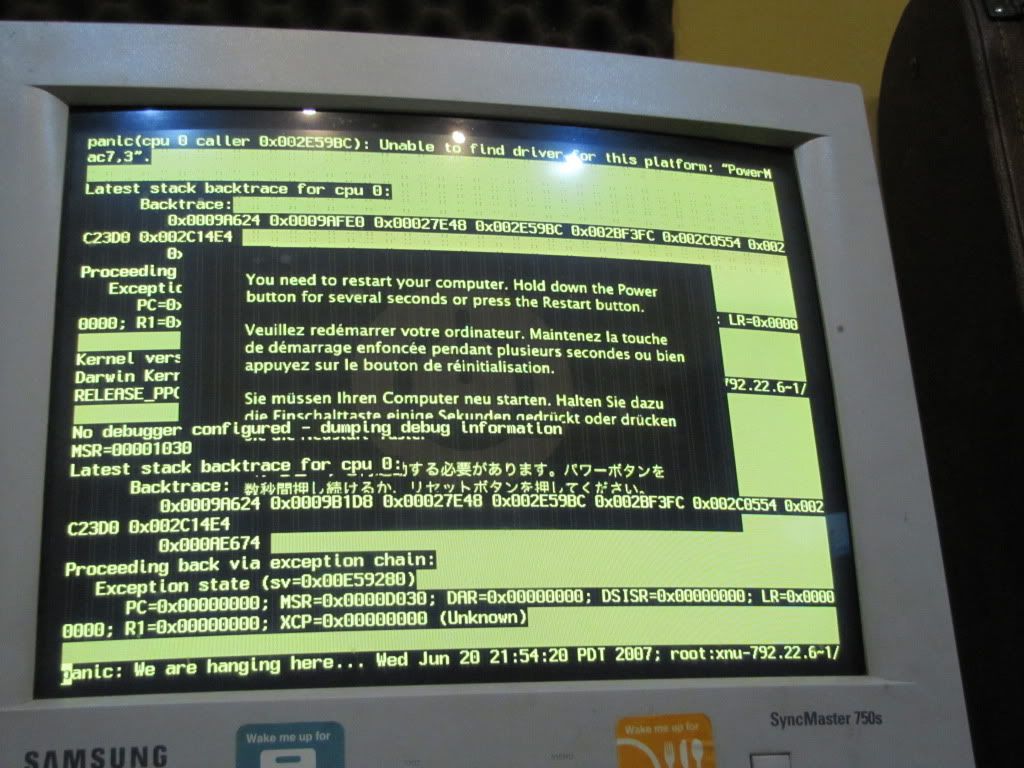
Installing 10.5 didn't work, as the computer would show this when tried to boot with the dvd:
http://i301.photobucket.com/albums/nn56/juergenalbum/Powermac%20G5/IMG2512.jpg
So I tried running the 10.4 dvd copy.
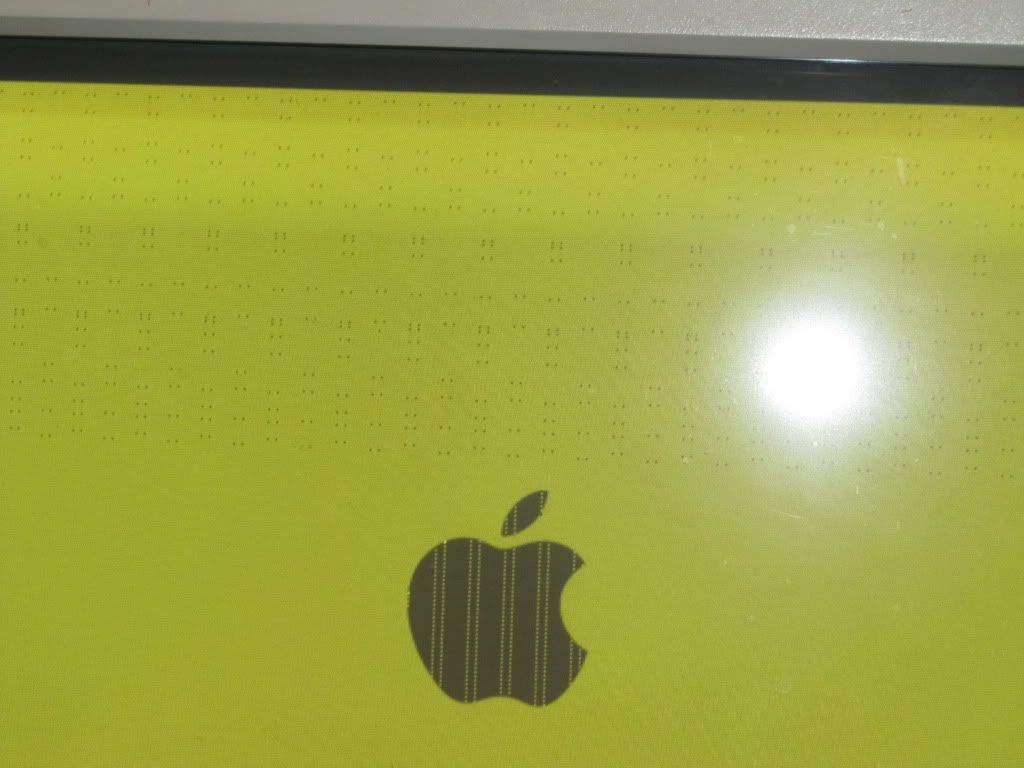
Screen artifacts yet again:
http://i301.photobucket.com/albums/nn56/juergenalbum/Powermac%20G5/IMG2507.jpg
http://i301.photobucket.com/albums/nn56/juergenalbum/Powermac%20G5/IMG2506.jpg
From the DVD, I formatted the hard drive with Journaling Enabled. After it was done successfully installing 10.4, I rebooted. Upon rebooting, it only gets to the light blue screen after the grey apple screen before it hangs indefinitely.
I reset PRAM and NVRAM, clicked the SMU reset button, but no joy. I read through a bunch of threads related to problems associated with screen artifacts (where I found the PRAM/NVRAM/SMU reset solutions), but haven't stumbled on anything that might tell me what is going on.
It had 2x1GB and 2x256MB of RAM installed, I tried booting up with all 4 sticks, then only the 1GB sticks, then the 256MB sticks, with the same hanging at the light blue screen every time.
Message was edited by: juergenw
Message was edited by: juergenw. Fiexd tiepose.
Background
About a year ago my Powermac G5 2Ghz Dual Proc (2.5GB RAM) started having kernel panics once in a while, then random screen artifacts in the form of lines and dots started appearing all over, then it wouldn't go further than the Apple screen (artifacts included from that moment every time I tried to start the computer). I didn't take the time to resolve the issue then, and figured it would be a OS problem. Now I'd like to resolve my problem.
First, I turned the computer on without a system drive or install disc in in, to see if the lines would appear, which they did, plus a folder with a blinking question mark, which is supposed to in case there is no start-up drive. Here are two pics of the screen artifacts:
(My VGA adaptor has contact issues so the screen had a completely relaxing yellowish tint to it that doesn't bother me at all at no time during any of these processes).
http://i301.photobucket.com/albums/nn56/juergenalbum/Powermac%20G5/IMG2505.jpg
http://i301.photobucket.com/albums/nn56/juergenalbum/Powermac%20G5/IMG2510.jpg
Unfortunately, I can't locate my original install DVDs, so I borrowed copies for OS10.5 and 10.4 install DVDs from a friend (not originals). I'll keep looking for my originals tonight.
Installation
Installing 10.5 didn't work, as the computer would show this when tried to boot with the dvd:
http://i301.photobucket.com/albums/nn56/juergenalbum/Powermac%20G5/IMG2512.jpg
So I tried running the 10.4 dvd copy.
Screen artifacts yet again:
http://i301.photobucket.com/albums/nn56/juergenalbum/Powermac%20G5/IMG2507.jpg
http://i301.photobucket.com/albums/nn56/juergenalbum/Powermac%20G5/IMG2506.jpg
From the DVD, I formatted the hard drive with Journaling Enabled. After it was done successfully installing 10.4, I rebooted. Upon rebooting, it only gets to the light blue screen after the grey apple screen before it hangs indefinitely.
I reset PRAM and NVRAM, clicked the SMU reset button, but no joy. I read through a bunch of threads related to problems associated with screen artifacts (where I found the PRAM/NVRAM/SMU reset solutions), but haven't stumbled on anything that might tell me what is going on.
It had 2x1GB and 2x256MB of RAM installed, I tried booting up with all 4 sticks, then only the 1GB sticks, then the 256MB sticks, with the same hanging at the light blue screen every time.
Message was edited by: juergenw
Message was edited by: juergenw. Fiexd tiepose.
MacPro, Mac OS X (10.4)